

How to disable touchpad for Microsoft Windows 10? That annoying touch-pad is mostly supplied by Synaptics Pointing Device, which means the software that comes with it is more or less the same for all laptop manufacturers. Synaptics is the market leader for touchpad however there are others such as Alps Pointing device.
See More ▼ 7 Free Battery Capacity Health Checker For macOS And Windows Laptop
The best solution to disable the touchpad is to use the software or built- in feature by the laptop manufacturer. Every manufacturer has their own method of disabling the touchpad, read the user manual. When no option is available, only do you go for these third party software. Here are some official tutorials by the top laptop brands.
- Dell – Disabling or Enabling the Touchpad on a Dell Notebook
- HP – Notebooks with Synaptics TouchPad
- Asus – How to disable Smart Gesture
- Lenovo – Enable and disable your touchpad
1. Touchfreeze
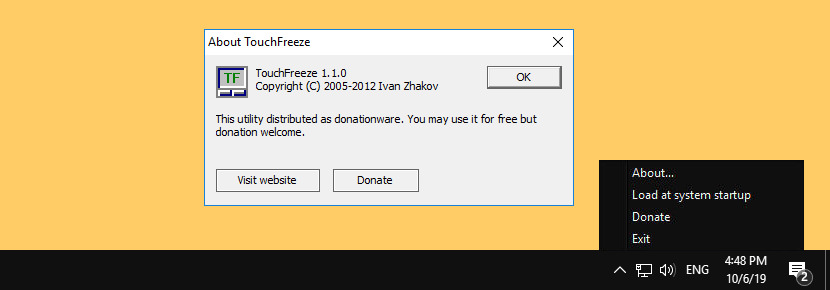
TouchFreeze is a free and simple utility for Windows that automatically disables the touchpad while you are typing in text. Do note that this software doesn’t permanently disable it, it means this software is activated when you are using the keyboard.
2. TouchpadPal
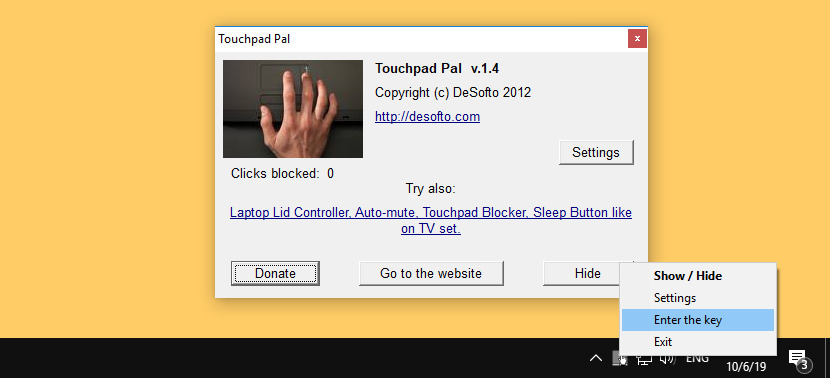
When you are typing a text on your laptop and your thumb accidentally brushes the touchpad, this leads to changing the position of the cursor in your document and you need to start typing again and again. Touchpad Pal is a utility for Windows XP/Vista/7 that solves this problem. It will automatically disable touchpad when you are typing text.
3. Touch Tamer

Touch Tamer disables the laptop touchpad while you are typing in order to prevent accidental clicks which may interfere with said typing.
- Can customize the length of time to disable the touchpad.
- Portable, can run from removable media and makes no changes to the host system.
4. Touchpad Blocker
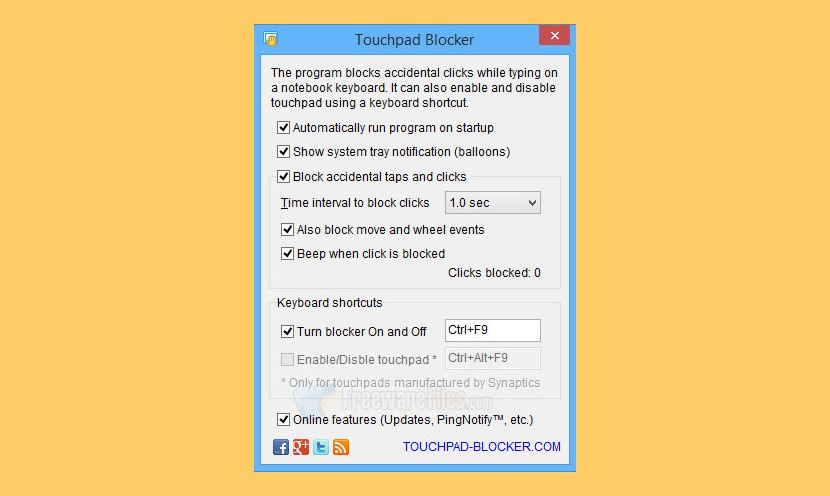
Touchpad is a very useful device, but it’s usually located right under your hands when you are typing. Accidental touch by palm or wrist moves caret to another place of text!
That’s why Touchpad Blocker is a must have software for notebook owners who prefer to use touchpad instead of mouse or other pointing devices. Software helps the user to type text as fast as possible by locking mouse events during a small period after any keys are pressed. The touchpad remains enabled all the time!
5. Windows Device Manager
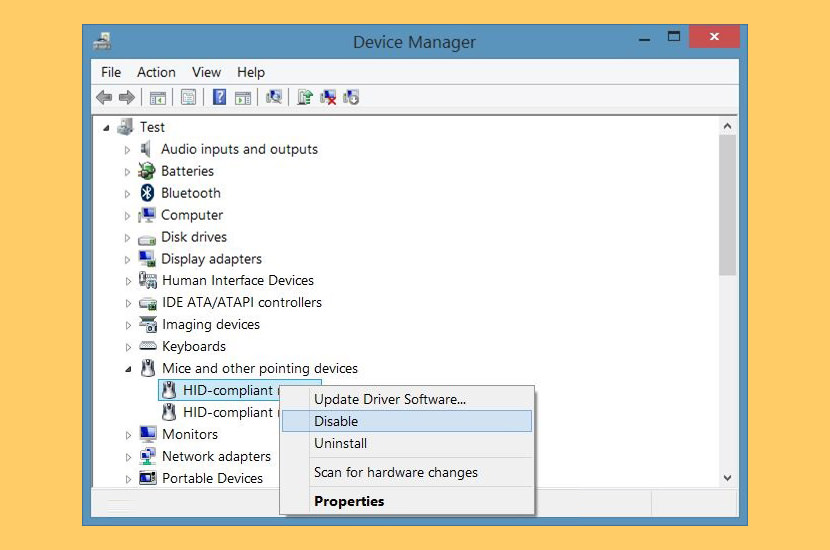
Possibly the best permanent solution is to disable the device in Windows Device Manager. As shown in the ‘Device Manager’ list (Right click ‘My Computer’ then select ‘Properties’), click on the ‘Mouse and other pointing devices’ list and disable the Touchpad driver. If the disable option is not available, you can uninstall it, but it is best not to because you will be prompted to install new hardware every time you boot up Windows.
Note: Since the touchpad is a ‘mouse’, the device name is called HID-compliant mouse. There are probably two since you’ll be using your own mouse, thus you have to guess which is the mouse and which is the touchpad by disabling it one by one.
6. Disable Touchpad In BIOS
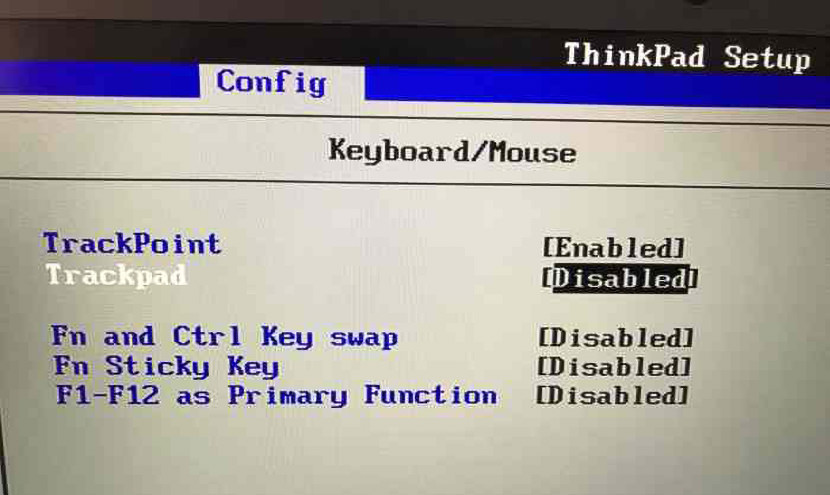
Some laptop manufacturers do offer the option of enabling or disabling the touchpad in the BIOS. Lenovo ThinkPad comes with this feature. I am not too sure if other manufacturers such as Dell, HP, Huawei, Samsung, Lenovo, Asus, MSI, Acer, Toshiba, Vaio, or Apple offer similar features. Just boot into BIOS to check if an option is present.
HP has their own software for disabling the touchpad. Some manufacturers such as HP include a physical on/off button. Asus on the other hand uses a combo of Fn + F1 to F12, it really depends on the brand and make of the laptop.


I just wanna tell you the touchpad still works… wtf!!!!!
Disable the Asus Touchpad
Disable touchpad while typing doesn’t work!
Watch that temper now
Sonyericssonlive
How turn off the Synaptic driver or uninstall it?
How to Disable Your Laptop Touchpad?
Can I Turn Off TouchPad for windows 8?
disable touchpad dell, hp, acer, asus, sony and others must be in a physical button, not software.
how to Permanently disable touchpad on EliteBook and macbook?
thanks for this amazing Temporarily disable laptop’s touch pad tutorial
I hardly leave responses, however after browsing a few of the remarks on this page Tutorial:
Disable Touchpad for Lenovo, Dell, HP, Acer, Toshiba, Asus on Microsoft Windows.
I do have a couple of questions for you if it’s okay. Could it be only me or does it look like like a few of these remarks look like they are left by brain dead individuals? :-P And, if you are writing on other online sites, I’d like to keep up with you.
Could you post a list of all of your public sites like your twitter
feed, Facebook page or linkedin profile?
TouchFreeze doesn’t work on Windows 10.
TouchPad Blocker doesn’t work on Windows 10 either.
OK. None of these work with Windows 10. And none of them are actually free.
Yes they do, the Apple one mentioned in the article comes pre-build into macOS
I installed Touchfreeze on my notebook “Samsung R730” with Win7homeX64SP1 clear install w/o specific touchpad driver. Windows tells me that it’s a PS/2 compatible mouse using the microsoft mouse driver. The hardware key is ACPI\PNP0F13, must be an ALPS touchpad. I installed Touchfreeze “for all users (must have admin rights)” and it works fine right after installing.
Touchpad blocker doesnt work win 10.
TouchFreeze doesn’t work with the latest versions of Windows 10. Used it for a few years, but several updates ago it stopped working. Real bummer