

Category: Freeware and Software Reviews » Adobe PDF
How to create PDF files? How to create and install a PDF printer? Where to download a free virtual PDF printer? The benefit of having a virtual ‘Adobe’ (creator and owner of the pdf format) PDF printer as opposed to having the ‘save as pdf’ plug-in in Microsoft Office is the possibility of converting files from any application using the ‘print’ function.
Related Article 😍💰👉 60 Best Websites To Download Free ePub and PDF EBooks
You’re not limited to Microsoft Office. Below are three of the best virtual drivers for PDF printers, and the best part is they are free! Setting up this virtual pdf printer is easy, download and install the setup file and choose the virtual pdf printer from your list of printers in the drop down menu. Download the virtual PDF printer driver now for windows and mac.
1. BullZip PDF Printer
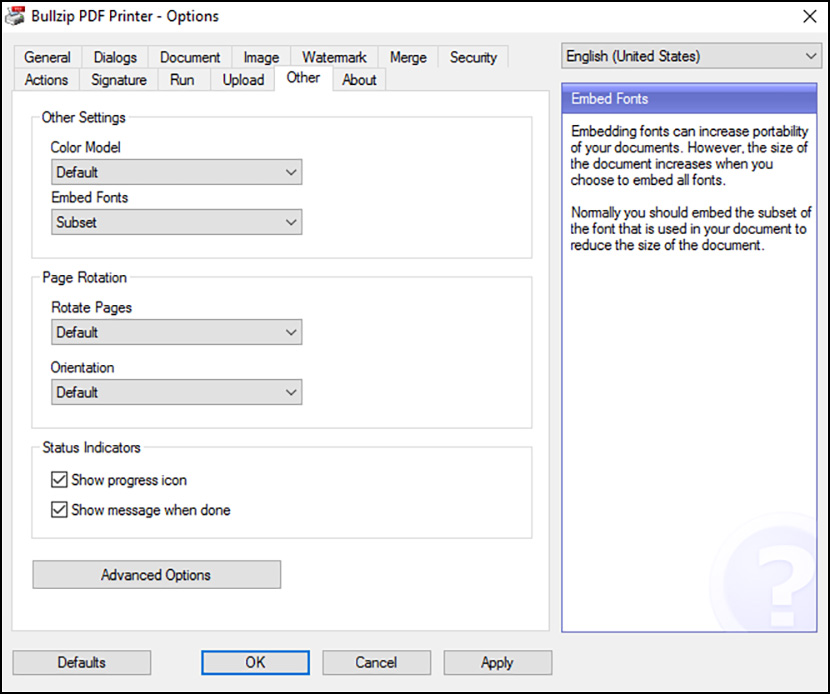
Of all the PDF printer I’ve tested, Bullzip produces the sharpest text and smallest file in term of ratio. It is not something I type out of jest, I’ve downloaded many PDF printer because I need to export my “Printable Graph Paper Templates” into PDF, they need to be sharp and small, and BullZip is the clear winner after trying out 10+ PDF printers.
BullZip is a free PDF printer that allows you to print to a PDF document from any Microsoft Windows application. Supports Microsoft Terminal Server and Citrix Metaframe environments. The Bullzip PDF Printer works as a Microsoft Windows printer and allows you to write PDF documents from virtually any Microsoft Windows application. It does not contain any advertising or popups. For commercial applications with more than 10 users there are commercial versions available with advanced features.
- Password protect PDF documents.
- AES 256/128 bit encryption and standard 128/40 bit encryption.
- Quality settings (screen, printer, ebook, prepress).
- Set document properties.
- Watermark text, size, rotation, and transparency.
- Superimpose/background documents.
- Linearized PDF documents for fast web view.
- PDF/A-1b support for long time storage of PDF documents.
- Signing of PDF documents using digital certificates.
- COM/ActiveX interface for programmatic control.
- Microsoft.NET API for C#, VB.NET, and other .NET development.
- Support for Citrix MetaFrame
- Support for Windows Terminal Server and RDP
- Upload document using FTP or SFTP protocol.
2. CutePDF Writer
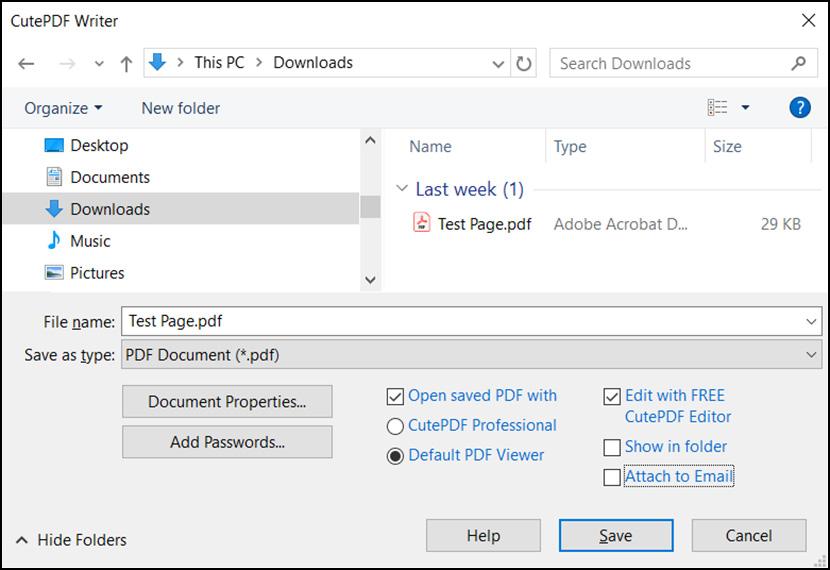
CutePDF writers may not pack with lots of features; however, it gets the job done as promised. If you’re looking at setting up an adobe pdf printer, try this freeware. A simple pdf printer driver for windows. Portable Document Format (PDF) is the de facto standard for the secure and reliable distribution and exchange of electronic documents and forms around the world.
CutePDF Writer (formerly CutePDF Printer) is the free version of commercial PDF creation software. CutePDF Writer installs itself as a “printer subsystem”. This enables virtually any Windows applications (must be able to print) to create professional quality PDF documents – with just a push of a button!
- New version 4.0 allows you to change Document Properties, add Passwords with security settings and do much more.
- Password protect PDF documents with 256-bit AES encryption.
- Added support for basic programmatic access.
3. doPDF
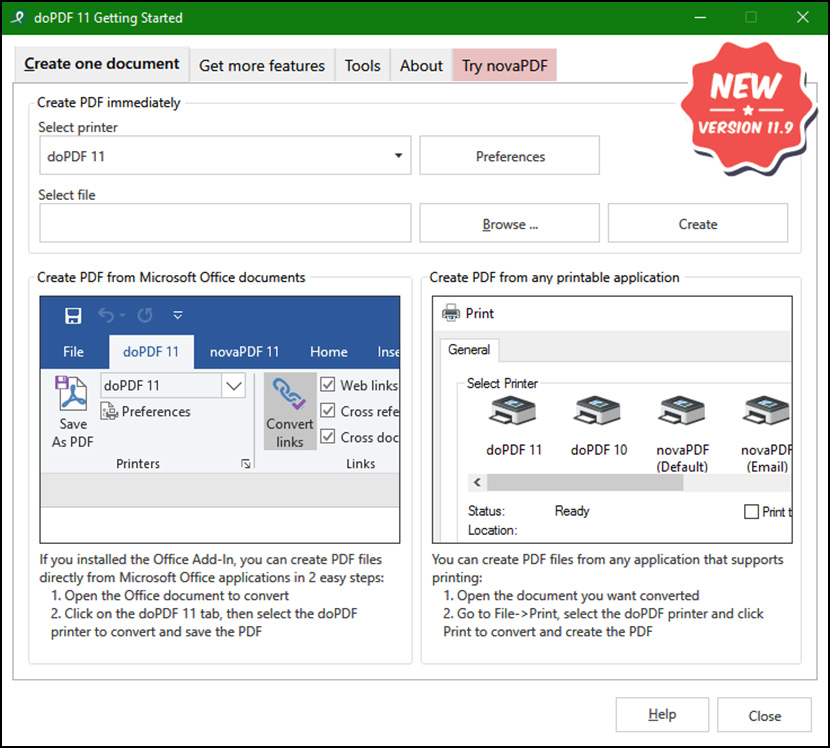
They created doPDF with the purpose of giving users a way to create PDF files fast and easy. This is why doPDF is the most lightweight free PDF creator in the world – no exaggerations, the setup is a mere 4MB, does not require 3rd party software (such as Ghostscript or .NET, as most of the other free PDF creators require) and barely uses any resources during conversion. By downloading PDF creator doPDF, you will be able to create PDF files for free as soon as it is installed. doPDF requires the .NET framework (version 4.6 or higher) to work, so you’ll be prompted during setup to install if it’s not already on your PC. Here’s why you have to use doPDF:
- Easily select and convert – Creating PDF files is as simple as selecting the file you want to convert and clicking a button that will start the actual conversion to PDF.
- No GhostScript – Doesn’t require 3rd party programs to make PDF files such as GhostScript. This avoid extra package downloads compared to other free PDF printer programs.
- Consistent PDF look – To ensure that the resulting PDF file will look as originally intended, doPDF embeds by default the font subsets used in the original document.
- Industry-standard PDF files – doPDF creates standard PDF files, meaning you will be able to open them with any free PDF reader (i.e. Adobe Reader, Foxit PDF Reader).
4. PDF24 Creator
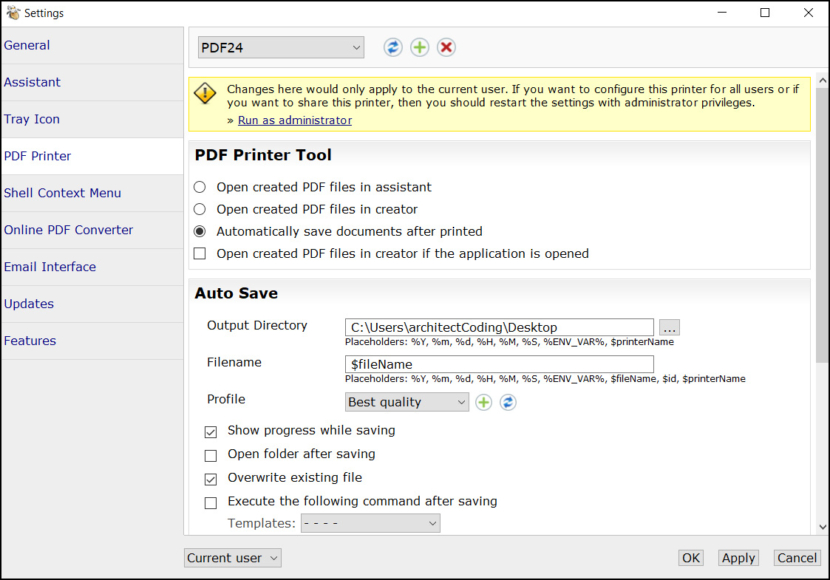
PDF24 Creator is free and feature-filled PDF creation, merging and conversion tool for Windows. Its unique feature among the free PDF printer tools is an editor, which allows to easily assemble, create and modify PDF files with Drag & Drop. Print on this printer in order to create a PDF or use it as a universal PDF converter that converts any printable file to PDF.
5. clawPDF
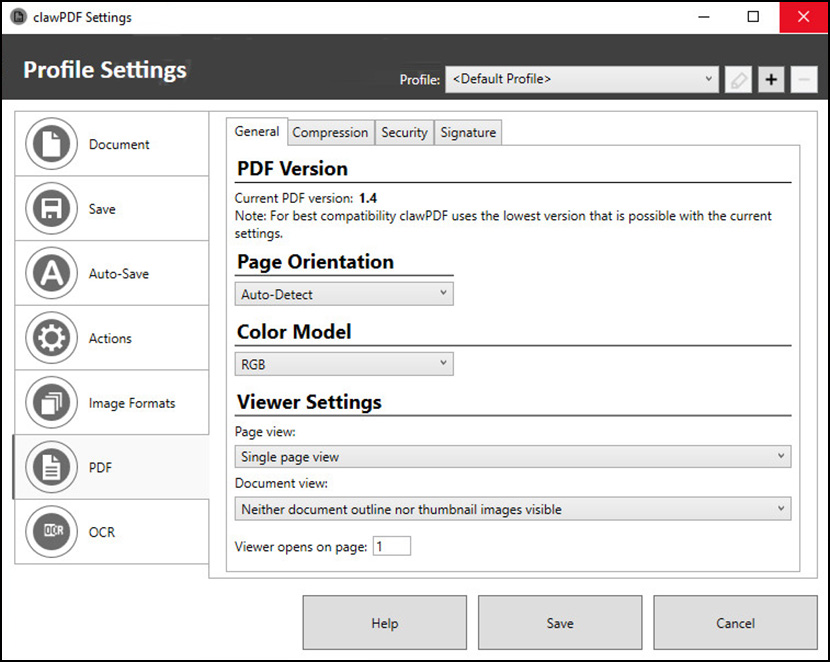
ClawPDF may seem like yet another Virtual PDF/OCR/Image Printer, but it actually comes packed with features that are typically found in enterprise solutions. With clawPDF, you can create documents in various formats. You also have easy access to metadata and can remove it before sharing a document. In addition, you can protect your documents with a password and encrypt them with up to 256-bit AES. ClawPDF is open-source and compatible with all major Windows client and server operating systems (x86/x64/ARM64), and it even supports multi-user environments!
- Print 100% valid PDF/A-1b, PDF/A-2b and PDF/A-3b
- Optical Character Recognition (OCR)
- Scripting Interface (Python, Powershell, VBScript…)
- Shared Network Printing
- SVG Export
- Custom Paper Sizes / Standard Paper Sizes
- 256-bit AES encryption
- ARM64 Support
- Full Unicode Support
- No adware, spyware and nagware
6. CubePDF
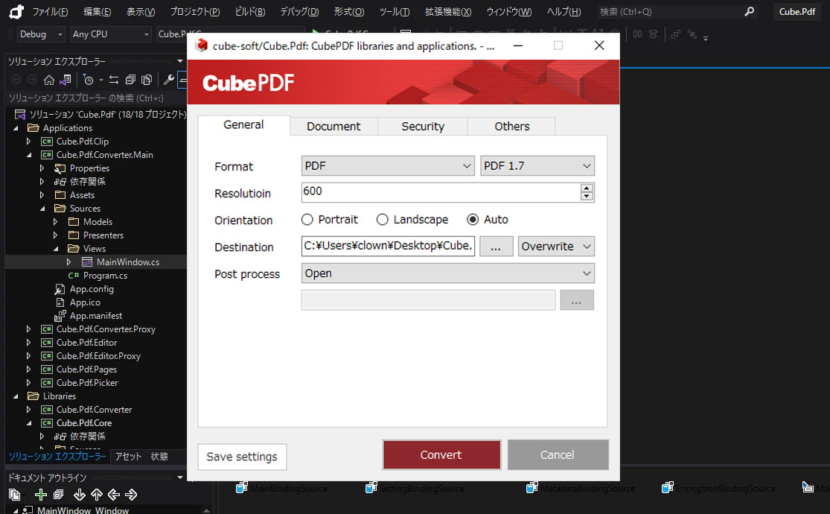
CubePDF is a Windows virtual printer that allows you to convert to PDF when you need it from any application, including Web browsers, Microsoft Word, Excel, PowerPoint (PPT), bitmap files (PNG, JPEG, BMP), etc. The software can convert files in the same way as printing, so the process is extremely easy. CubePDF is provided as an Open Source Software (OSS) and is completely free to use. Try it out now!
CubePDF can also convert to image files in the same way as it converts to PDF files. For image conversion, CubePDF supports frequently used image file formats such as JPEG (JPG), PNG, BMP and TIFF (TIF).
7. PrimoPDF
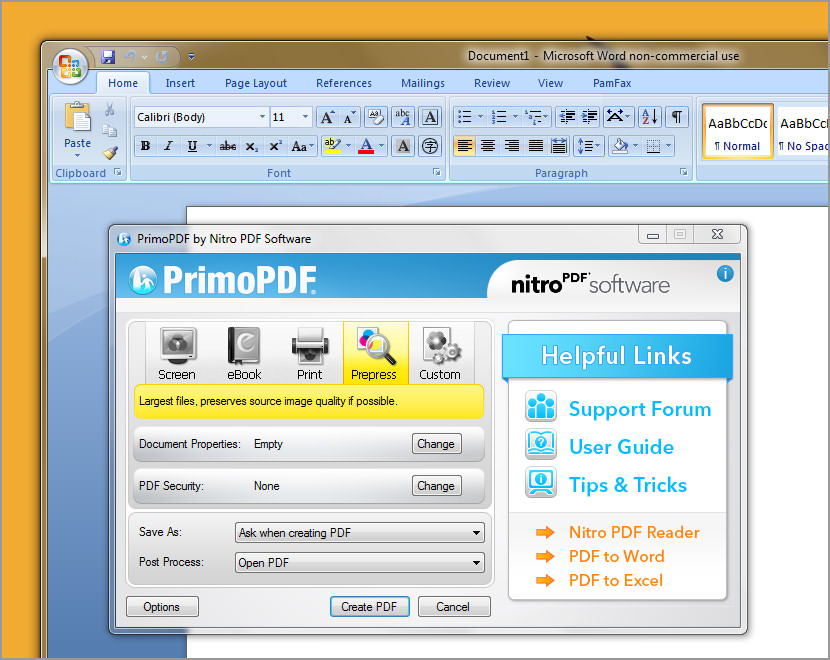
[ Discontinued ] Now known as Nitro PDF Creator, this is one of my favorite PDF printer drivers, unlike CutePDF, PrimoPDF comes with more features not found in any other freeware pdf printer in the market. It allows password protected PDF files to be plotted, provides network pdf printers and many more.
Create PDF using PrimoPDF – a free tool for high-quality conversion to PDF, comprising a user-friendly interface that enables printing to PDF from virtually any Windows application. Additionally, PrimoPDF provides the ability to optimize PDF output for screen, print, ebook, and prepress, secure PDF files with 128-bit encryption, and add document information (e.g. title, author, subject, keywords) to converted PDF files.
- Completely free PDF creator – Create PDF files from 300+ file types.
- Make 100% industry-standard PDF from any files that print.
- Create PDF files optimized for print, screen, ebook, or prepress.
Recommended for you:
 20 Free Software To Edit and Convert PDF without Adobe Acrobat
  11 Best ISO Mounting Free Software For Creating Virtual CD DVD Drive in Microsoft Windows
  5 Free Software To Create Virtual Wireless Internet Connection Hotspot In Windows
  8 Free Sandboxing, Virtual Machine And Rollback Software For Windows
If you are looking to easily create professional PDF documents, I’d recommend smartpdfcreator It is really quick and easy.
It’s not free.
Dear Gecko and Fly Team,
I am Lucy from PDF Converter. Hope you are having a great day.
I have found your blog while searching for potential collaborators, and it is really amazing. Since you’ve already covered similar topics, I wanted to ask if you would be interested in
reviewing our free online tool for converting PDF files to Excel.
Some of its main features include:
– Safety – user privacy is always protected
– Fast, three-step accurate conversion
– No need to buy or install anything on your computer
– No limit on file size
– Converts scanned PDFs as well
Also, if it’s more convenient for you, I can put together an article about our tool, or perhaps a piece that involves other free online tools, something in the likes of “Top 5 Free Online Time-Saving Tools”.
If this is something you would consider sharing with your readers, you can check out the tool here:
And if I can help you with anything else, please let me know.
Thank you for your time.
Best,
Lucy
“doPDF requires .NET (v4) to be installed”
I don’t think so.
Yep – it does.
Requirements and support
doPDF requires .NET (v4) to be installed and works on the following operating systems: Windows 10/8.1/8 (32 and 64-bit), Windows 7 (32 and 64-bit), Windows Server 2016, Windows Server 2012, Windows 2008 Server (32 and 64-bit), Windows Vista (32 and 64-bit), Windows 2003 Server (32 and 64-bit), Windows XP SP3 (32-bit).
Still puzzled on how to use doPDF? Then visit the forum and to ask us for help or simply to share your experience with other doPDF users: Support Forum.