

With ChatGPT, Gemini or CoPilot, these AI can easily recognize the text in an image and convert it for you. Where to download free Optical Character Recognition (OCR) scanning software? Which is the best OCR scanning program? Stop! Don’t buy OCR software! These ocr scanning software is free, some are open source OCR software supported by Google itself. There are a number of OCR software in the market, most of them are able to handle basic OCR tasks such as scanning images, converting text to word, export to Adobe PDF and more.
Related Article 😍💰👉 4 Free OCR Apps – Scan And Convert To Text With Smartphones
Undeniably the paid version is way much better and user friendly than the free version, having said that, this doesn’t mean freeware is not good enough for basic OCR tasks. If you’re looking at using OCR software once in a blue moon, do try out the following free OCR software, all you need is a scanner. Below is a simple list of OCR software comparisons. All Freeware! However, there are quite a number of Free OCR too, the main features that differentiate paid and free OCR software are:
- Character recognition accuracy
- Page layout reconstruction accuracy
- Multi-engine voting technology
- Support for languages
- Support for searchable PDF output
- Speed
- User interface
1. DeepSeek OCR
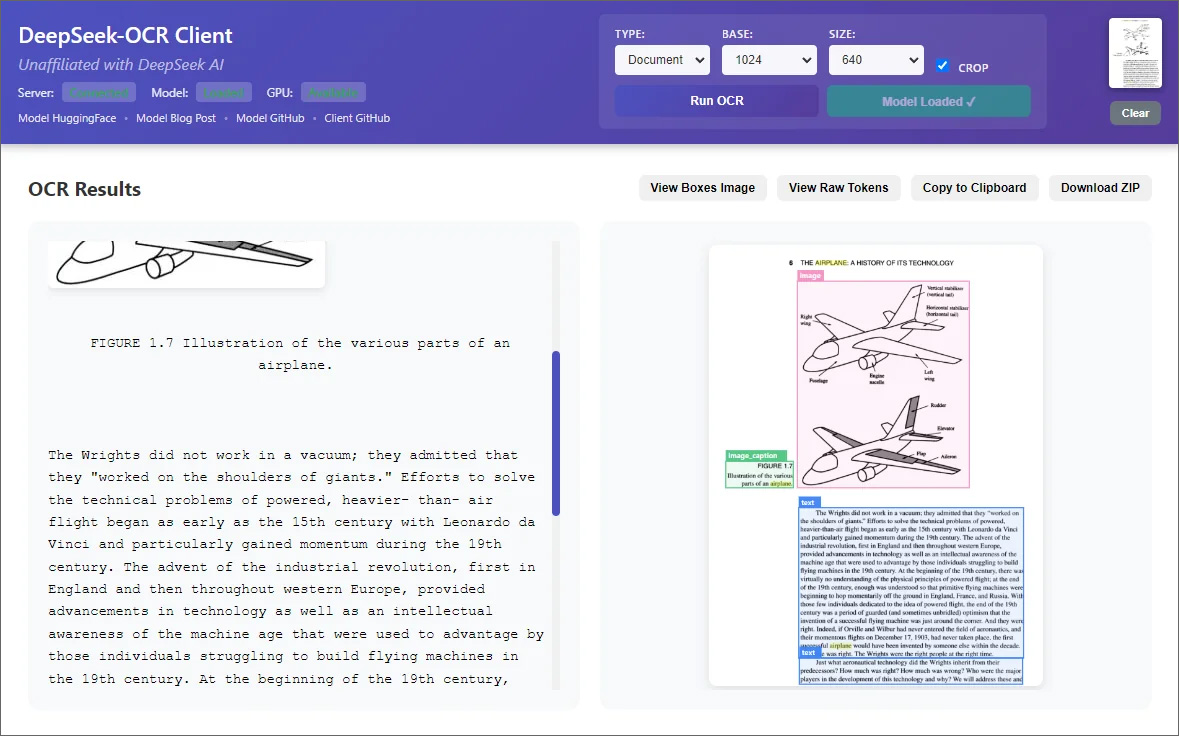
You can run DeepSeek AI OCR from your Windows computer, this can be done by installing any free agent for the AI model. DeepSeek OCR is a two-stage transformer-based document AI that compresses page images into compact vision tokens before decoding them with a high-capacity mixture-of-experts language model.
Stage 1 merges a windowed SAM vision transformer with a dense CLIP-Large encoder and a 16× convolutional compressor; Stage 2 uses the DeepSeek-3B-MoE decoder (~570M active parameters per token) to reconstruct text, HTML, and figure annotations with minimal loss.
Trained on 30 million real PDF pages plus synthetic charts, formulas, and diagrams, DeepSeek OCR preserves layout structure, tables, chemistry (SMILES strings), and geometry tasks. Its CLIP heritage maintains multimodal competence—captions and object grounding remain intact even after aggressive compression.
2. Google Doc OCR
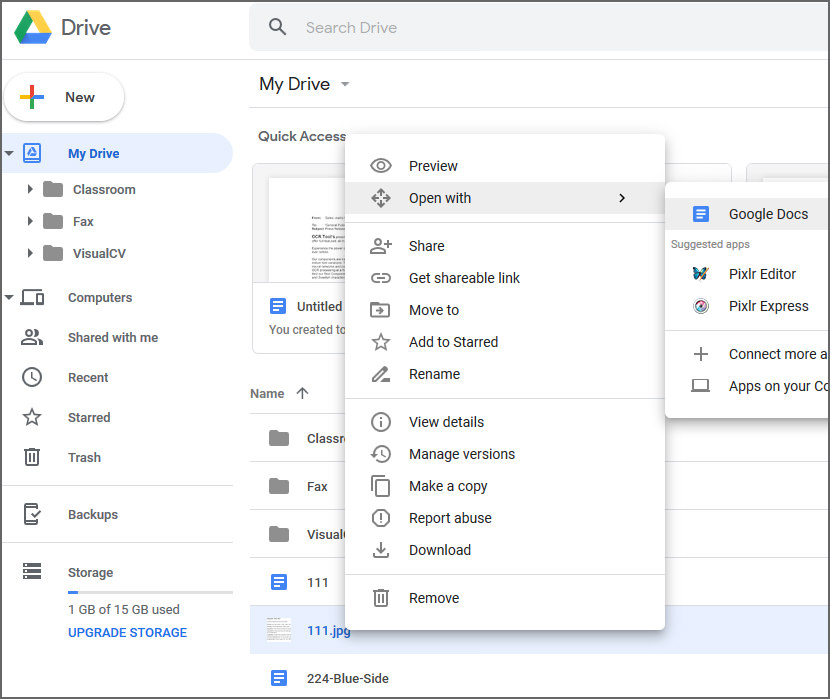
Google Docs has a built in OCR that will automatically (if you checked the settings) convert texts in images into editable texts. All you have to do is upload the .JPEG, .PNG, .GIF, or PDF (multipage documents) files to Google Drive and then right click to open it in Google Docs. Unlike other OCR, the image formatting is not preserved.
3. SimpleOCR
Free For Personal Use
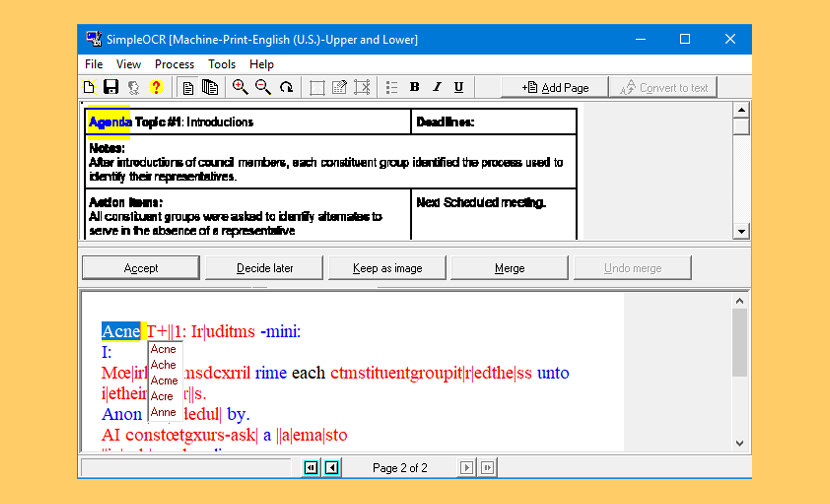
SimpleOCR is the popular freeware OCR software with hundreds of thousands of users worldwide. SimpleOCR is also a royalty-free OCR SDK for developers to use in their custom applications. If you have a scanner and want to avoid retyping your documents, SimpleOCR is the fast, free way to do it. The SimpleOCR freeware is 100% free and not limited in any way. Anyone can use SimpleOCR for free–home users, educational institutions, even corporate users. Not only is SimpleOCR up to 99% accurate, it is 100% free.
- Batch OCR – Do you have several documents to OCR? Just point SimpleOCR to them and it will OCR them from start to finish without delay.
- Format Retention – SimpleOCR can keep certain elements of the document’s format in the recognized document. From varying font sizes to font formatting elements such as underline, italic, and bold, SimpleOCR recognizes it all. For certain documents, it retains the original document’s format with up to 99% accuracy.
- Multiple Language Recognition – SimpleOCR currently supports English and French recognition. They are in the process of adding recognition for additional languages.
4. GImageReader
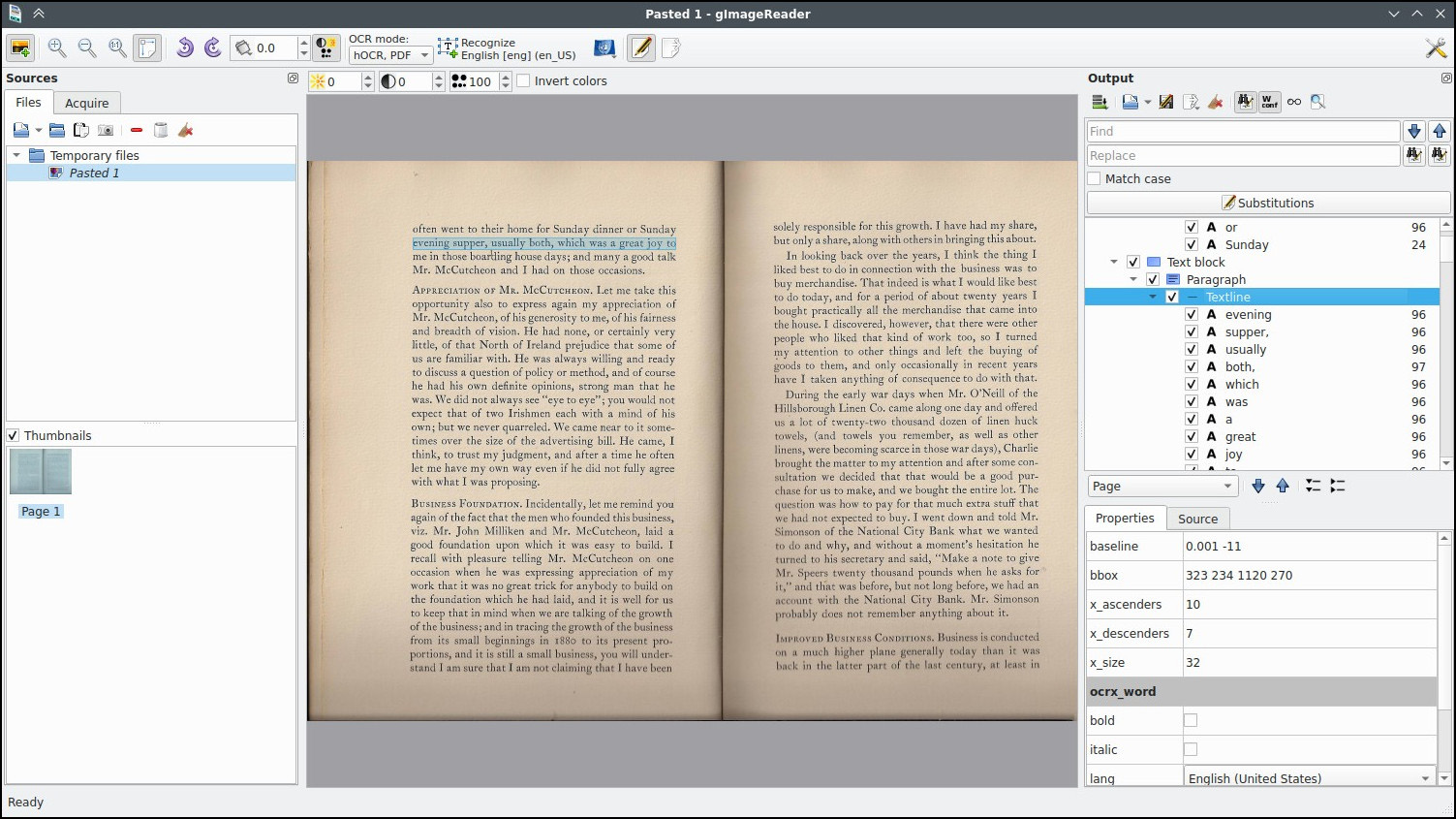
gImageReader is a simple Gtk/Qt front-end to the Tesseract OCR Engine. gImageReader is a business and productivity software developed by Manisandro or more formally known as Sandro Mani. This handy desktop utility enables you to open images and PDF files with ease. It allows you to select any area that you wish to extract text as well.
- Import PDF documents and images from disk, scanning devices, clipboard and screenshots
- Process multiple images and documents in one go
- Manual or automatic recognition area definition
- Recognize to plain text or to hOCR documents
- Recognized text displayed directly next to the image
- Post-process the recognized text, including spellchecking
- Generate PDF documents from hOCR documents
5. CopyFish
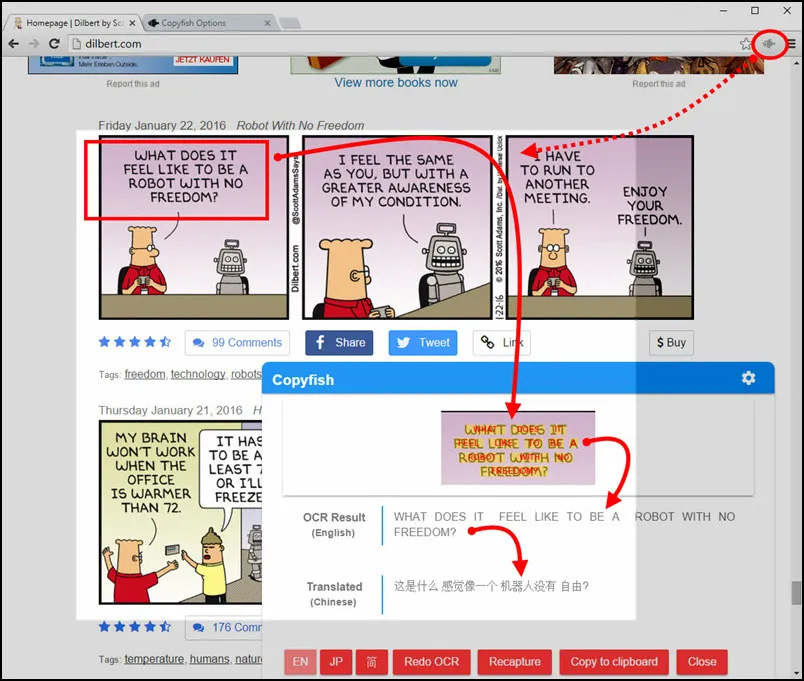
Copyfish is a free OCR software is for you. Common reasons to extract text from images are to google it, store it, email it or translate it. Until now, your only option was to retype the text. Copyfish is soooo much faster and more fun. “Images” come in many forms: photographs, charts, diagrams, screenshots, PDF documents, comics, error messages, memes, Flash – and Youtube movies.
6. Free OCR to Word
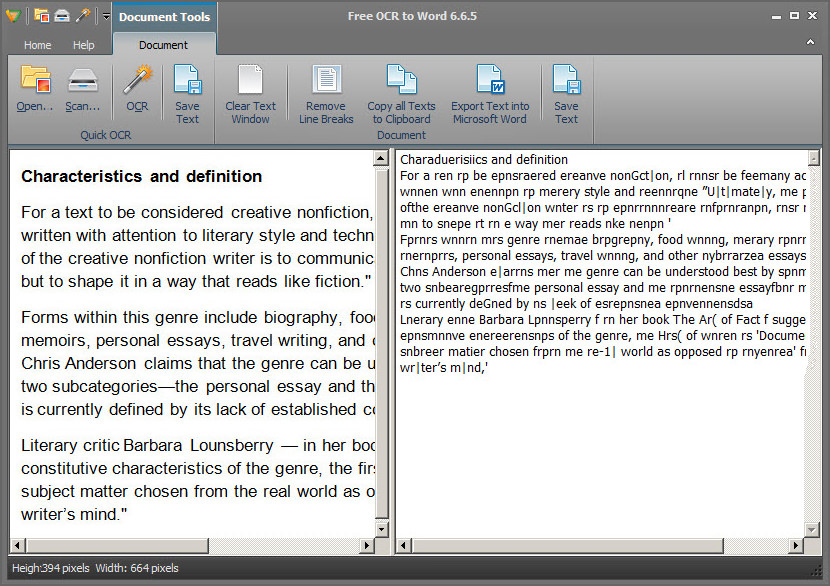
Introduced with the first-to-market, real-time OCR solution, Free OCR to Word is the fastest engine available, processing documents instantly in real time, avoiding heavy retyping work. The support for multi-core CPU technology brings you the advanced and high speed converting process. Never again will you have to spend great amounts of time copying information by hand.
Free OCR to Word differentiates itself through advanced image processing capabilities. It provides image tools for better image preview. In the “Image Tools” group, use Fit Image or Fit Width to view the input picture; rotate the image in both clockwise and anticlockwise directions for skewed images; zoom in & out the image easily as well as crop, copy & clear image selection. Most of all, the selection tool lets you exactly get what you select. You can convert any portion of an image that you require. No need to convert a whole image at a time if it is not necessary.
- OCR to Word Documents – Waste no more time on tedious retyping! Free OCR to Word is the most efficient text recognition solution that performs OCR in no time. It converts any image or scanned document to an editable Word document. Within few clicks, you will have a fully editable copy of your paper document in your favorite word processor.
- Extract Text from JPG, BMP, PNG, GIF, TIF and More – Free OCR to Word has the capability to identify text within image files and turn it into an electronic document. It can perform OCR on all key and many rare image format including JPG/JPEG, TIF/TIFF, BMP, GIF, PNG, EMF, WMF, JPE, ICO, JFIF, PCX, PSD, PCD, TGA and many more.
- High OCR Accuracy up to 98% – The industry-leading OCR technology guarantees the OCR accuracy up to 98%. It has no problem identifying text in low-resolution and low-contrast images. You can save a ton of time cross-checking and respelling.
7. OCRFeeder
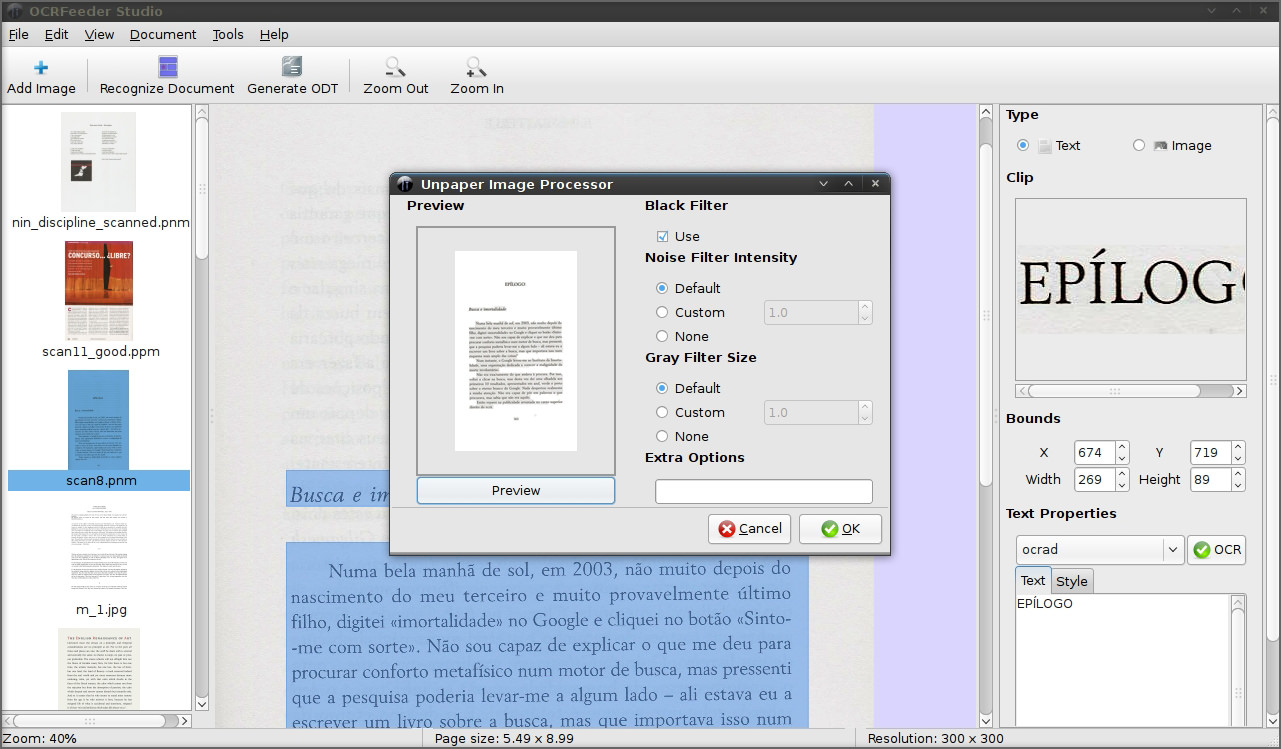
OCRFeeder is a document layout analysis and optical character recognition system. Given the images it will automatically outline its contents, distinguish between what’s graphics and text and perform OCR over the latter. It generates multiple formats, being its main one ODT.
It features a complete GTK graphical user interface that allows the users to correct any unrecognized characters, defined or correct bounding boxes, set paragraph styles, clean the input images, import PDFs, save and load the project, export everything to multiple formats, etc. OCRFeeder was developed as the project of the Master’s Thesis in Computer Science of Joaquim Rocha.
8. YAGF
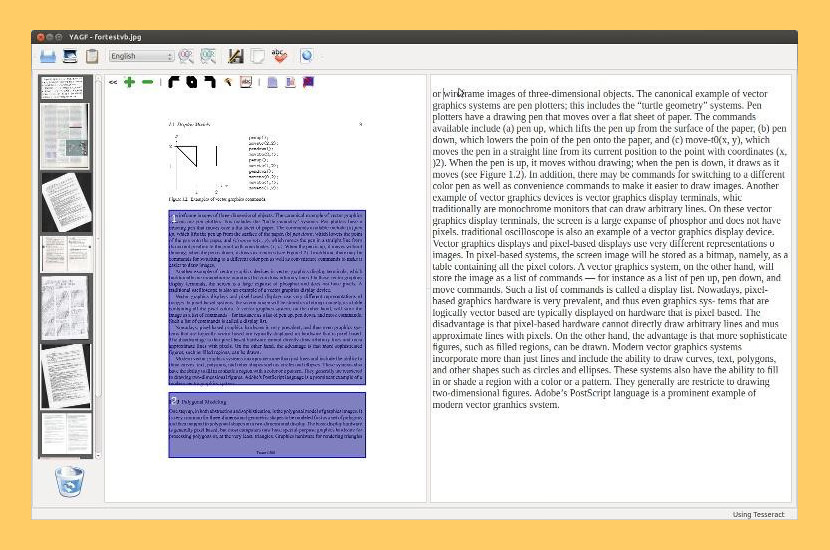
YAGF is a graphical front-end for cuneiform and tesseract OCR tools. With YAGF you can open already scanned image files or obtain new images via XSane (scanning results are automatically passed to YAGF). Once you have a scanned image you can prepare it for recognition, select particular image areas for recognition, set the recognition language and so on. Recognized text is displayed in an editor window where it can be corrected, saved to disk or copied to clipboard. YAGF also provides some facilities for multi-page recognition (see the online help for more details).
9. MeOCR
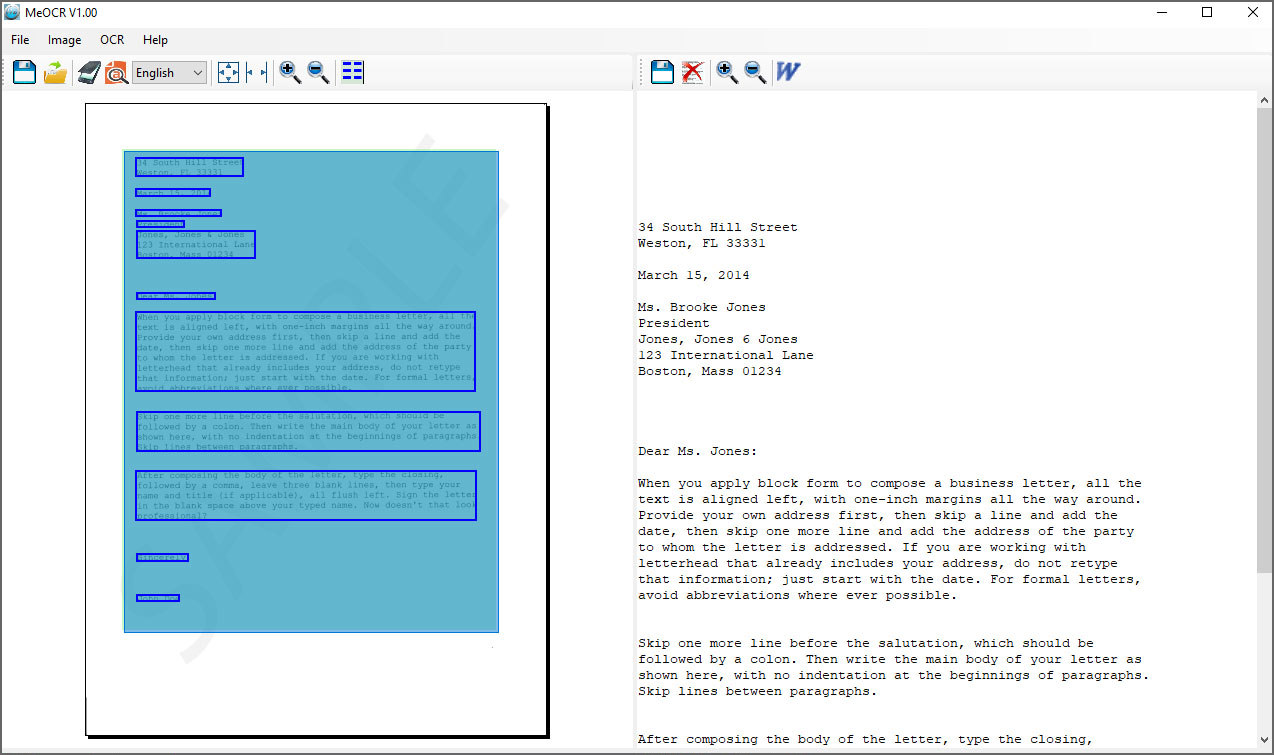
MeOCR converts your scanned documents to editable text documents using OCR and exports them to Microsoft Word with one click. Use it to save time and money by not having to retype your documents. Me OCR is a fast reliable and accurate image to text OCR conversion application. Features:
- High accuracy: Saves time by reducing the number of corrections and editing needed.
- Retains Formatting: Most OCR applications do not retain formatting. Me OCR Produces formatted output saving time formatting.
- Supports Multiple Languages: Bulgarian, Croatian, Czech, Danish, Dutch, English, Estonian, French, German, Hungarian, Italian, Latvian, Lithuanian, Polish, Portuguese, Romanian, Russian, Serbian, Slovenian, Spanish, Swedish, Turkish, Ukrainian.
10. FreeOCR
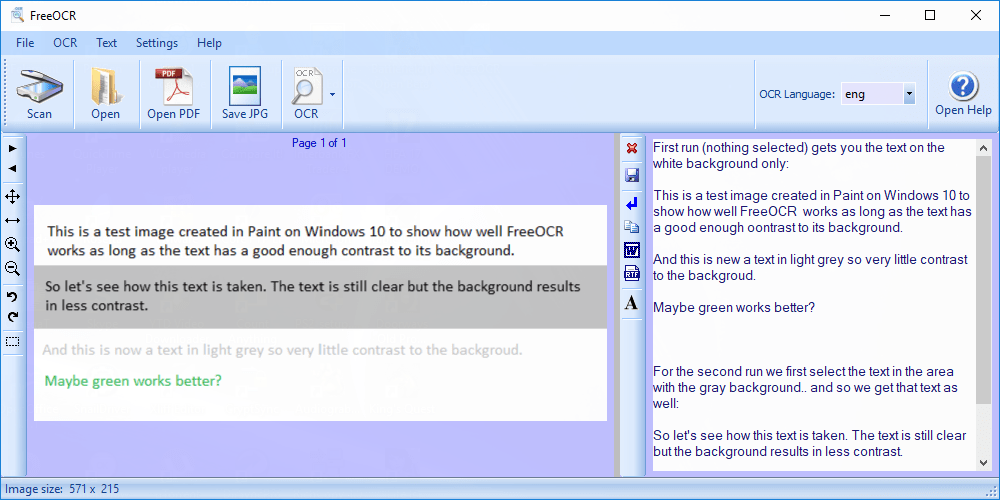
Free OCR is probably the most featured rich OCR freeware program in the market, it is a very simple OCR with a user friendly interface, it supports multi-page tiff’s, Adobe PDF, fax OCR documents, Twain and WIA scanning. Free OCR is powered by Tesseract free ocr engine also known as a Tesseract GUI.
The Tesseract OCR PDF engine is an open source product released by Google. It was developed at Hewlett Packard Laboratories between 1985 and 1995. In 1995 it was one of the top 3 performers at the OCR accuracy contest organized by University of Nevada in Las Vegas. The Tesseract engine source code is now maintained by Google and the project can be found here.
11. Boxoft Free OCR
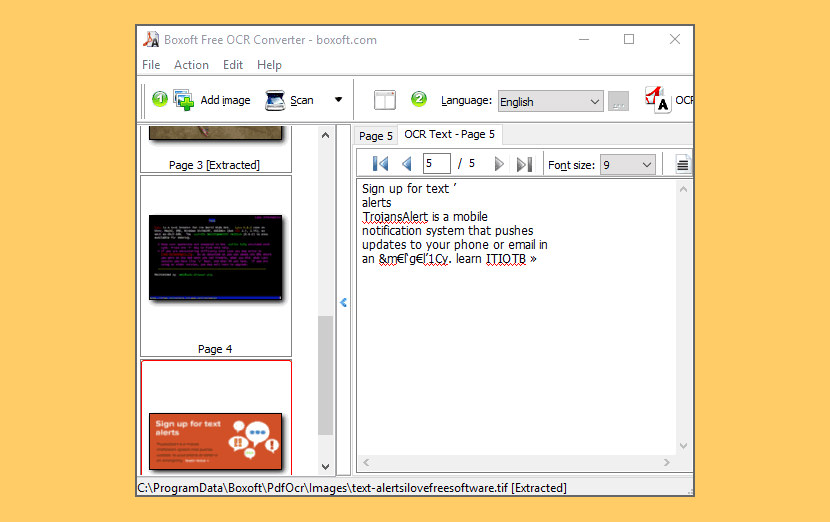
Boxoft Free OCR is completely free software to help you extract text from all kinds of images. The freeware can analyze multi-column text and support multiple languages. You can even scan your paper documents and then OCR content from scanned files into editable text immediately.
It can perform OCR on all key and many rare image format including JPG/JPEG, TIF/TIFF, BMP, GIF, PNG, EMF, WMF, JPE, ICO, JFIF, PCX, PSD, PCD, TGA and many more. Boxoft Free OCR also can be connected with multiple types of scanners. This feature enables you to scan paper documents and then OCR text directly from scanned images. Besides, the freeware provides optimized tools at the same time, such as de-skew, crop, rotate etc.
- OCR text from selected page with one click
- Scan paper to images for OCR text at once
- Side-by-side windows to edit OCR text intuitively
- Edit OCR text within the same interface: Cut, Copy, Paste, Select etc
- Save OCR text as TXT or ZIP file
- Define page range for outputting
12. (a9t9) Free OCR
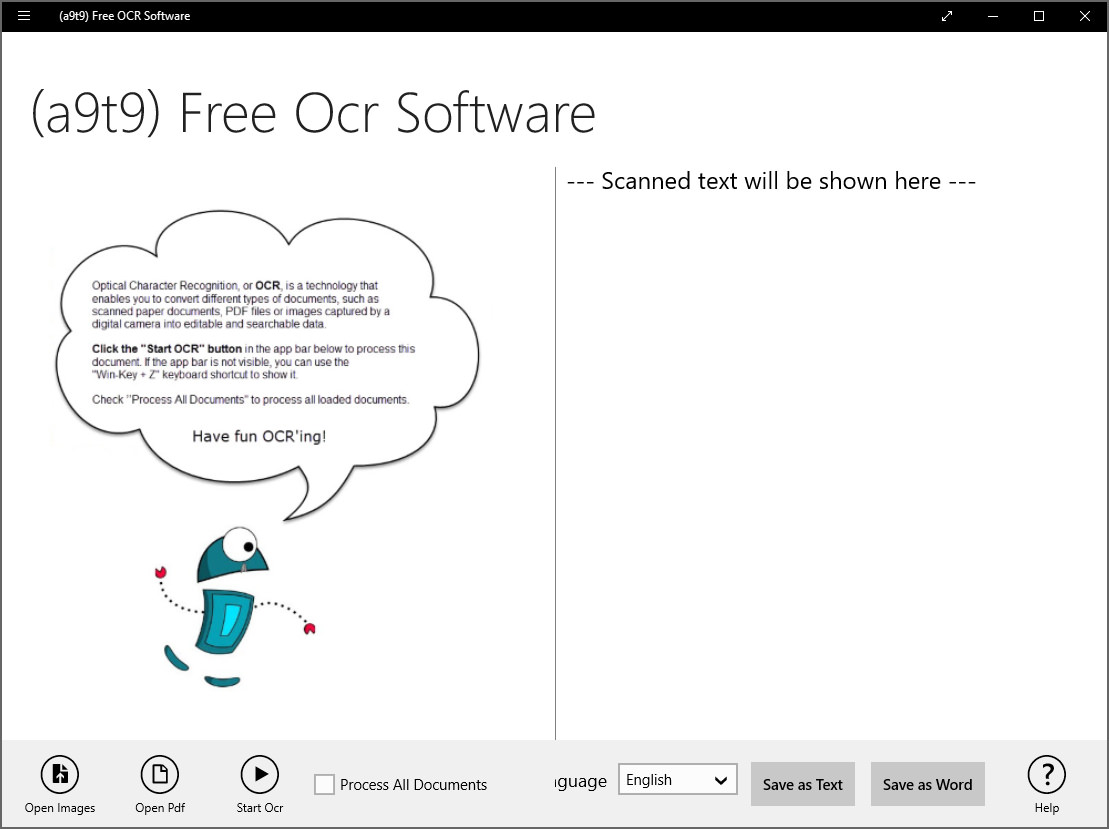
Free open-source OCR software for the Windows Store. The application includes support for reading and OCR’ing PDF files. The (a9t9) Free OCR Software converts scans or (smartphone) images of text documents into editable files by using Optical Character Recognition (OCR) technologies. It uses state-of-the-art modern OCR software. The recognition quality is comparable to commercial OCR software.
13. Photo to Text OCR
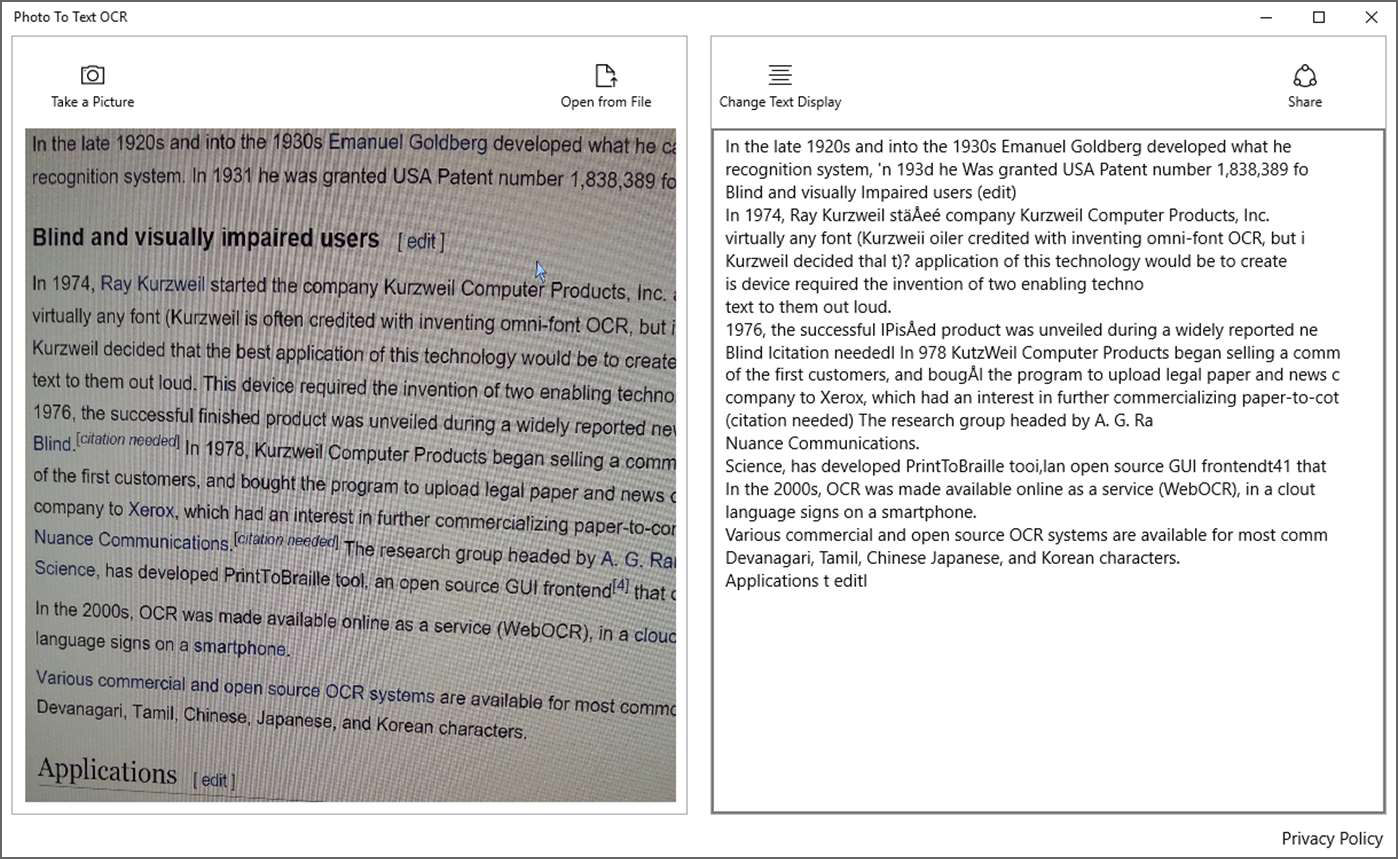
Extract text from your images with OCR (optical image recognition). Easily get images into the app – Take a picture, Open from folder and then Drag & drop an image on the app Text extraction is quick, automatic, and accurate. Send the text to your other apps or copy & paste it wherever you want. 99.9% accurate on a clean screen grab with two columns of text. Instantly extracted the text. Allowed simple edits in the results box. No save function, so did a select all and copy to clipboard. Helped me with my tiny project. Not ABBYY but good enough for this quick hit job.
14. Fast OCR
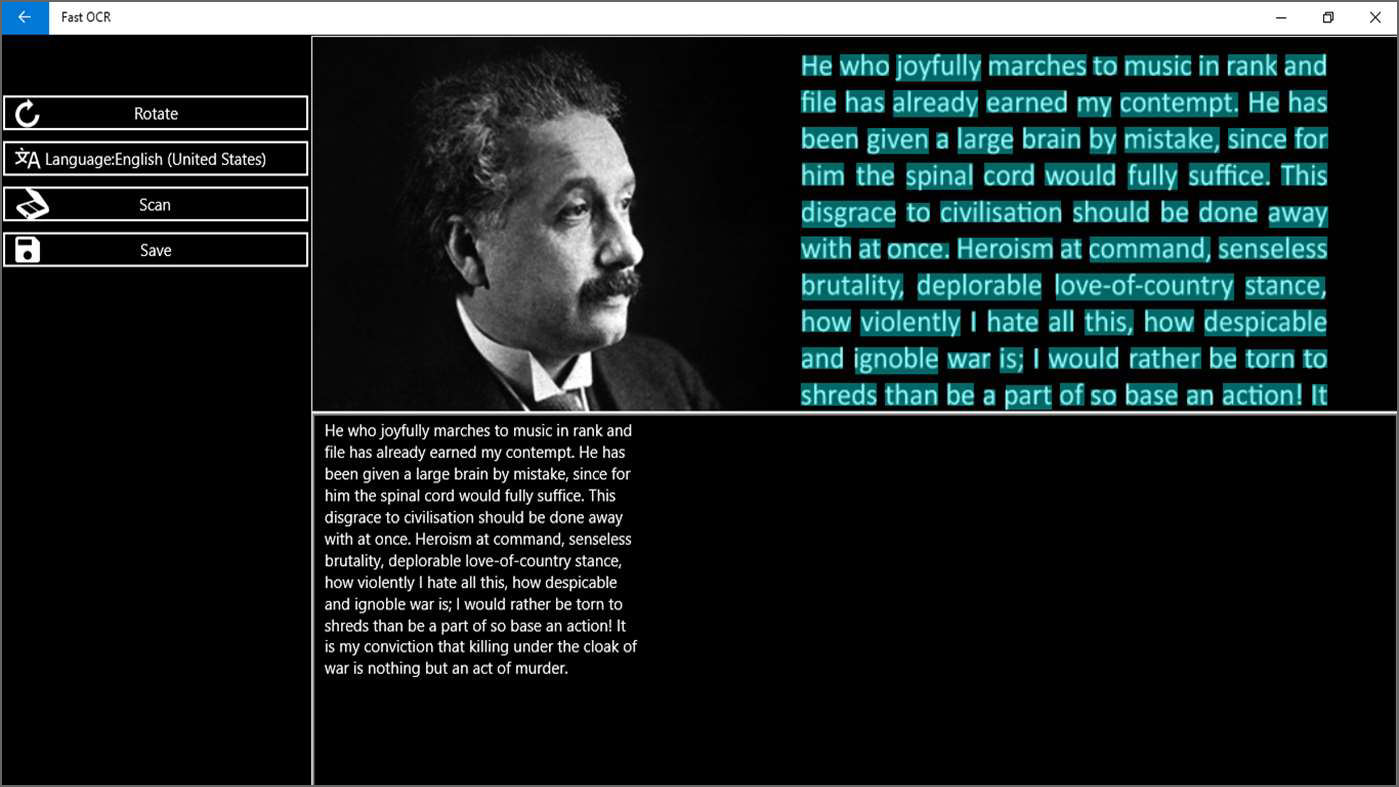
Fast OCR Application helps you extract text from images,pdf files quickly and accurately. Main functions – Extract text from file, Camera,PDF. Save text to file, it also supports more than 20 popular languages in the world.
15. TopOCR
Limited Free
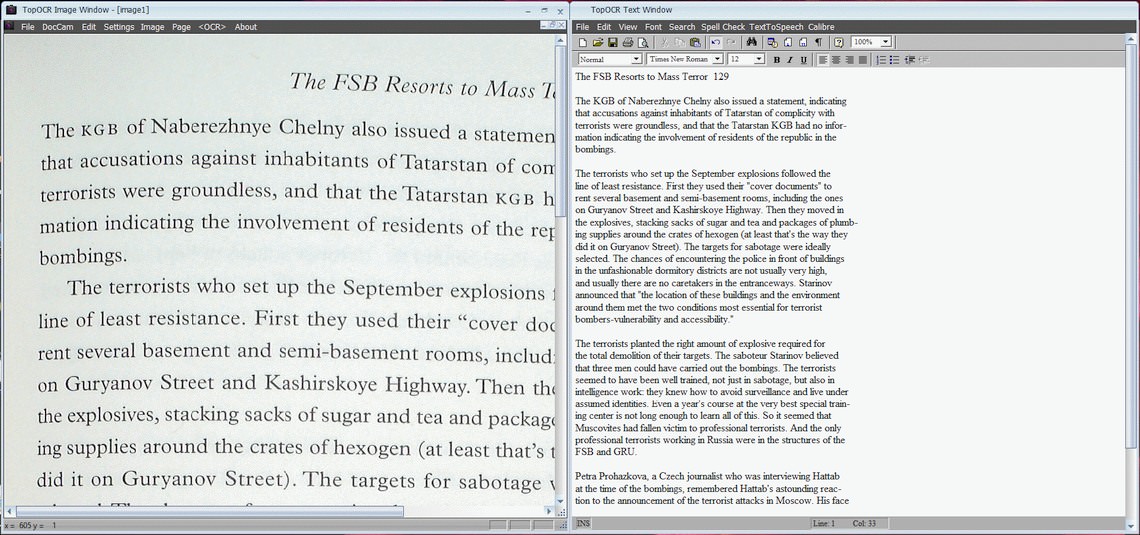
[ Discontinued ] TopOCR brings together a powerful collection of the latest Neural Net OCR and image processing technology for scanning books, magazines and newspapers with document cameras. TopOCR combines sophisticated real-time image processing with three specialized OCR Engines together with an easy to use Image Editor and Word Processor/Spell Checker. It also provides a single-click Real-Time Document Camera Image Preview and Capture Dialog that makes document positioning a snap!
Unlike most shareware trial packages, the TopOCR Demo does not work within a fixed time period, for instance 30 days, or a fixed number of uses. The TopOCR Demo will work indefinitely and process an indefinite number of images. However, all of the OCR text output save functions are disabled as well as the Accessible User Interface and the Text To Speech functions. The Demo will allow you to evaluate TopOCR’s main features for functionality as well as for OCR accuracy. All of the limitations of the demo program are removed in the full release of TopOCR.
16. ABBYY FineReader OCR Online
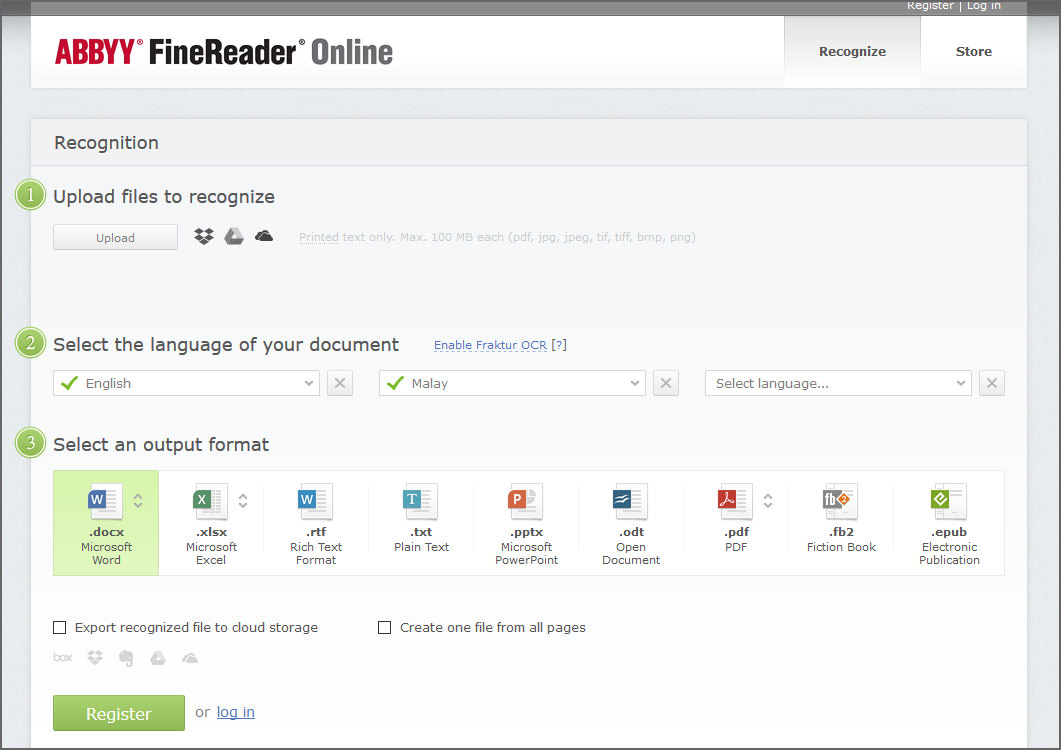
[ Discontinued ] Convert PDF and JPG files to Microsoft® Word and Excel. Try it out now and recognize up to 10 pages free of charge! FineReader Online lets you convert scans of documents and photos containing text in any of the supported formats to Microsoft Word and Excel files, PowerPoint® presentations, text files and searchable PDF documents. Important! FineReader Online only supports printed documents. Please do not try to recognize hand-written text. Recognize documents even if they contain a mixture of Chinese, Japanese and Korean. You can even recognize old text and documents containing Fraktur fonts.
17. OCR Image to Text
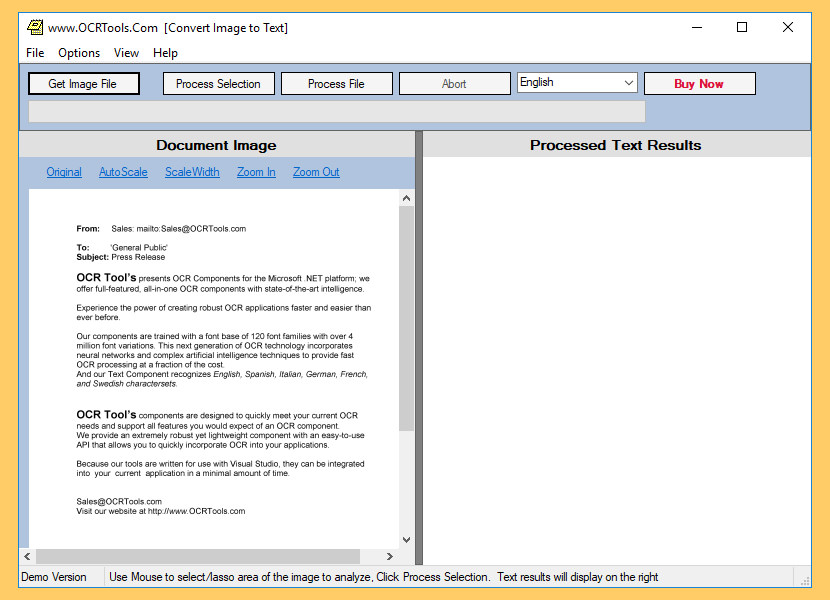
[ Discontinued ] ImageToText is a Text Recognition application that generates simple text from a Bitmap, Image, or File. It is a desktop utility that generates ASCII text from images such as a bitmap or image file. Incorporating Neural Networks, Artificial Intelligence, and trained with over 4 million font variations; their OCR utility incorporates the latest optical character recognition technology to solve your OCR problems. The utility is free for personal use, the registered version turns off pop ups and advertising.
The Best OCR Engine
When it comes to OCR (Optical Character Recognition), there is none other than the Tesseract engine [ Wikipedia ], it was created by HP and now develop and maintain by Google, Tesseract is a very powerful OCR engine used by many other OCR software, this is because Google has an interest in archiving and indexing all the books in the world, therefore a lot of resources has been poured into making it as accurate as possible. Google Books is a testament to Google’s commitment to this amazing technology. This amazing engine can now be found in Android Apps for scanning receipts and also on some cameras for direct translation on signboards.
Conclusion
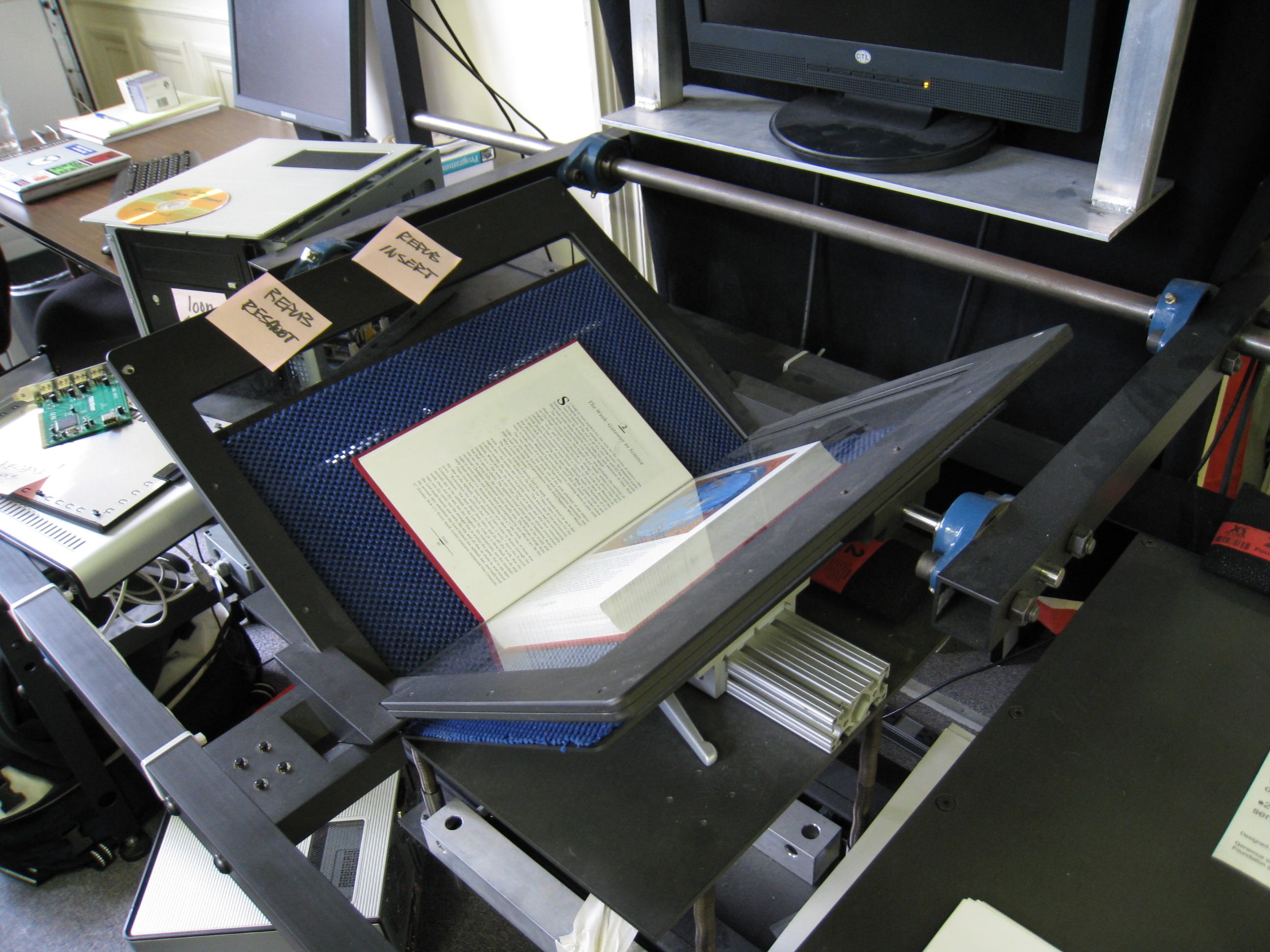
Omnipage works with every scanner hardware in the market, the only drawback is the price tag, other than that, it is the most accurate OCR I’ve ever used, way better than Google OCR. The entry-level version of the world’s best selling OCR software cost about $150, expensive.
OmniPage | Presto! | Microsoft | PDF | Adobe | ABBYY | |
|---|---|---|---|---|---|---|
| Price | $149.99 | $89.95 | Free | $79.99 | $299.00 | $143.99 |
| Retains Layout | ✓ | ✓ | ✓ | ✓ | ✓ | |
| Retains Font | ✓ | ✓ | ✓ | ✓ | ✓ | |
| Formats into Searchable PDF | ✓ | ✓ | ✓ | ✓ | ✓ | |
| Spell Checker | ✓ | ✓ | ||||
| Converts Tables | ✓ | ✓ | ✓ | |||
| Languages Recognized | 120 | 40 | 52 | 184 | 60 | 198 |
| Windows | ✓ | ✓ | ✓ | ✓ | ✓ | ✓ |
| Mac OS X | ✓ | ✓ | ✓ |
Why waste time and perform something illegal such as downloading a pirated version of OmniPage via torrent when there are other alternatives OCR available free for everyone? They’ve compiled a list of Free OCR software, these OCR software may not be the best but it doesn’t cost a bomb.

I am sajeev antony. I want to convert a handwritten image (.gif, .jpg, .bmp) to word or editable text file. Please help me I am waiting for your reply.
↓ 08 – FreeOCR | Free | Windows
This works great when you scan it as an image and request text.
I was just using it, but my downfall is how to scan more than one page or image at a time.
@ sajeev: hmmp… Why not try to search in google about word converter. However, you can manipulate it through paint because it’s already scanned document.
This is another helpful tool to be use and to be added to my collection of document editor. You are always such a big help.
I think i’m gonna like GOCR program. This gonna be helpful in manipulating documents.
I just don’t know how it exactly works. Thanks, anyway for the download link -this time I’m gonna try this one.
Does these programs really useful? Well, I bet there’s nothing if I’m gonna try this one right?
So, I guess I should be thankful for sharing these. I just hope it’s for free even just for a try.
Please help me in having free soft ware which will be in position to convert a hand written document after scanning into editable text.
with regards
M A Reshi
I would like the price of the above machine .
where can i get a free software that have a ICR functions?
do you mean intelligent character recognition (ICR)? I think Google OCR is the closest and perhaps the most advanced – https://github.com/tesseract-ocr/
i cant extract calligraphy and cursive jpg file even with ocr..what should i do for that..
OCR are not designed to recognize hand writings.
The 5 OCR software you suggest are great for me. I heard of them before, but I did not use it. I am using Yunmai Document Recognition, a document reader developed by Yunmai Technology. It is able to extract the text from an image of a document, and then save it as text file. This software is a demo of Yunmai Document Recognition OCR SDK. The average time for recognition of a document less than 6 seconds. The recognition accuracy can reach 99%. It can convert documents into PDF, Word, Text format files.
how can i convert cursive texted picture into normal text?? plzz help
SimpleOCR does not work for mac
yes, it doesn’t run on Apple macOS.
PDF-XChange Editor now has amazing new Enhanced OCR.
It is an optional extra in PDF-XChange. It’s not free but with free trial.
Also, there is free default OCR engine, which is good for most text. But, if you need to recognize tabs, stylistic elements, auto-detect and correct image skew, fast work (multi-threaded processing) and other advanced features, of course, it’s time to try the Encahced OCR.
Cassini Technology Consulting have built a vendor invoice management solution using OCR that scans and extracts data from vendor invoices and books them into SAP
https://www.cassinitech.com/cassinis-vendor-invoice-management-sim
Bonjour,
A votre avis, lequel est bien pour conserver la mise en page ?
Merci.
Hello,
In your opinion, which is good for keeping the layout?
Thank you.
Hi, you can add new service onlineocr.org. Competitive advantages
1. The service recognizes text on images better than 80% of other sites.
2. Absolutely free service, unlimited number of text recognition.
I hope your visitors will be pleased with the quality of the work.