

Category: Freeware and Software Reviews » Adobe PDF
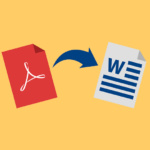
How to convert Adobe PDF to Microsoft Office Word Doc? Most of today’s digital documents come in PDF format, thus making it almost impossible to edit. Fortunately, Google Docs has this free online conversion tool where you can quickly and easily create editable DOC/RTF files, making it a cinch to re-use PDF content in applications like Microsoft Word, Excel, OpenOffice, and WordPerfect.
Related Article 😍💰👉 Download 24 Free Microsoft Office DocX Resume And CV Templates
While it’s not possible to replicate the exact formatting and appearance of the original file used in creating a PDF, based on my own experience, the free PDF to Word converter produces more accurate results than any other tool out there. Below is a simple guide on how to convert a PDF to DOCX via Google Docs.
Adobe PDF to Microsoft Office .docx
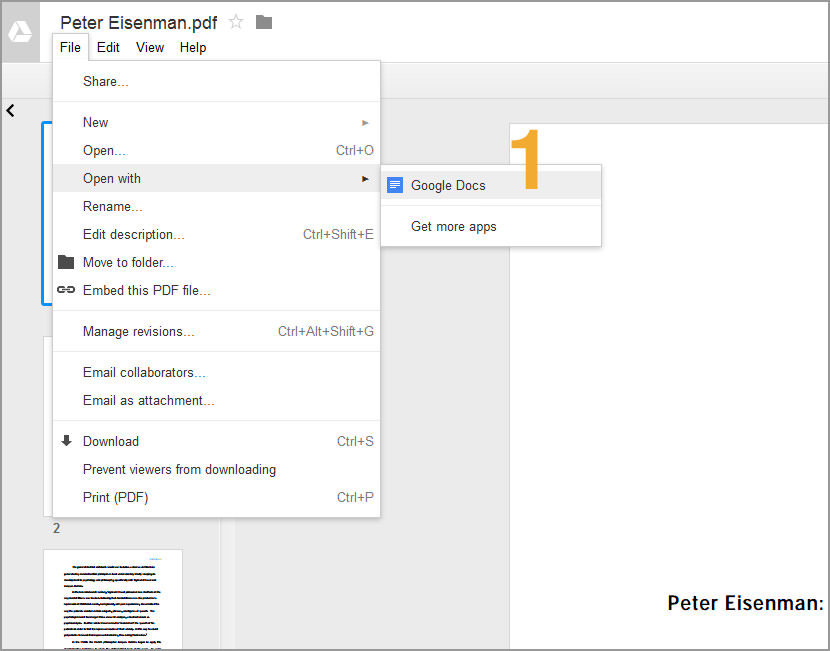
- Step 1 – Upload the PDF file, open it in Google Docs. Go to ‘Files’ then select ‘Open with’ and choose ‘Google Docs’
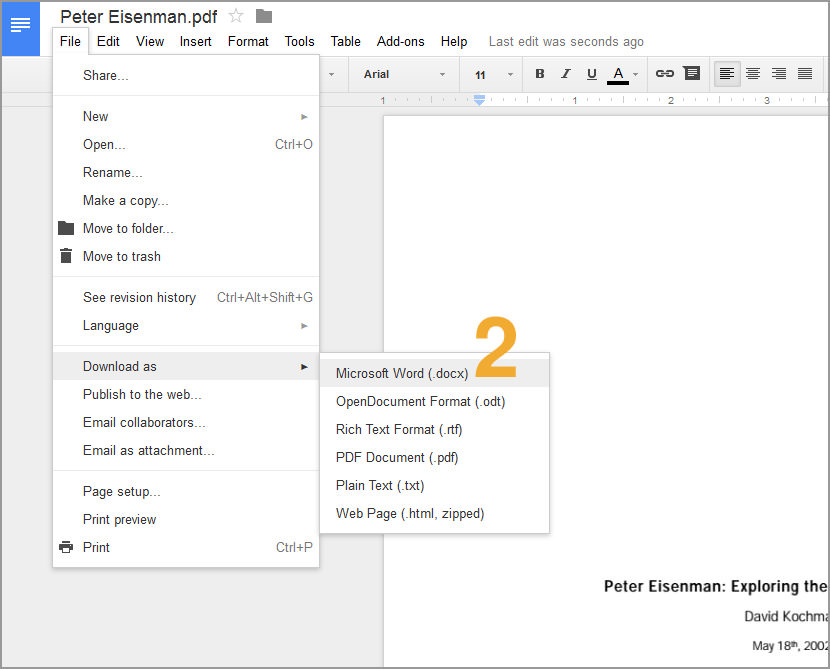
- Step 2 – In the new screen, go to ‘File’ then choose ‘Download as’ and then select ‘Microsoft Word (.docx)’
Microsoft Office .docx to Adobe PDF
If you happened to be looking at ways to save your doc files to pdf, visit this post for more information on how to convert Microsoft Office word documents to Adobe PDF format with a Virtual PDF Printer.
You also can tryPDF Image Converter
Tweak PDF To Word 3.0
Converts PDF to editable Word fully preserving the formatting of the original PDF
Tweak PDF To Word 3.0 is a little program to convert PDF to editable Word for easier editing. The converter enjoys an exact conversion with the output Word retaining intact of all the original features of the PDF, including layout, image positioning, text font, graphics, hyperlinks, etc.
Encrypted PDF files can be converted to Word, too.
please send pdf to word/excell converter