

Category: Freeware and Software Reviews
If you happen to be running out of disk space and do not want to format your computer hard disk, why not shrink or increase your disk partition? With Partition Manager 2014, you are now able to allocate the specific amount of disk space without formatting your disk. Partition Manager 2014 Free (freeware) is free for non-commercial use, it has the basics covered, such as creating, formating, moving and resizing your partitions.
Related Article 😍💰👉 8 Freeware To Check & Repair SSD Hard Disk With Bad Sectors
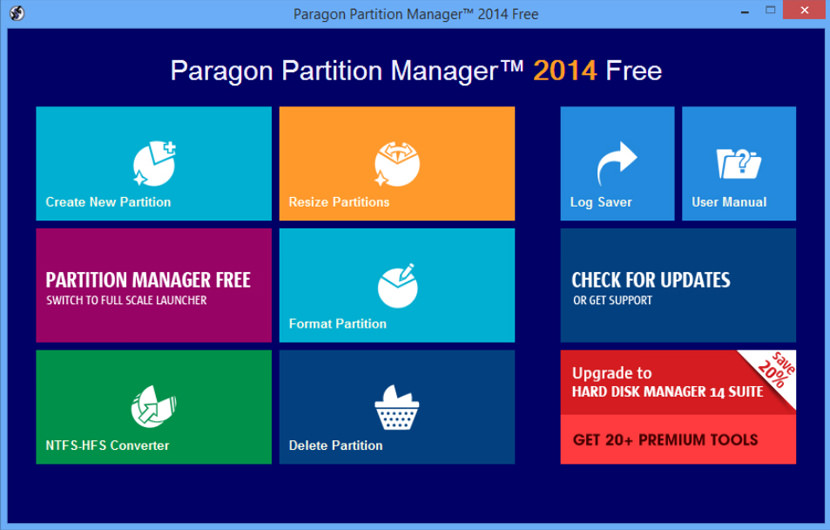
Key and New Features:
- New User-friendly interface is now fully compatible with the Windows 8 streamlined, tile-oriented interface
- A handy launcher to easily find and run the required tasks
- Comprehensive wizards to simplify even the most complex operations
- New Convert NTFS <> HFS file systems without reformatting
- New Support of GPT/uEFI configurations
- Create and format partitions.
- Move and resize partitions.
- Windows XP and Vista (32-bit only)
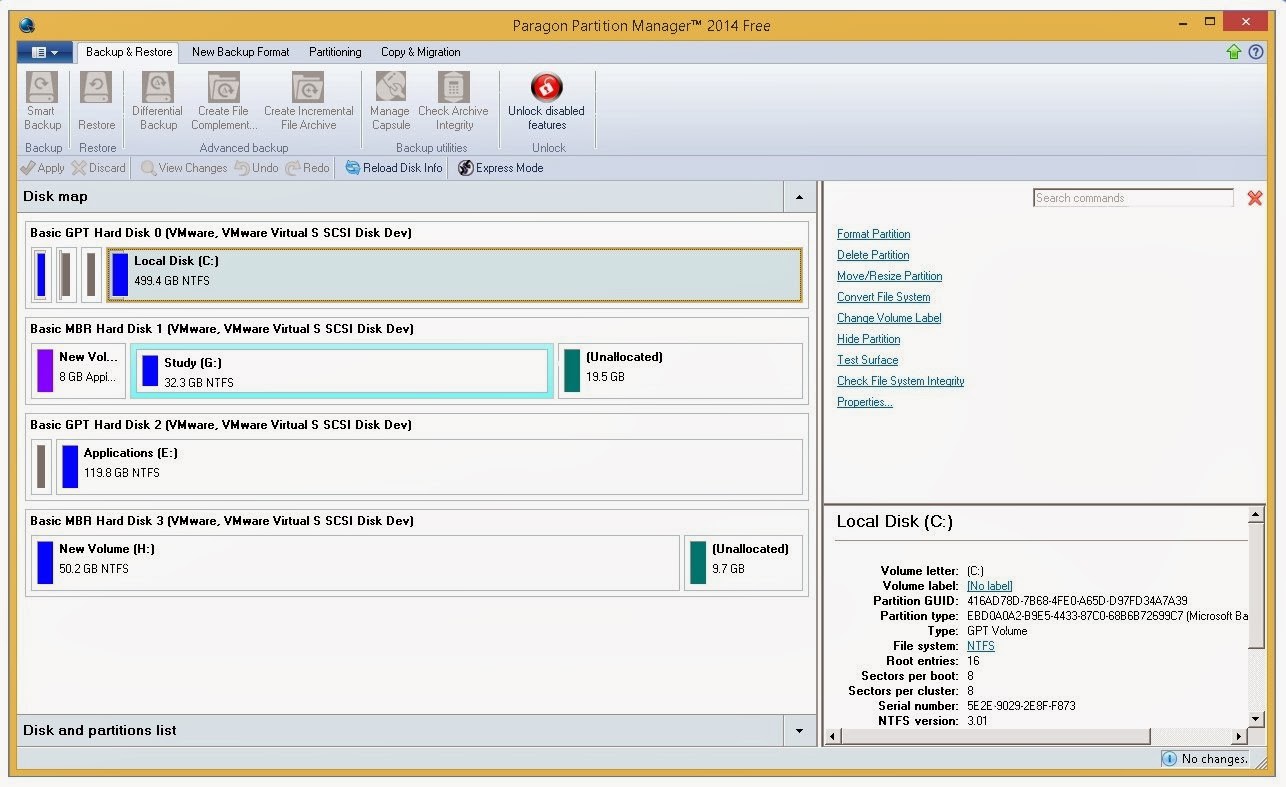
As shown in the screenshot, the user interface is really simple and easy to understand. It comes with Auxiliary Facilities, which helps you to create a Linux/DOS bootable media, which can later be used to boot and automatically complete a data-sensitive operation (resize, move) abruptly interrupted as a result of a hardware malfunction, power outage or an OS failure, thus reviving the corrupted partition or just launch utilities under these operating systems.
Supported File Systems
- NTFS (v1.2, v3.0, v3.1)
- FAT16/FAT32
- Apple HFS+
Supported Operating Systems
- Microsoft Windows 8.1 (32 and 64 Bit)
- Microsoft Windows 8 (32 and 64 Bit)
- Microsoft Windows 7 (32 and 64 Bit)
- Microsoft Windows Vista (32 and 64 Bit)
- Microsoft Windows XP Professional SP2 (32 and 64 Bit)
- Microsoft Windows XP Home SP2
Supported Computer Bus Interfaces
- Parallel ATA (Parallel Advanced Technology Attachment)
- SATA (Serial Advanced Technology Attachment)
- External SATA (eSATA)
- All levels of SCSI, IDE and SATA RAID controllers
- SCSI (Small Computer System Interface)
- USB (Universal Serial Bus) 1.x/2.0/3.0
- IEEE 1394 (FireWire)
- All types of RAIDs (hardware and software)
- PC or PCMCIA Card (Personal Computer Memory Card International Association)
Supported Storages
- Storage Spaces Support
- 2.2TB+ hard disk drives
- AFD (Advanced Format Drive)
- Non-512B sector size drives
- SSD (Solid State Drive)
- HDD (Hard Disk Drive)
- CD-R/RW, DVD-R/RW, DVD+R/RW, DVD+/-R (DL), BD-R/RE

Personally, paragon though are very versatility software, it is complicated for the common users, like me. I prefer to chose easeus which has the same function at the same time, it is easy to use.