

Cannot delete files on Windows? How to delete undeletable locked files and folders on Microsoft Windows? Sometimes there is another program ‘locking’ down the file because it is accessing it, for example Photoshop will lock a file when it is running in Adobe Photoshop. More often than not, a simple restart will solve this problem.
Related Article 😍💰👉 15 Freeware To Securely Erase All Data From HDD Hard Drive Preventing Recovery
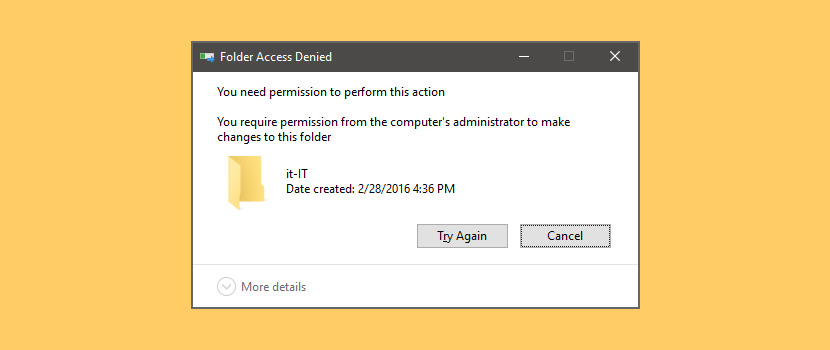
When to use these files and folder unlocker? Only when a restart of Windows fails to enable access do you use these special tools when you’re getting the following messages.
- Cannot delete file: Access is denied
- There has been a sharing violation
- The source or destination file may be in use
- The file is in use by another program or user
- Make sure the disk is not full or write-protected and that the file is not currently in use
1. LockHunter
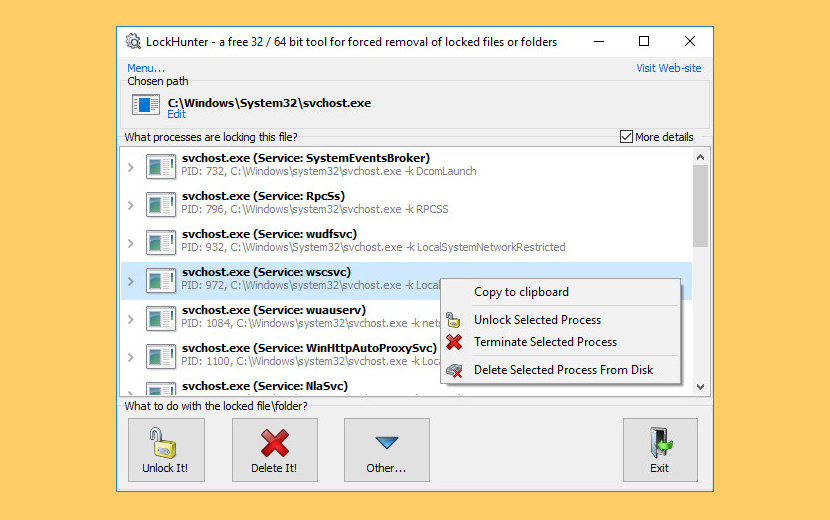
LockHunter is a Foolproof File Unlocker tool to delete files blocked by something you do not know. LockHunter is useful for fighting against malware, and other programs that are blocking files without a reason. Unlike other similar tools it deletes files into the recycle bin so you may restore them if deleted by mistake.
- Shows processes locking a file or folder
- Delete empty folders
- Gives you detailed information on the process
- Allows to unlock, delete, copy or rename a locked file
- Can delete a file at next OS restart
- Allows to kill locking process
- Allows to remove locking processes from hard drive
- Can unload DLLs from processes
- Integrates in to Explorer menu
- It deletes files into the recycle bin, so you may restore them if deleted by mistake
- Supports both 32 and 64 bit Windows
2. Malwarebytes FileASSASSIN
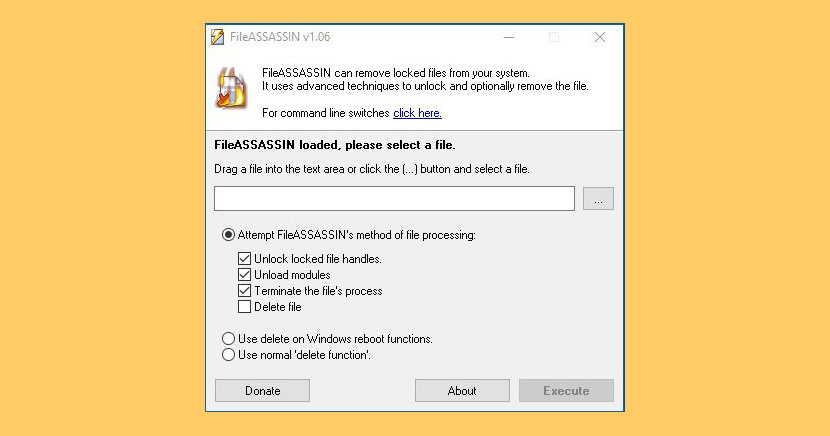
FileASSASSIN can eradicate any type of locked files from your computer. These ‘locked’ messages commonly appear when you’re trying to delete files deposited by a malware infection, though occasionally a file just goes on lockdown. Whatever the reason for the file, FileASSASSIN can remove it. Advanced programming techniques unload modules, close remote handles, and terminate processes in order to remove the particular locked file.
3. IObit Unlocker
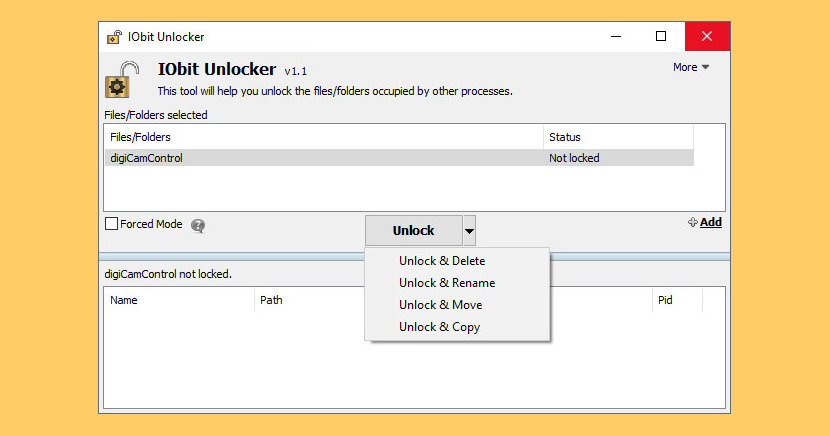
IObit Unlocker is a light-weighted yet powerful tool designed to fix the “Cannot Delete” or “Access Denied” problems. It can “Force” terminate all related processes that prevent you from deleting or accessing files / folders that you need to. IObit Unlocker also provides several useful options to make your work easier, like “Unlock & Delete”, “Unlock & Rename”, “Unlock & Move”, and “Unlock & Copy”.
You wouldn’t be annoyed any more by messages like “Cannot delete file: Access is denied”, “undeleted files”, “The file is in use by another program or user”, or “There has been a sharing violation”! Solution for “Cannot Delete” Problems on Windows.
- No More “Cannot Delete” or “Access Denied” Problems
- Useful Post-Unlock Options
- Guaranteed Data Safety and Disk Stability
- Light, Easy, and FREE to Use
4. DeadLock
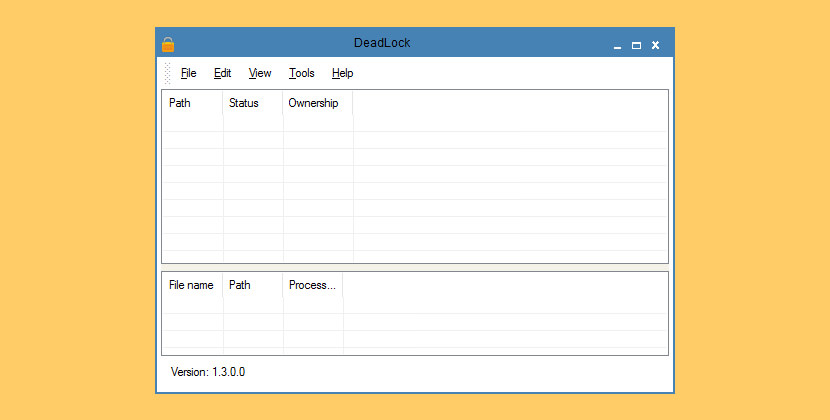
DeadLock is a free file and folder unlocking utility brought to you by CodeDead. It can help you unlock files or folders that you’re unable to delete, copy, rename or move. As of version 1.3, DeadLock can also take ownership of files and folders! It can help you unlock files or folders that you’re unable to delete, copy, rename or move.
- Unlock files / folders
- Take ownership of files / folders
- Remove files / folders
- Move ‘locked’ files / folders
- Copy ‘locked’ files / folders
- Command-line arguments
- Automatic updates
- Windows Explorer integration
5. EMCO UnLock IT
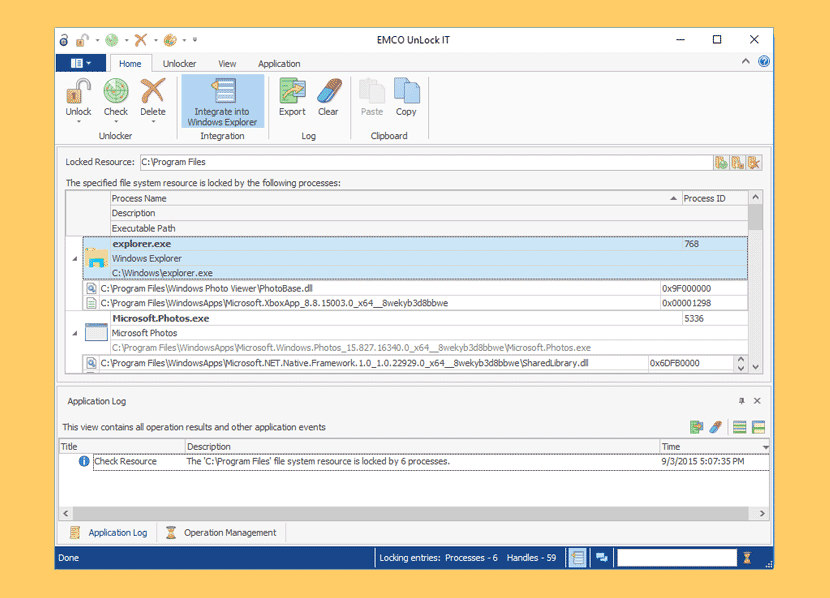
A neat free utility that helps you to unlock files and folders. It allows you to take control on resources locked by a system, applications and services. For a locked resource the application detects a list of locking processes and allows to unlock the resource by closing file and library handles or terminating locking processes. The application offers Windows Explorer integration that makes possible folders and files unlocking by just a single click in the context menu.
- Force Closing File Handles – The application allows you to unlock a file by closing file handles to this file. This unlocking approach can be used to release a lock for files that are opened for modification. This approach is safe to use in most cases, because it doesn’t require termination of a process that hold a lock.
- Force Closing Library Handles – The application makes it possible to unlock the DLL file currently using by running processes. In this case opened handles to the DLL are forced to close in order to release locks. This approach also doesn’t require termination of the process that uses DLL. In most cases can continue to work successfully.
- Termination of Protected Processes – If a file can’t be unlocked by closing file and library handles, the application can unlock it by terminating processes that hold locks. Even processes that are protected from termination can be terminated successfully, so approach can be used when you need to remove resources locked by viruses.
6. ThisIsMyFile
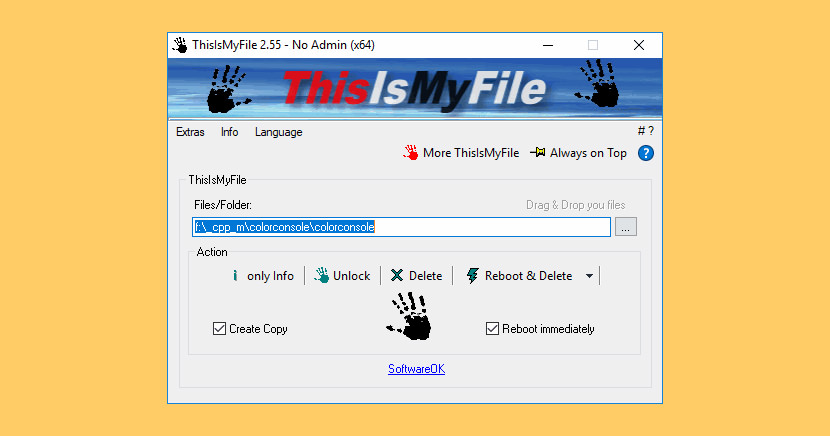
ThisIsMyFile is a small, fast tool for quickly unlocking and deleting locked or protected files on Windows. It’s helpful for those times Windows locks up a file and makes it so that you can’t remove it. Sometimes a simple reboot resolves the issue but this small app takes care of it quickly without reboot and with no installation needed.
7. Wise Force Deleter
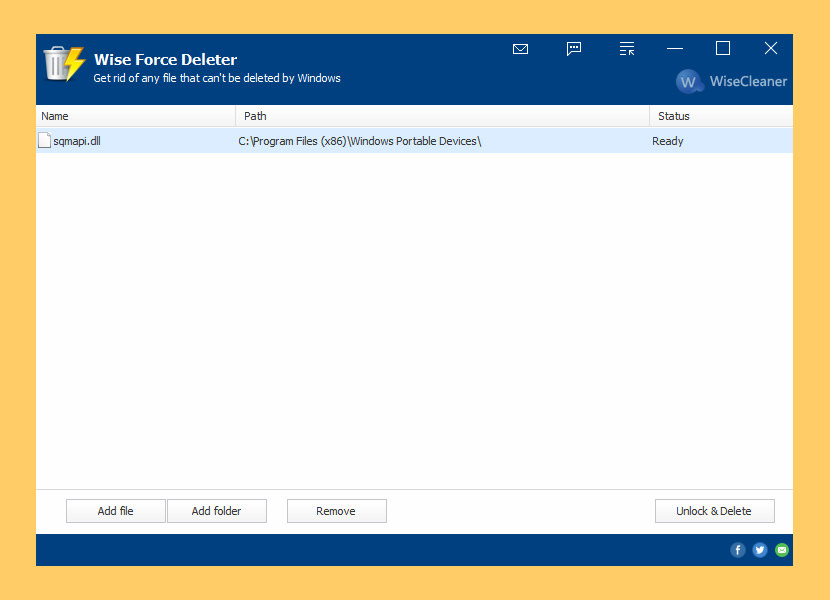
Wise Force Deleter is freeware that allows you to delete any file in your Windows system(64 and 32-bit). It has been developed and fully tested to work great on Windows 10 and other Windows operating systems, from Windows XP and up. No matter what you own – a desktop or a laptop.
Wise Force Deleter is designed to fix all the issues of ‘file locking’ by terminating the processes using the file or removing file-access restrictions that prevent you from deleting a file. With Wise Force Deleter, you can unlock and delete any file without frustration in Windows.
8. Free File Unlocker
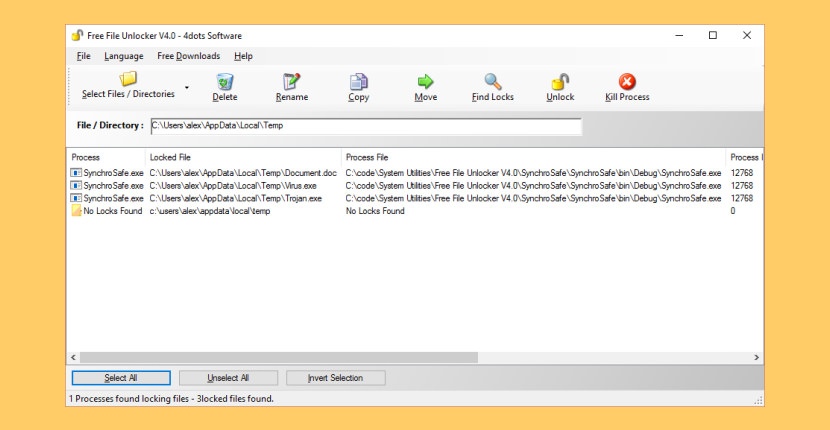
Delete Currently Used, Locked, Undeletable, Busy Files. Free File Unlocker is a free essential utility to delete currently used, locked, undeletable, busy files. Works with all 32bit and 64bit versions of Windows and Windows Server. It unlocks files or folders and stops error messages from appearing when trying to delete, move and rename them. It can also be used to terminate malware that is difficult to be removed and kill viruses and trojans. It is fully integrated with Windows Explorer.
9. NoVirusThanks File Governor
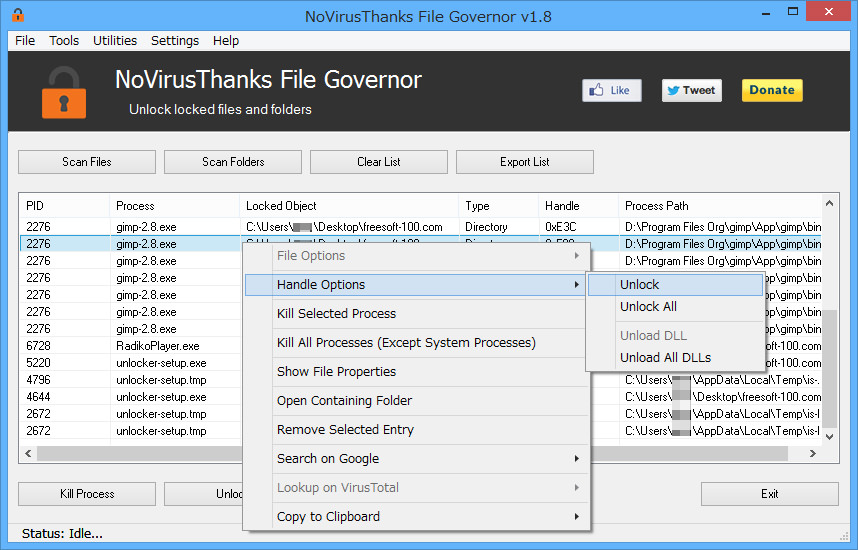
NoVirusThanks File Governor is an advanced program which allows for files and folders within the system to be unlocked so that normal file I/O operations can be completed when normally they would not be able to due to operating system restrictions for files currently in use. Once a file or folder is unlocked you will be able to force-close the file’s handle, rename, delete, etc. In this case you should know these messages:
- Unlock Locked Files – Safely unlock files that cannot be delete or are in use by other programs.
- Unlock Locked Folders – Safely unlock all files inside a folder so that you can delete the folder.
- Search Locked Files – You can scan files and folders for locked files from the program interface.
- Terminate Processes – You can terminate processes that are using the locked file or folder.
- Unlocker Alternative – This is a great free alternative to Unlocker, the popular file unlocker.
- Close Open Handles – Safely close all opened handles and unload loaded DLL modules.



I don’t know why no one has left a comment here before… but I tried EVERYTHING to delete a crummy Acrobat folder that wes denying me my administrator rights! This worked and worked flawlessly… also so simple a newb like me can follow it easily. Highly recommended!!
I faced the same problem when using . Somehow, I solved it
Go to MS-DOS command & “cd” to go to that folder
Rename the folder using command “rename” or “ren”
If you have a stubborn folder named “ABC” and want to rename to “CBA”
Example : C:\users\your computer name\desktop\rename ABC CBA
It’ll works
so what is “This worked”? :)
Very very Effective…tanx for it….
Unlocker is very good and easy to use..
:D
Unlocker link needs to be repaired
I am trying to delete a user folder for a user who doesn’t exist on the system any longer.
NONE of the solutions listed above worked. I have not been able to unlock, rename or delete the folder. Only a windows media player process is using the folder.
Guess I’ll have to live with it, or take my HD to another computer to delete it.
As long as you have administrator level access permission, you should be able to take ownership of any such folders, then access or delete them as you desire, unless “unlock” suggests the folders were encrypted somehow – then you might be able to Delete, but never actually open them? Right click the involved folder, click “Properties,” and if you don’t see the Security tab at the top, open the folder, click Tools at the top, then Folder Options, then View. Near the bottom of the Advanced settings window, UNcheck the box next to “Use Sharing Wizard (Recommended) or “Use simple sharing” in Win XP. Now the Security tab should appear under the Folder Properties. You should be able to pick your category or name from the user choices, then try checking the Full control box. If it accepts, click Apply/OK, then see if you can now work with the folder. Note, Windows still thwarts manipulating areas even on your own Desktop, where it demands absolute Power over whatever you create or move around too complacently within and between its built-in User Folder structures. Moving things from these areas, or worst of all moving an entire User Documents folder for example often keeps the access permissions tied up, and later on can keep acting up especially if that user is no longer the one working with older materials. I try to never use Move, but instead Copy materials to my own created Folder hierarchy entirely outside of the built-in Users realm for this reason; then, I can delete the originals, leaving only really recent, minimal stuff in the Windows designated areas. “Libraries” add yet another layer of virtual confusion that may link to stuff on other hard drives, etc. but further complicate access later on. Hard Links, Soft Links, Shortcuts, etc. complicate too much for the majority of basic users, and with the huge drive storage available, the need to use links instead of actual duplicates is mostly within offices where sharing working files in progress demands. At worst, links imply a false sense of redundancy, when real backups are neglected. I digress.
this litle program can do it???…992 kb… yes can do it… thanks… thanks… thanks…
it really works for me .
thx…
I try to delete from other disk the folder E:\Program Files\WindowsApps
Lockhunter can’t delete it.
Malwarebytes FileASSASSIN delete only ONE file each time !
And IObit Unlocker destroy your windows (windows 10 in my case) and you need to reinstall them.
There is a reason why these files are locked. Windows is trying to protect it. Always create a ‘restore point’ in Windows before performing this task.
Thank you very much. i love unlocker.
“It is a free tool to delete files blocked by something you do not know.” That is such awful English. Hopefully, It isn’t a sign of incompetence when it comes to file deletion programs.
The claim made for FileAssassin is false. Or else I’m extremely stupid. There’s no drag and drop feature. And there’s no right click/drop down menu feature. Which renders the program less than user friendly.
As for IObit Unlocker, I have issues with IObit. I downloaded/installed Advanced System Care on my landlord’s recommendation, mainly for the driver update feature. Although I probably got more benefit than harm from the program (which I installed on my 3 laptops), I didn’t like the way it killed the audio on one of my laptops. But when I tried uninstalling this flashy suite from my machines… Oh my gosh! Days spent have not seen me accomplish complete success, with part of the problem being the way uninstaller programs that I try themselves create problems. And it might not technically be a problem, but when a program I download and install does not do all that its reviewer(s) claim it can do, That’s infuriating! I want a ‘drop and drag’ and/or ‘right click/drop down menu’ feature. And I don’t think that that’s too much to ask, especially since I’m willing to buy the program that both works and doesn’t abuse me.
Nice tutorial! I’d recommend to check out this video too! Its an another simple method to delete undeletable/unrenamable folders in Windows!
I have one USB, if got virus direct access, I cleaned using USB Master clean, it recovered all files OK, BUT now it appears also 2 files of documents word, with extension .lnk and size 0 bytes. Thes w files are undeletable I have tried unlock, bit killer, and others but nothing works. I am afraid that USB may
damage my PC. SOme advice? thanks
Tried all of them and only Deadlock enabled me to rename the most stubborn folder (definitely not a system folder or anything interesting)
I tried to delete Windows 7 system folder (Windows, Program files, Program files x86 and Users) from Windows 10. I first tried Unlocker, ‘cos I used it before, but it was very very slow. Then tried LockHunter, pathetic, it said it’s gonna delete the folder on system restart, even showed the message that it successfully deleted the folder, but it actually did nothing !?! Then I tried IObit Unlocker and it’s just amazing. It deleted 96,400 files in Windows folder in about 5 minutes. Thank you IObit.
Hello every one;
I faced a problem, deleting folders that i could not delete them and faced an error :
Error : Could not find this item
this is no longer located in H:\. Verify the item’s location and try again.
if any of you have any sulotion or have a software please send me to my mail:
thanks.
3rd one worked for me! 1st 2 coldn’t do it. Thanks a lot man.