

With the trends of using AI to auto translate subtitles for videos, I find that we still have to proof read it. For example, when we mention 2026, AI has no concept if it is a number or year, and most of the time I see the subtitle says 2,026, which implies the AI understand it as a number.
Related Article 😍💰👉 5 Template Generators For Instagram Stories, YouTube Thumbnails, TikTok & More
This is where manual proofreading helps. With these subtitle editors, you can manually edit mistakes and insert text such as [ Background Noise ] and more. Personally, I believe once the subtitle is good to go, AI can take over the language translation part. This is where YouTube Studio outshines. Without further ado, check out these subtitle editors for your YouTube Shorts, TikTok Videos, Instagram Reel, Facebook, and more.
1. Subtitle Edit
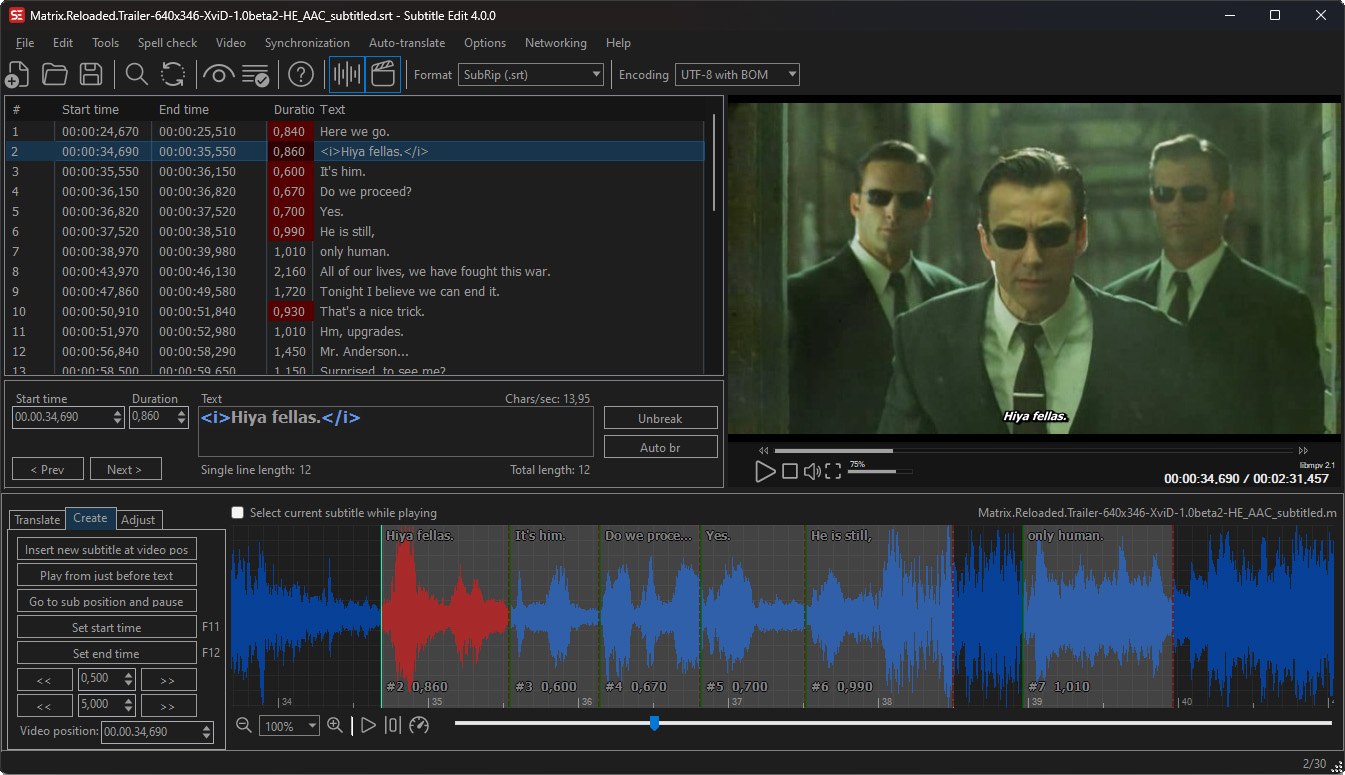
Subtitle Edit is a free open source editor for video subtitles, it is in the name. With the use of SE, you can easily adjust a subtitle if it is out of sync with the video in several different ways. You can make new subtitles from scratch via time-line / waveform / spectrogram or translating subtitles.
- Convert between SubRib, MicroDVD, Advanced Sub Station Alpha, Sub Station Alpha, D-Cinema, SAMI, youtube sbv, and many more (300+ different formats!)
- Text to speech via e.g. via ElevenLabs, Azure, Google or local TTS engines installed on your pc
- Auto Translation via Google translate, DeepL, local LLMs like Ollama and LM Studio, and many more AIs.
- Subtitle Edit can read, write, and convert between more than 300 subtitle formats such as SubRip (*.srt), CapMaker Plus (*.cap, binary), Cavena890 (*.890, binary), Cheetah Caption (*.cap, binary), EBU Subtitling data exchange format (*.stl, binary), VobSub (*.sub/*.idx, binary – can also be read from Matroska/mp4 files),Timed Text 1.0 (*.xml), also know as TTML or DFXP and more.
2. Aegisub
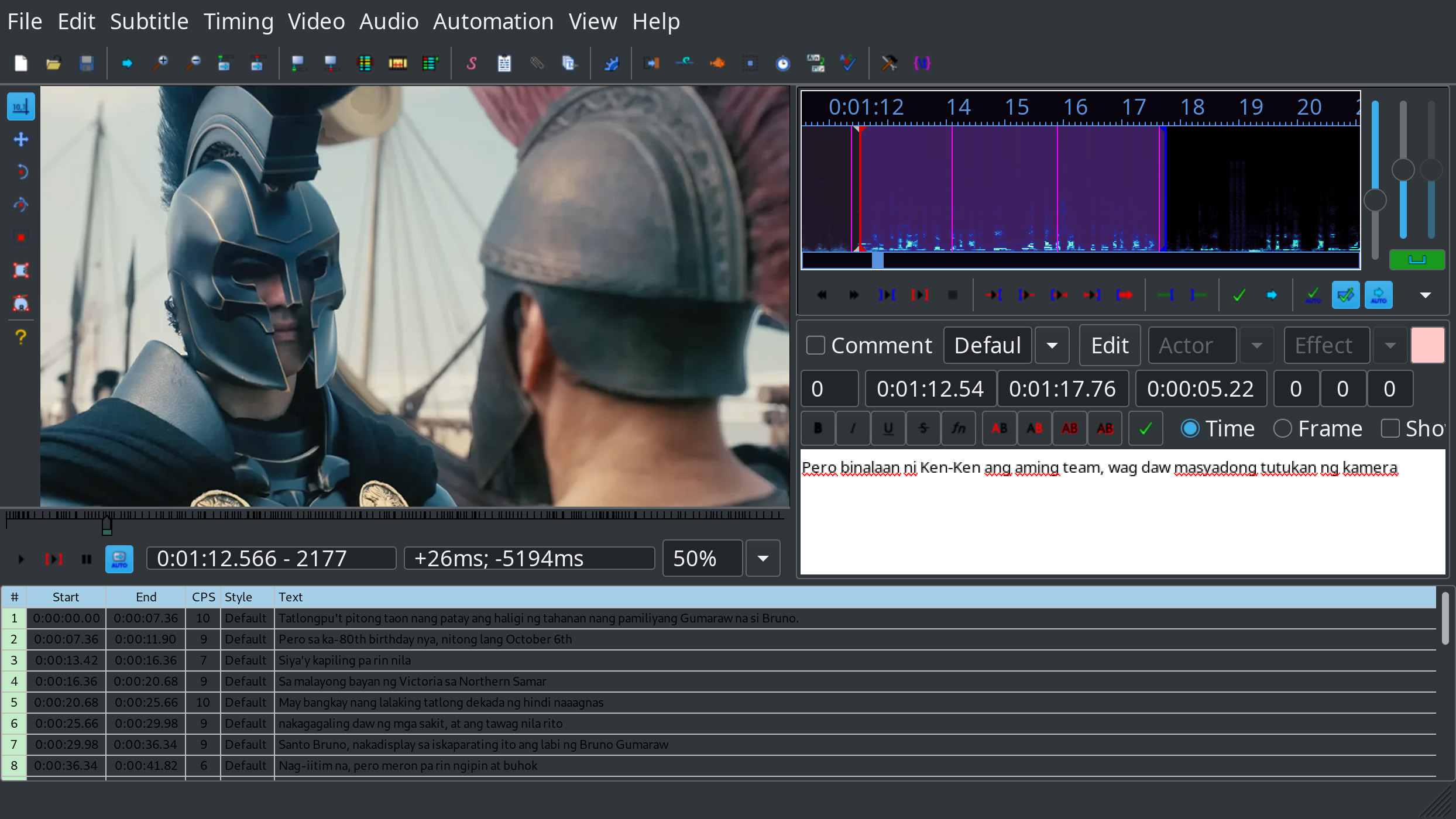
Aegisub is a free, cross-platform open source tool for creating and modifying subtitles. Aegisub makes it quick and easy to time subtitles to audio, and features many powerful tools for styling them, including a built-in real-time video preview.
With help from such features as spell checking/thesaurus, a translation assistant, call tips for override tags, syntax highlighting and various macros, translating, editing and quality assuring subtitles is now easier than ever. Made a mistake? Had a system crash? Don’t worry, Aegisub saves your .ass with features like multi-level undo/redo, auto saving, backups and emergency recovery saving in case of system or program crashes.
Aegisub doesn’t lock you into using any specific format; importing and exporting from and to several different formats (ranging from MPEG-4 Timed Text to MicroDVD) is supported. Multiple language subtitles? Legacy programs without Unicode support? No problem, Aegisub has full support for both Unicode and most common legacy encodings; both reading and writing.
3. Gaupol Subtitle Editor [ For Linux ]
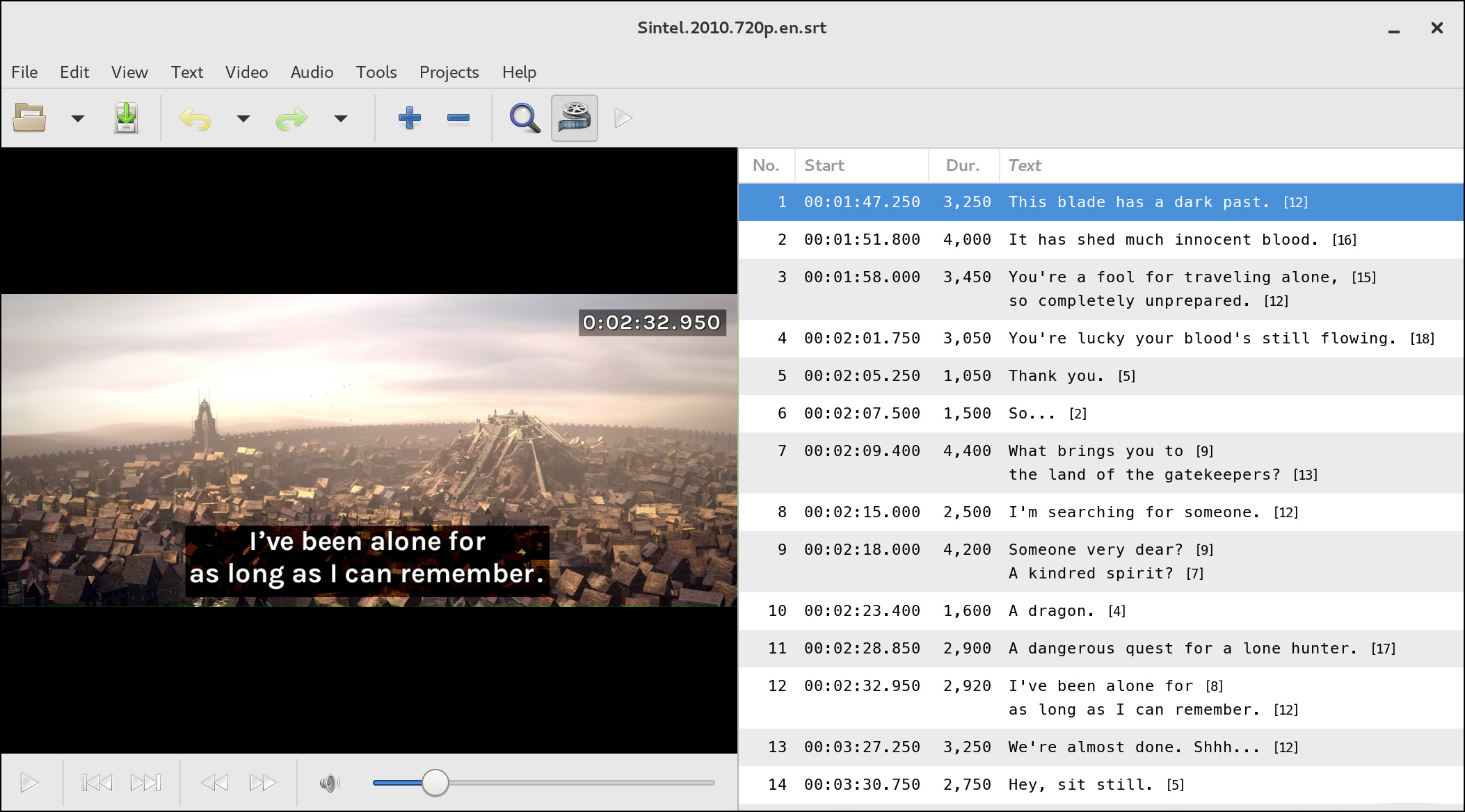
Gaupol is an editor for text-based subtitle files. It helps you with tasks such as creating and translating subtitles, timing subtitles to match video and correcting common errors. Gaupol includes a built-in video player and also supports launching an external one. Gaupol is available for Linux, released as Free Software under the GNU General Public License (GPL).
4. Jubler Subtitle Εditor
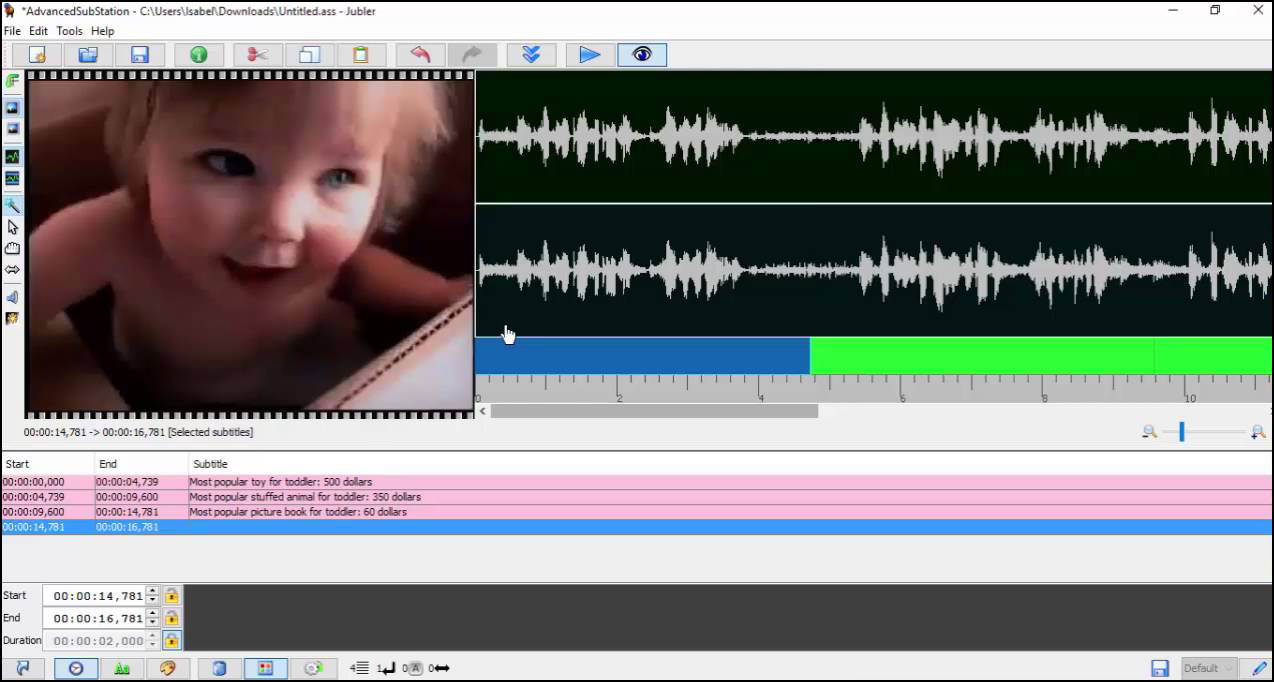
Jubler is a free and open source subtitle editor for creating, editing, and converting text-based subtitles. It provides tools for authoring new subtitles and refining existing ones with video preview, quality validation, and extensive format support.
- 20+ subtitle formats including SubRip (SRT), Advanced SubStation Alpha (ASS/SSA), WebVTT, MicroDVD, SubViewer, MPL2, TTML, ITT, DFXP, and YouTube subtitles
- FFmpeg integration for frame preview and audio waveform visualization
- MPlayer support for video playback with real-time subtitle editing
- Comprehensive editing tools: time shift, frame rate conversion, split/join entries and files, spell checker, regex find & replace
- Translation mode with Azure Translator support



These editors cover useful stages from timing and styling to validation. After editing, I also check line length, reading speed, overlaps, and encoding before exporting, especially when the same captions need to move between SRT and WebVTT for players or course platforms.