If your laptop or desktop constantly crash abruptly, perhaps it is time to monitor the temperature of the CPU and GPU. If you are using a laptop, get a laptop cooler pad, a few degrees lower prolongs the life of your laptop by months or years.
Related Article 😍💰👉 7 Freeware – Test RAM For Bad Memory On Windows, Linux and macOS
Years of using laptops and desktops, to be honest, if heat is your main concern, get a table fan and blow it at your computer, also, open up your laptop and clean the fan once a few years, dust will accumulate at the fan, thus reducing the effectiveness.
1. Libre Hardware Monitor
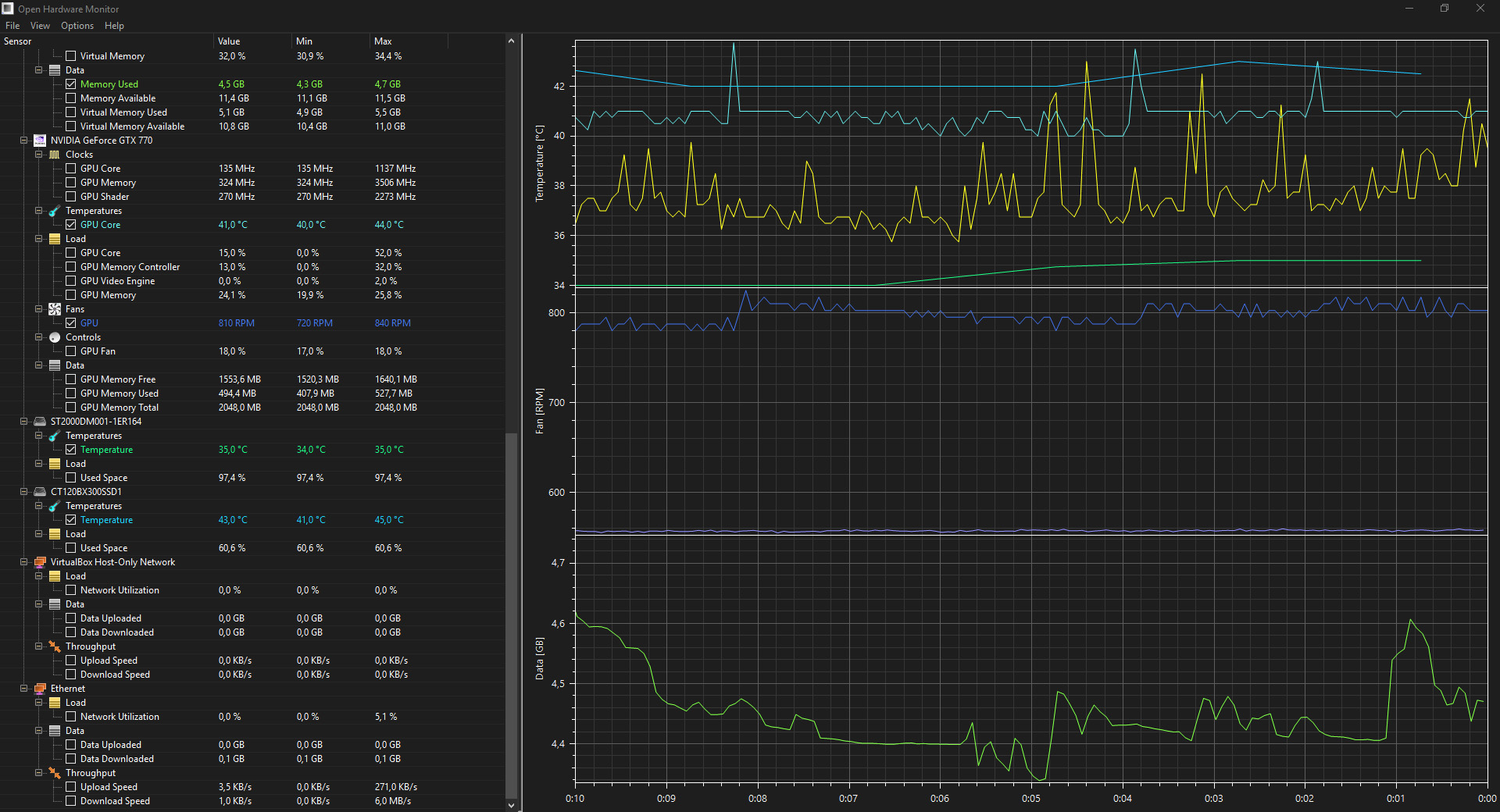
Libre Hardware Monitor, a fork of Open Hardware Monitor, is free software that can monitor the temperature sensors, fan speeds, voltages, load and clock speeds of your computer. You can read information from devices such as Motherboards, Intel and AMD processors, NVIDIA, AMD and Intel graphics cards, HDD, SSD and NVMe hard drives, and Network cards.
2. Core Temp
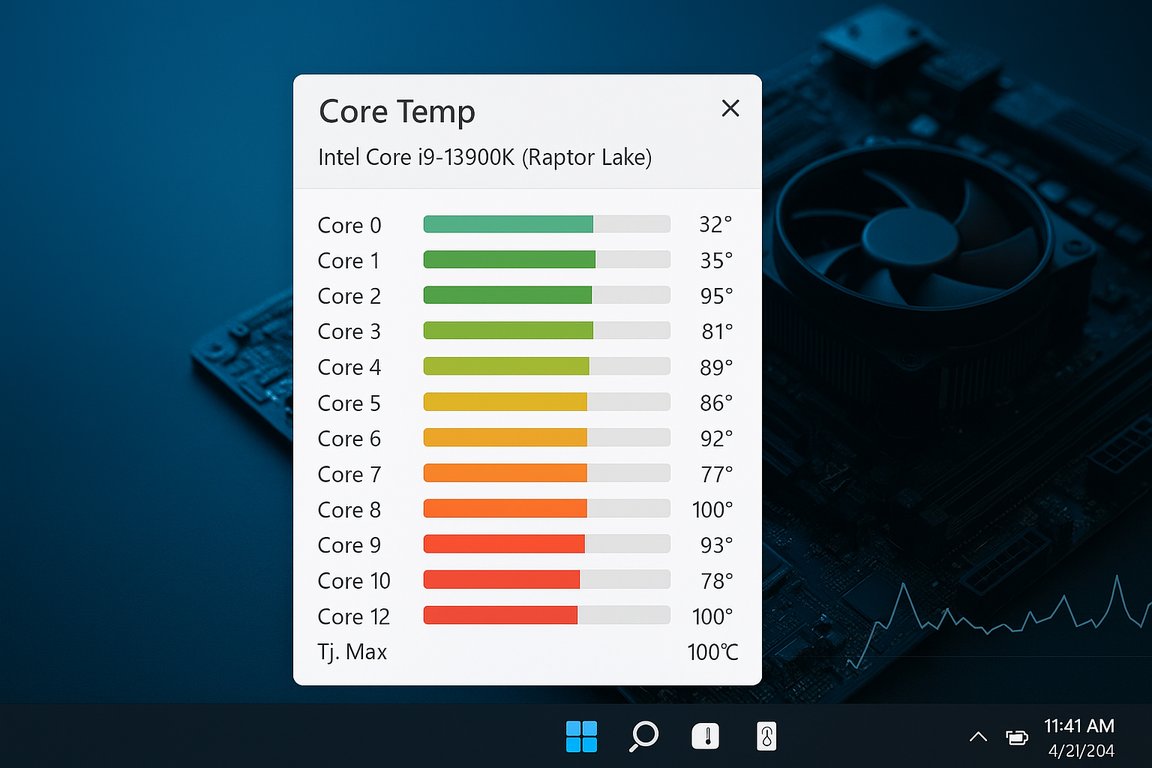
Core Temp is a compact, no fuss, small footprint, yet powerful program to monitor processor temperature and other vital information. What makes Core Temp unique is the way it works. It is capable of displaying a temperature of each individual core of every processor in your system!
Core Temp supports most modern processors from Intel, AMD and VIA. All Intel Core, Atom, Celeron, Pentium and Xeon series. AMD Ryzen, Epyc, FX, APU, Athlon, Turion, Sempron, and Opteron as well. VIA Nano and C7 series.
3. Stats for macOS
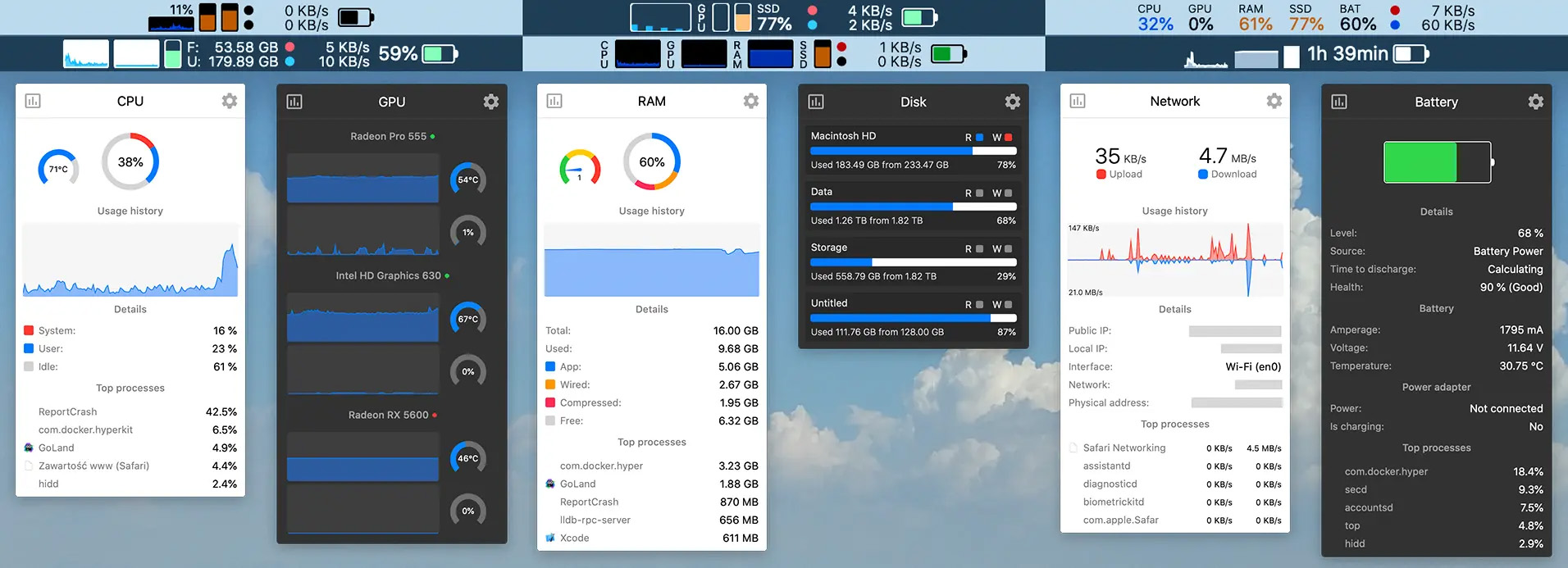
Menu bar tool for macOS shows real-time CPU, GPU, memory, disk, network, battery status, sensor data, fan speed, Bluetooth device info, multi-time zone clocks, customizable widgets, and historical graphs while ensuring privacy.
Stats puts a complete system monitor right in your macOS menu bar. Instead of opening Activity Monitor, you get live readings of CPU and GPU load, memory pressure, disk space, network throughput, hardware sensors, fan speeds and battery health – always a glance away. It’s lightweight, fully native, and built for both Apple Silicon (M1, M2, M3 and later) and Intel Macs.
4. Fan Control
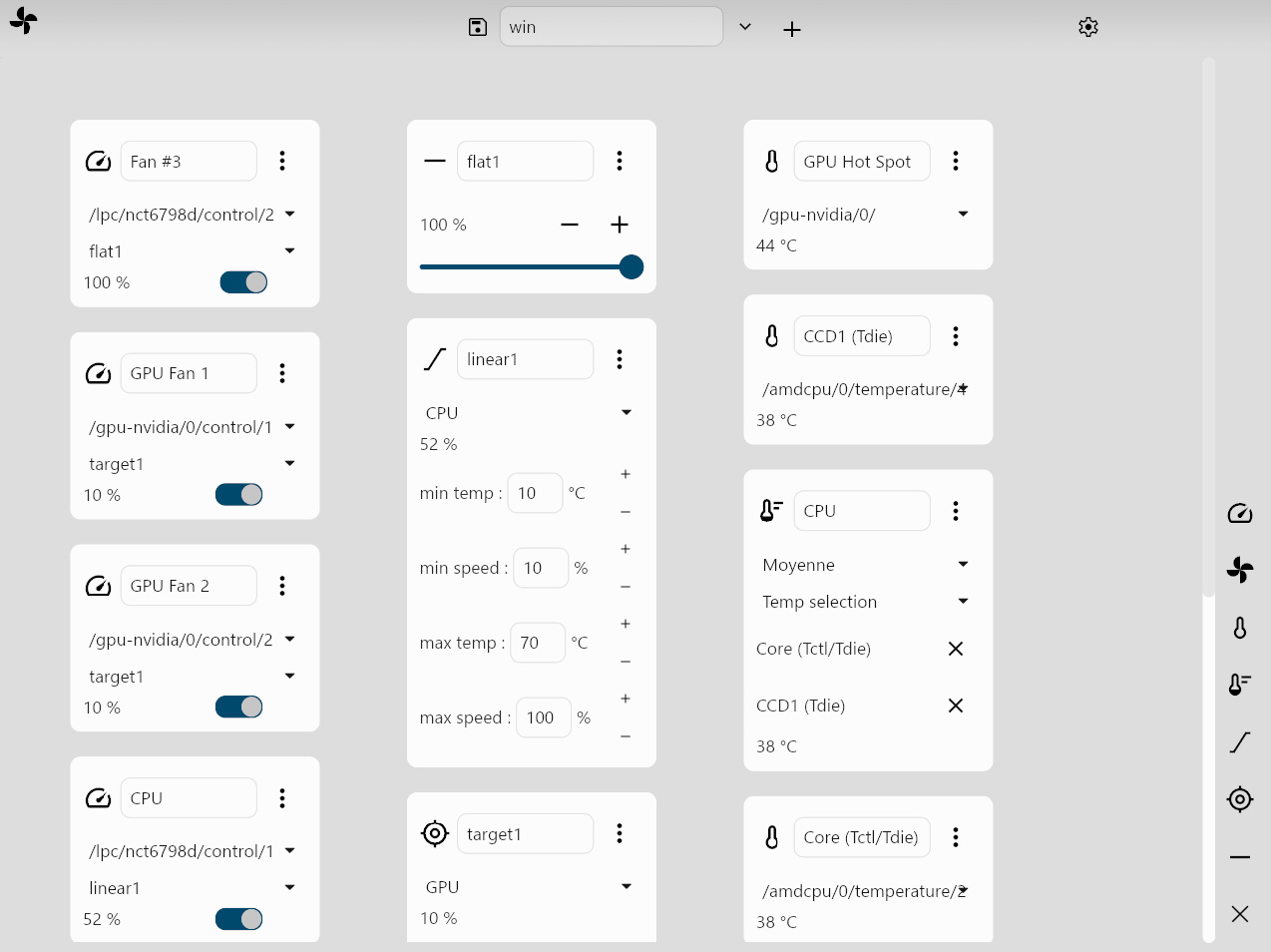
Control your fans with different behaviors. Fan Control is a simple software that display sensors data on real time, it also allows you to control fans based on custom behaviors. Works on Linux and Windows.
5. Camomile App
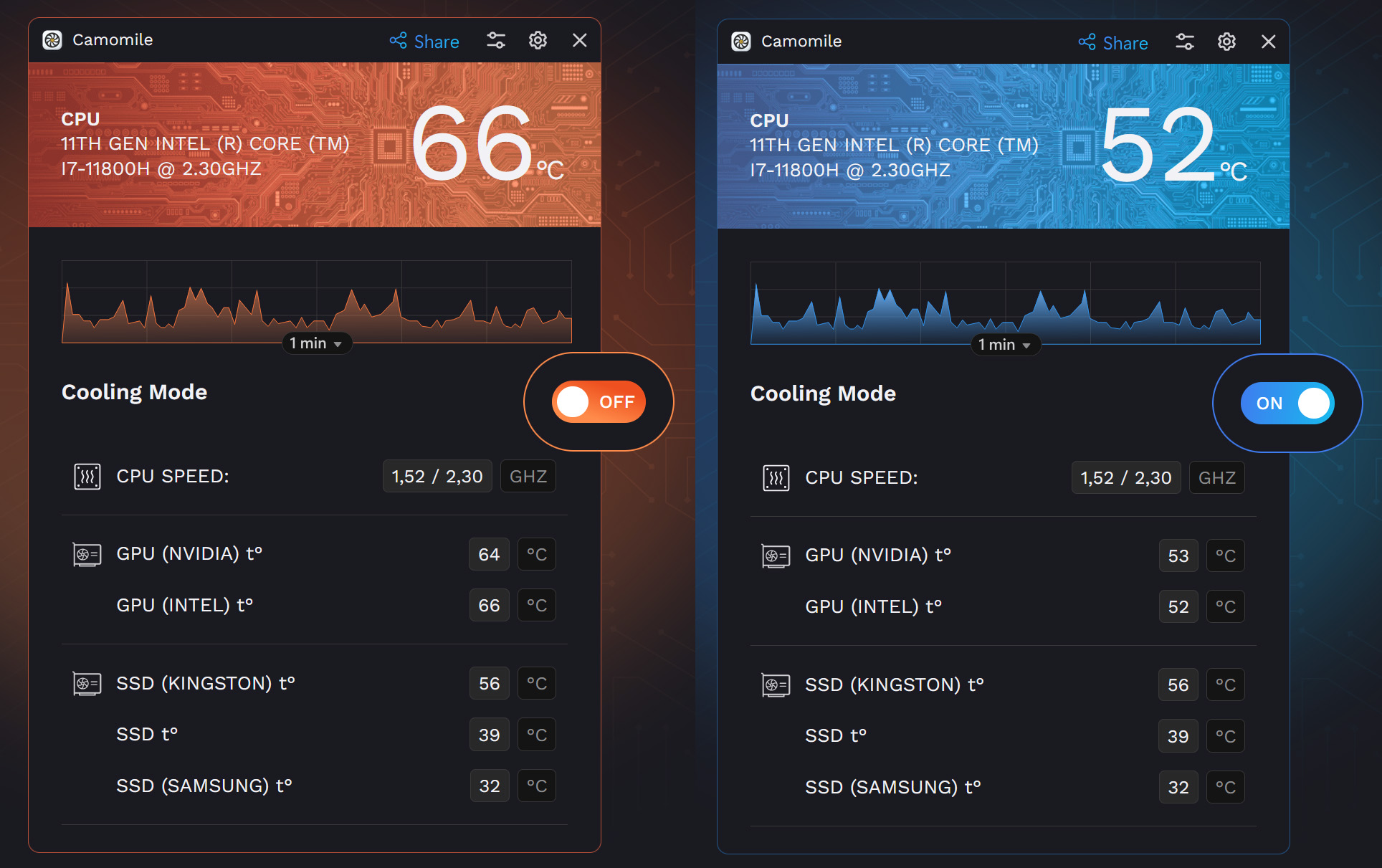
Camomile, developed by Outbyte, is a comprehensive CPU optimization application designed to enhance the performance and longevity of your laptop. It effectively manages system loads, maintaining optimal temperatures to prevent overheating and extend hardware lifespan.
- Lower PC Temperature – Camomile cools down a PC, ensuring optimal temperature even under heavy workloads, such as gaming or other processes with increased CPU usage.
- Reduce Fan Noise – Powered by its effective optimizations, Camomile significantly reduces the load on cooling fans, making them work much quieter. Also, less fan activity means less dust buildup, which could help you keep a PC cleaner.
- Extend Battery Life – Reducing the load on your operating system with Camomile can help extend laptop’s battery life, allowing you to use a laptop longer without constantly needing a power outlet.
6. HWMonitor
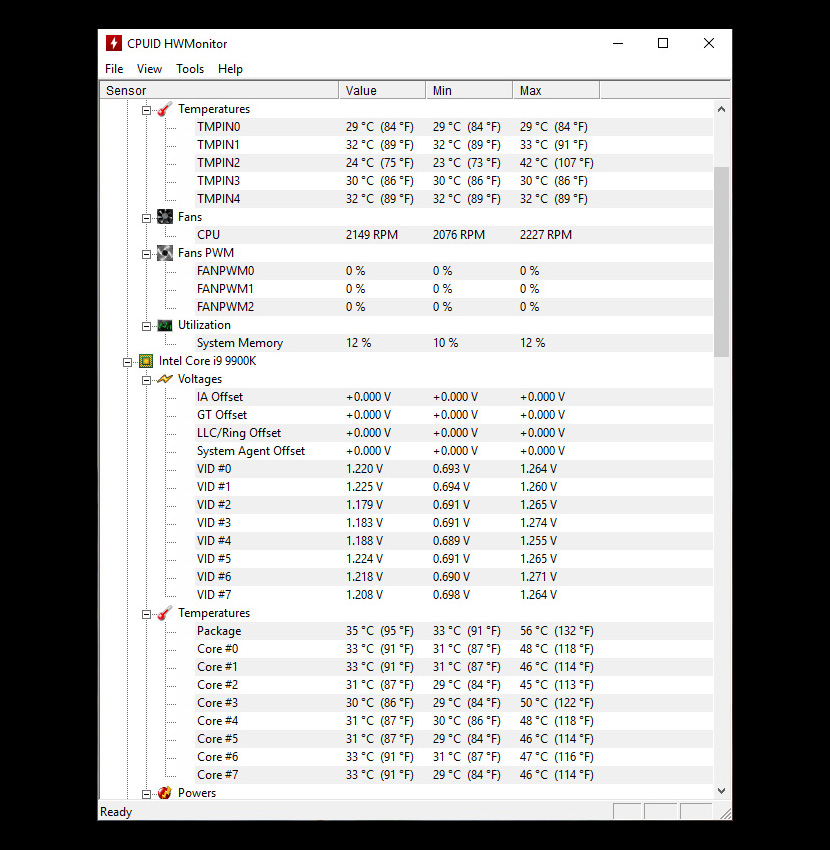
HWMonitor for Windows® x86/x64 is a hardware monitoring program that reads PC systems main health sensors : voltages, temperatures, powers, currents, fans speed, utilizations, clock speeds. It even works on ARM64 for Windows. The program handles CPU and GPU-level hardware monitoring, LPCIO chips with monitoring features (ITE® IT87 series, Winbond® and Nuvoton® ICs), memory modules with thermal sensors, and SSD / hard disks via S.M.A.R.T.