

How to recover files and data from a dropped SSD hard drive? Which is the best external hard drive and Android Smartphone microSD card data recovery software? Are there any good free damaged dropped hard drive data recovery tools? How much to fix broken, bad sector, dead and crashed hard disk or laptop hard drive data?
Related Article 😍💰👉 7 Best iOS Data Recovery Software For Apple iPhone And iPad
Your hard drive or hard disk crashed, what do you do now? Send it to a specialist shop and it is going to cost you a bomb to retrieve, save, recover and extract all your data, or forget about it? Have you ever wondered how the computer expert was able to extract the lost data and files? They use specialized software, while these freeware have the basics covered, it is still no match to those professional grade data recovery software. If you are seeking professional help, Seagate Rosewood and Western Digital both have their own professional data recovery service. Check out their official website for more information.
- For those with Seagate Hard Disk
- For those with Western Digital Hard Disk (Global, including India)
- For those with Toshiba Hard Disk (Europe)
1. Windows File Recovery
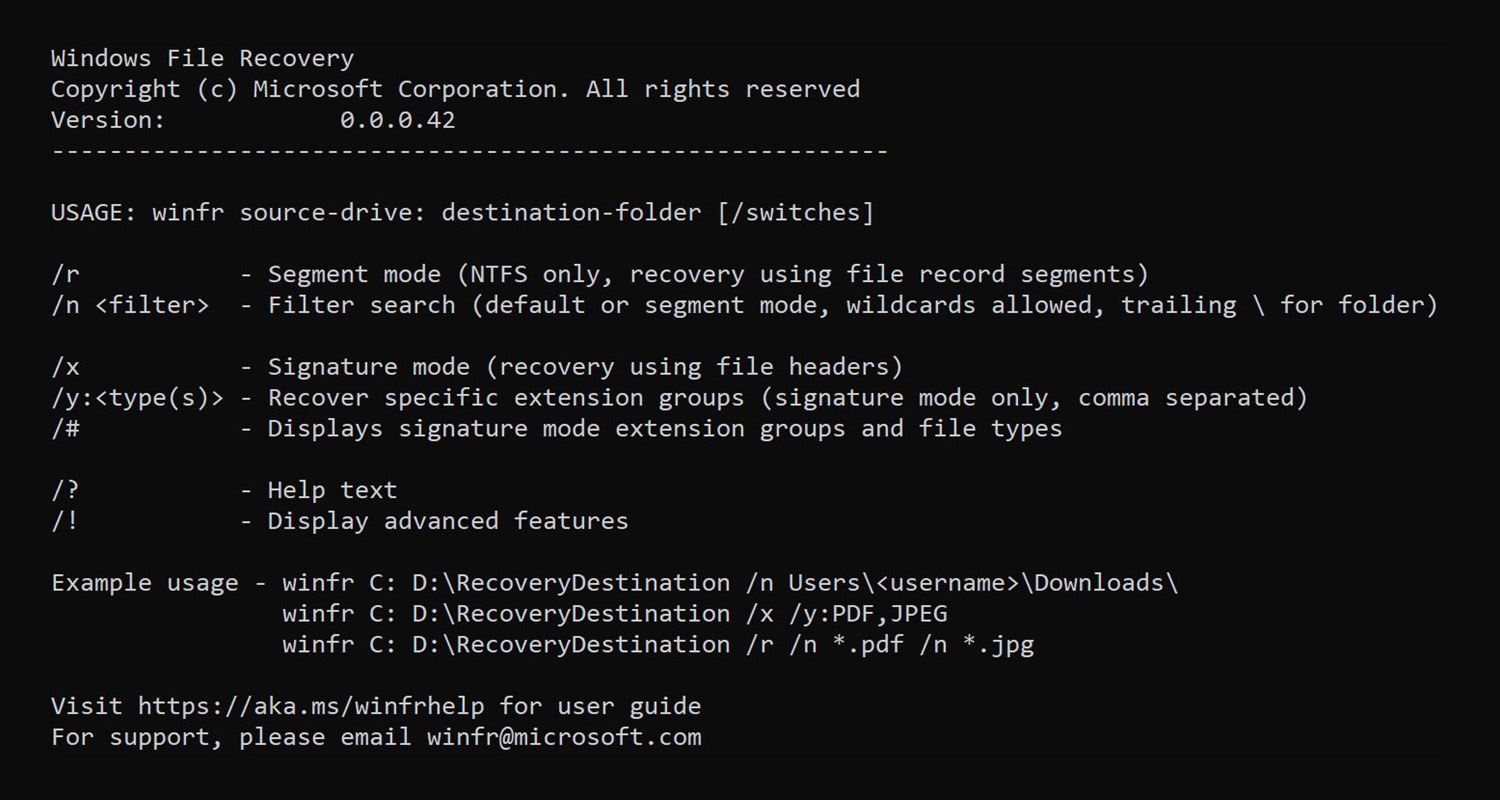
Accidentally deleted an important file? Wiped clean your hard drive? Unsure of what to do with corrupted data? Windows File Recovery can help recover your personal data. For photos, documents, videos and more, Windows File Recovery supports many file types to help ensure that your data is not permanently lost.
Recovering from a camera or SD card? Try Signature mode, which expands beyond NTFS recovery and caters to your storage device needs. Let this app be your first choice for helping to find what you need from your hard drive, SSD (*limited by TRIM), USB drive, or memory cards.
- Target file names, keywords, file paths, or extensions in your recovery
- Recovers JPEG, PDF, PNG, MPEG, Office files, MP3 & MP4, ZIP files and more
- Recover from HDD, SSD, USB, and memory cards
- Supports NTFS, FAT, exFAT and ReFS file systems
2. TestDisk [ Partition Recovery ]
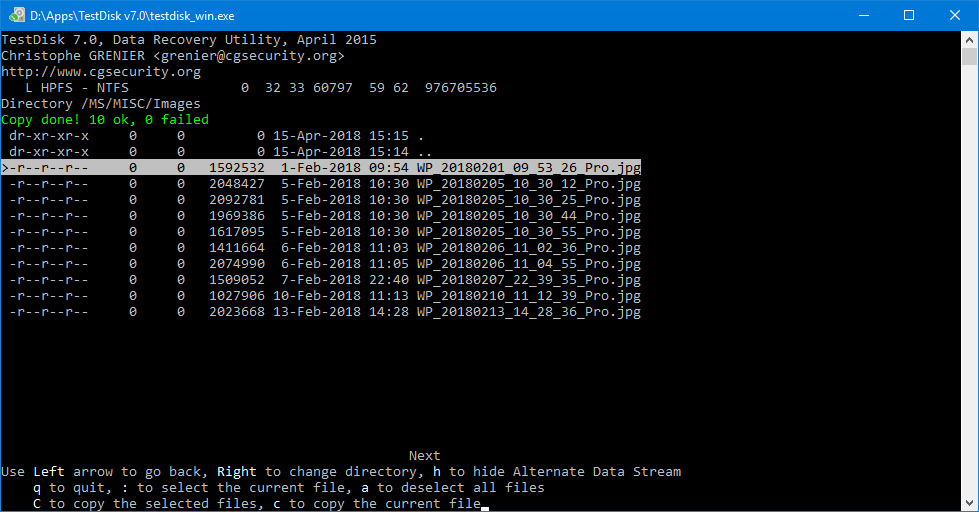
TestDisk is powerful free data recovery software! It was primarily designed to help recover lost partitions and/or make non-booting disks bootable again when these symptoms are caused by faulty software: certain types of viruses or human error (such as accidentally deleting a Partition Table). Partition table recovery using TestDisk is really easy. TestDisk can:
- Fix partition table, recover deleted partition
- Recover FAT32 boot sector from its backup
- Rebuild FAT12/FAT16/FAT32 boot sector
- Fix FAT tables
- Rebuild NTFS boot sector
- Recover NTFS boot sector from its backup
- Fix MFT using MFT mirror
- Locate ext2/ext3/ext4 Backup SuperBlock
- Undelete files from FAT, exFAT, NTFS and ext2 filesystem
- Copy files from deleted FAT, exFAT, NTFS and ext2/ext3/ext4 partitions.
3. UndeleteOnClick
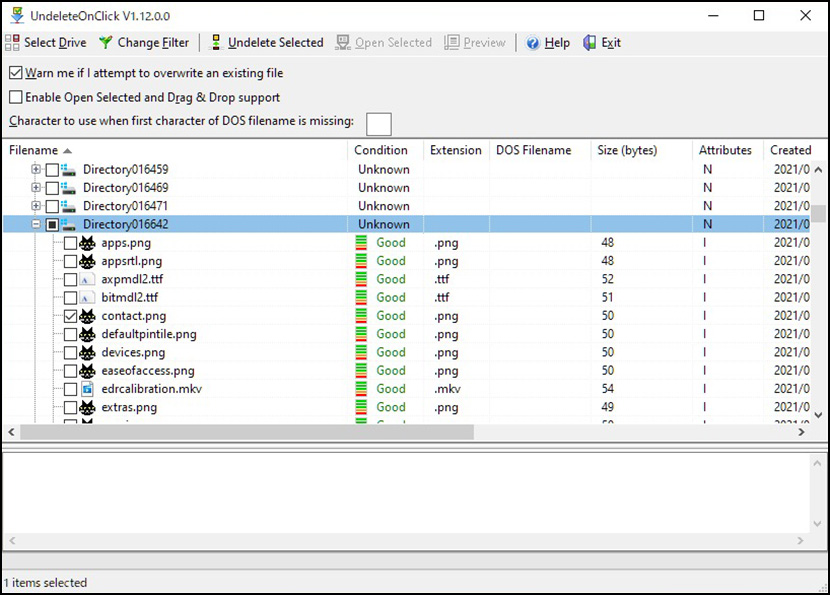
UndeleteOnClick is a very simple to use file undelete utility for Microsoft Windows Vista and newer (32-bit and 64-bit). Any type of file can be undeleted / unerased, including NTFS compressed & NTFS encrypted files.
- Recover compressed (NTFS based) files.
- Recover encrypted files on NTFS drives.
- Recover alternate data streams (ADS).
- Restores using the correct creation & modification date & times.
- Very fast MFT and FAT scanning algorithm, fast file undelete.
- Undelete files on any valid logical drive visible by Windows.
- Fully Unicode enabled so filenames in any language can be undeleted.
- Fits on a small capacity USB key.
- Gives chances of file recovery.
4. Disk Drill Basic
Free and Paid Version Available
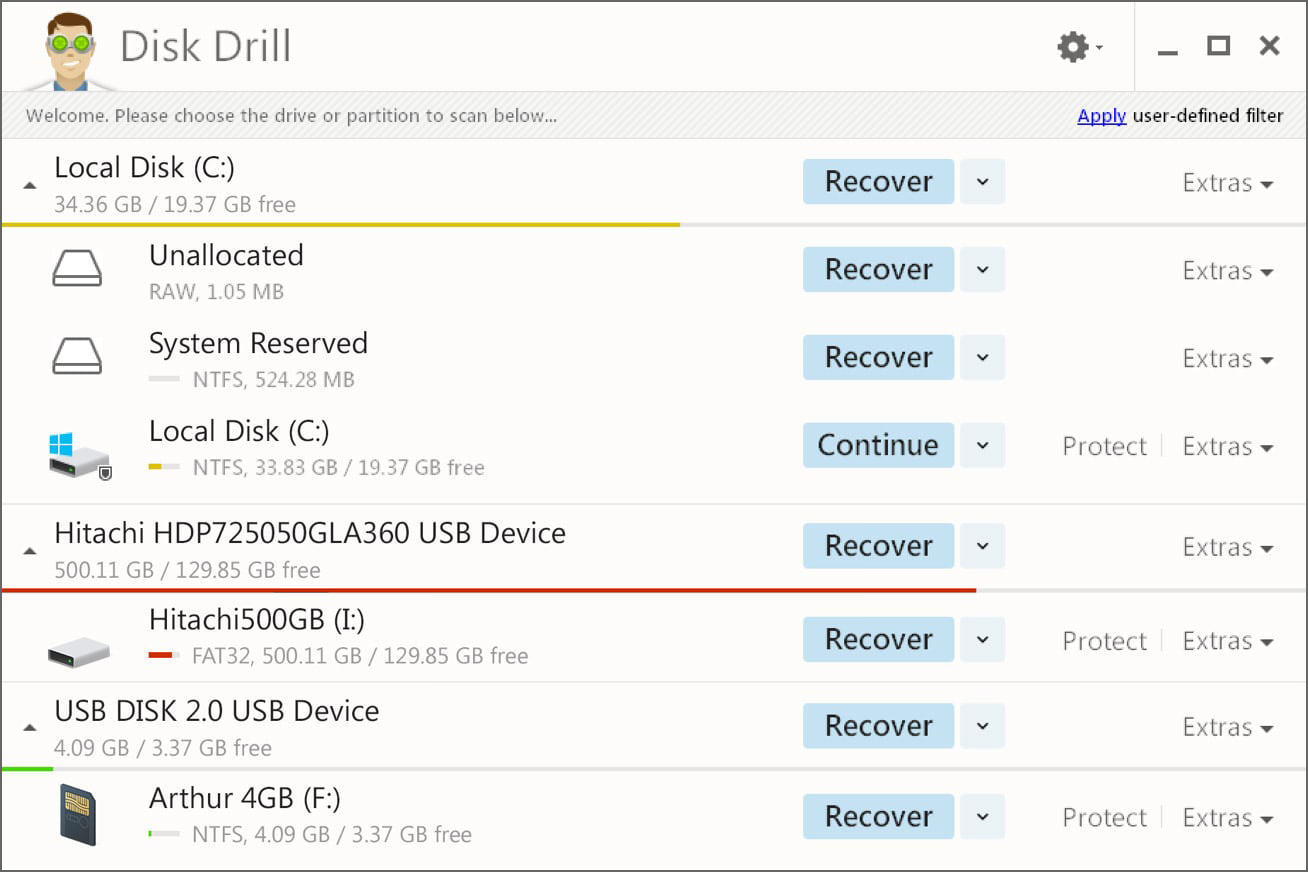
Do you need to recover deleted files in macOS, such as critical business documents, music, photos or videos? Have files or whole partitions gone missing from your Mac? Are you having trouble accessing an external USB drive or camera card? They can help. They make data recovery for macOS easy. Disk Drill makes data recovery in macOS super easy. With just one click of a button, it will run through all of its scanning functions and display a list of files that can be potentially recovered.
You can even preview these files so that you can determine which ones can be successfully recovered. If you have Disk Drill’s data protection features enabled, some methods of file recovery on your Mac are free! If not, a quick upgrade will enable you to recover your files and get back to work. Deep Scan method can be used in any situation and is able to recognize and recover over 80 different file types.
The Basic version is free. It gives you all the functions of data protection and scanning, so that you can see which files can be found and preview them to verify that they are recoverable. But you must upgrade your license to actually recover any files found
- Photo files like JPG, PNG and TIFF
- Graphic files like AI, PSD and INDD
- RAW camera files like CR2, NEF and DNG
- Video files like AVI, DV and MP4
- Music files like AIF, MP3 and WAV
- Recover corrupted Jpeg photo from Android smartphone’s microSD card
- Document files like DOCX, PPTX and XLSX
5. EaseUS Data Recovery Free
Free and Paid Version Available
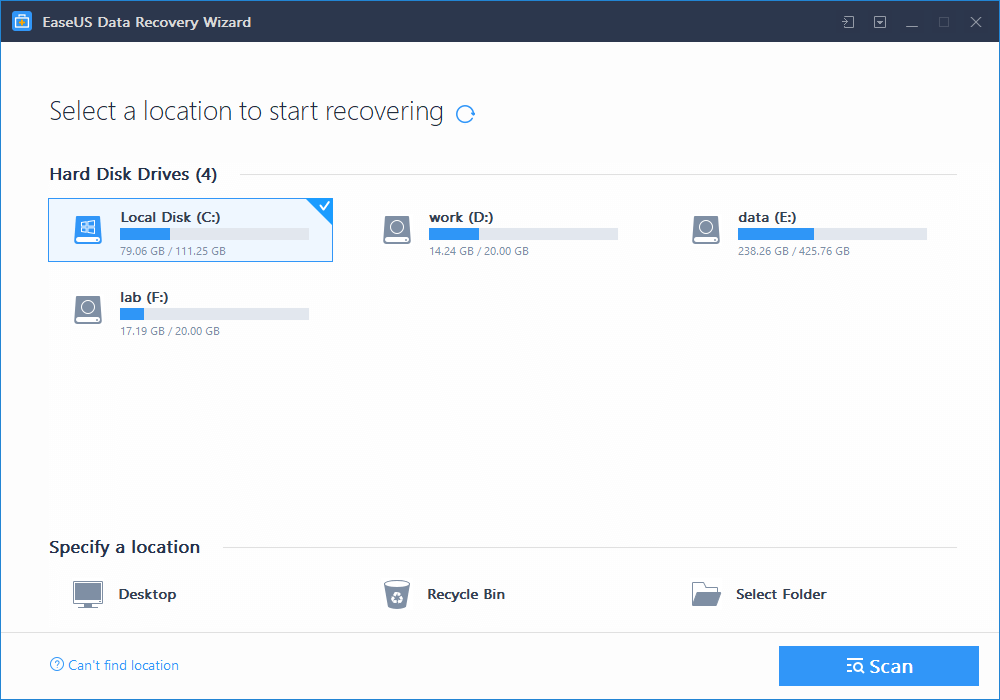
Free file recovery software can help users to recover lost/deleted files from Windows and Mac-based hard drives, external hard drives, digital cameras, MP3/MP4 players, and other devices. With the intuitive interface and the 3-step process “Scan – Preview – Recovery”, it easily retrieves photos, videos, music and other files lost by accidental deleting, formatting, virus infection, or improper operation. EaseUS Data Recovery Free for Mac allows users to freely recover 2GB of data.
- You can recover 2GB Data
- Recovers many types of files, including images, videos, documents, email, archive, etc.
- Supports the recovery of data from multiple storage devices like external drives, USB drives, SD cards, memory cards, and others.
- Supports macOS 10.10 (Yosemite), 10.9 (Mavericks), 10.8 (Mountain Lion), 10.7 (Lion), 10.6 (Snow Leopard).
6. MiniTool Power Data Recovery Free
Free and Paid Version Available
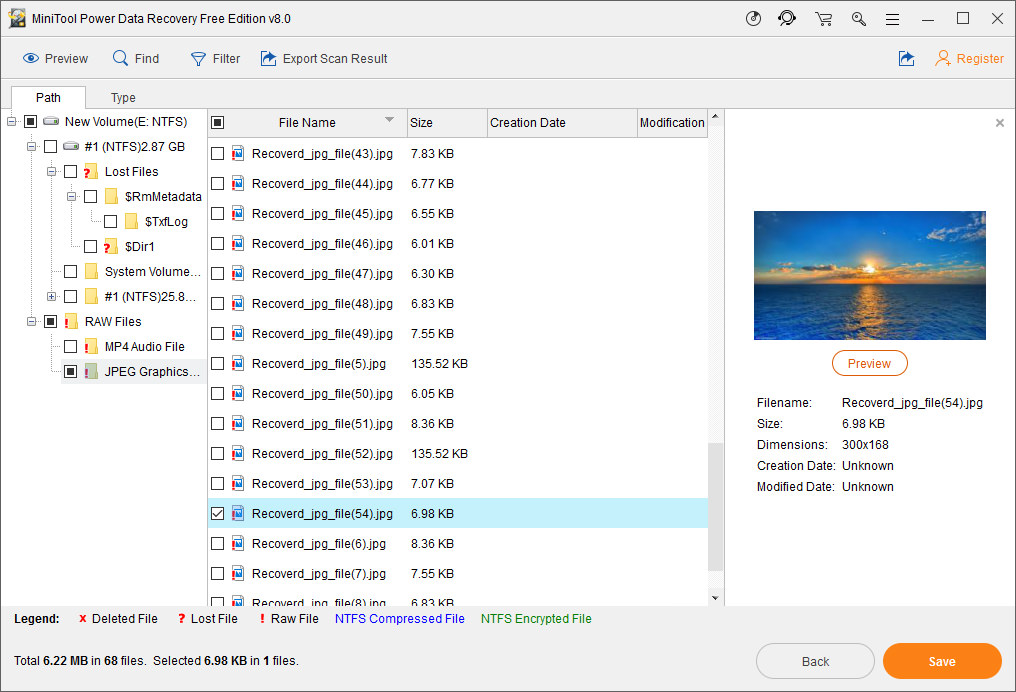
Best data recovery program for home users to recover data from different data loss crisis. MiniTool Mac Data Recovery Personal License can recover photos, music, videos, emails, documents, and other types of data from Windows or Mac computer or other storage devices. This data recovery software is fast, safe and easy to use. It has a data preview effect, so Mac users can enjoy the charm of data recovery in advance. Four powerful recovery functional modules:
- Undelete Recovery: helps Mac users quickly recover data lost due to accidental deletion from storage devices.
- Damaged Partition Recovery: recovers lost data from existing partitions, such as damaged partition, formatted partition and the partition with a RAW file system or the partition which is notified by Mac: “Do you want to format it?”.
- Lost Partition Recovery: recovers lost data from lost or deleted partition.
- Digital Media Recovery: recovers photos, audios, videos and other multimedia files from portable storage devices, such as memory card, memory stick and USB flash drive.
7. UndeleteMyFiles
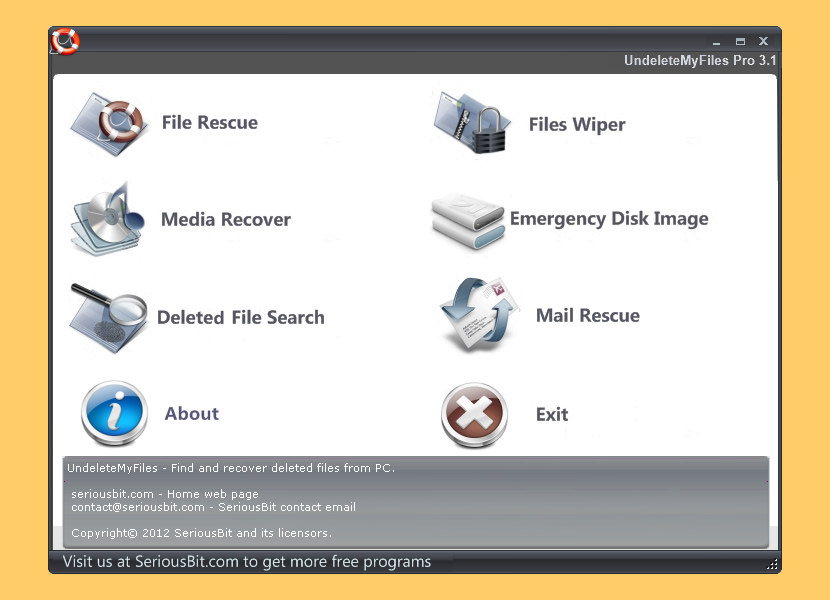
UndeleteMyFiles Pro is a free professional tool to recover accidentally deleted files from hard disks, USB flash drives, CF and SD cards and other storage media. UndeleteMyFiles is a quick and easy way to find and recover deleted media and digital devices.It employs a simplified two-step process that enables you to recover any files that used to reside on your system.
- File Rescue Wizard – a quick and easy way to find and recover deleted files.
- Media Recover – Recover media files in a couple of easy steps.
- Deleted File Search – Specialized filters that allow you to find specific deleted information.
- Files Wiper – Allows you to delete any files permanently without any chances of recovery.
- Mail Rescue – Mail Recovery Wizard.
8. Lazesoft Recovery Suite Home Edition
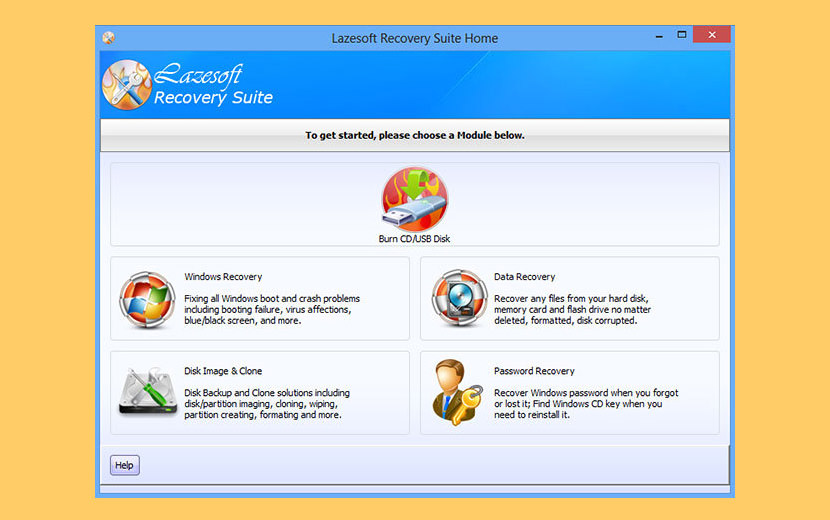
With a series of easy-to-use utilities on Lazesoft Recovery Suite Home Edition Recovery CD, you can recover your data even if file deleted, partition formatted, you can repair your Windows even if Windows crashed, you can reset your windows login password even if you forgot it. With Lazesoft Recovery Suite Home Edition, just three steps to recover your data, repair Windows system or reset Windows password. It is easy as 1, 2, 3.
- Lazesoft Windows Recovery – Windows System Recovery, Fix Windows boot problems
- Lazesoft Data Recovery – recover data from deleted, formatted, damaged disk/drive/partition
- Lazesoft Recover My Password – Windows Password Recovery
- Lazesoft Disk Image & Clone – Disk Backup, Clone and Partition Manager
9. FreeUndelete
Free and Paid Version Available
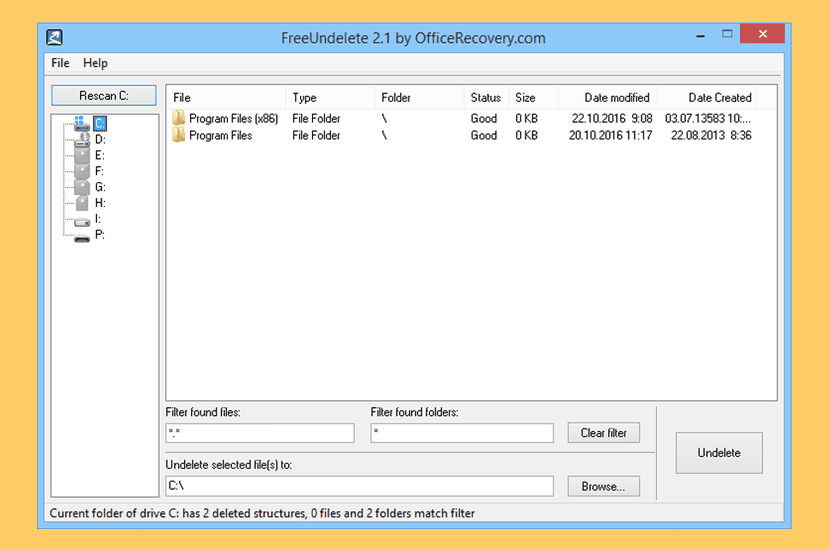
FreeUndelete restores deleted files, including those removed from Windows Recycle Bin. In case of accidental removal of files on a NTFS (1.0 and 2.0) (default for Windows Vista, XP, 2000 and NT), FAT32, FAT16 or FAT12 file systems this is the utility to help. Supported file systems include NTFS 1.0, NTFS 2.0, FAT12, FAT16 and FAT32. The recovered files are saved into a new user-selected location to prevent overwriting the deleted files on the original media.
10. Wise Data Recovery
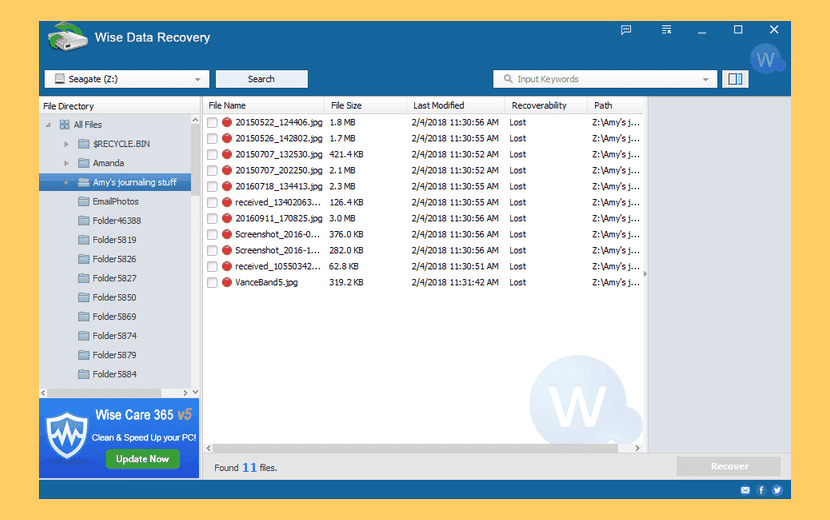
Wise Data Recovery is a free data recovery program to get back deleted photos, documents, videos, emails etc. from your local or removable drives for free. Wise Data Recovery is a free data recovery software to solve your data loss problems Whether you deleted some files by accident, formatted a drive or encountered a system crash and lost some files, It can get back lost files from hard drive, external hard drive, USB drive, Memory card, digital camera, mobile phone, MP3 player and other storage media.
Wise Data Recovery supports recovery data from FAT (FAT12, FAT16, FAT32), exFAT and NTFS disk. With advanced algorithms, Wise Data Recovery is able to finish the scanning process in seconds, saving you a lot of time. You can also choose your recovery file types or type in keywords before scanning to narrow down searching results and save more time.
11. CuteRecovery Free
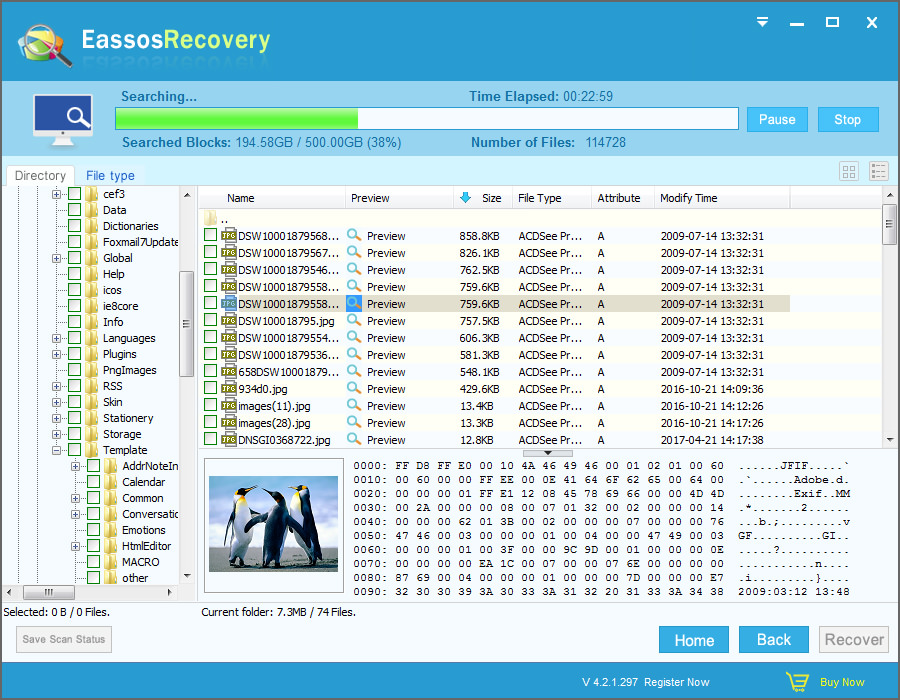
Free Data Recovery Software, easily recovery deleted, formatted, or lost data. Eassos Recovery Free is capable and free recovery software, which can easily and quickly get back deleted, formatted or lost data from hard disks, USB drives, memory cards and other storage devices. Multiple recovery modes help precisely perform file recovery & partition recovery with high recovery rate.
- Retrieve deleted or lost files from hard drive and removable devices.
- Recover formatted, RAW, corrupted, damaged and lost partitions.
12. Undelete 360

Restore files accidentally deleted from your Computer, Recycle Bin, digital camera, flash drive. Undelete 360 is one of the best programs to use for restoring accidentally or unintentionally deleted files from your computer, regardless of storage medium. Using Undelete 360, you can restore files from SSD Hard drives, Digital cameras, Floppy drives or USB flash drives.
Built on a very fast and efficient algorithm, the program will browse, search, and recover files that have been deleted as a result of an accident, a virus, or software and computer failures. Undelete 360 can recover files deleted from computer hard drives, USB/thumb drives and memory sticks, the memory cards used in cameras, smart phones, and other devices, pen drives, and more. The program supports both file recovery and folder recovery.
- Accidentally deleted from your PC or other media
- Deleted by viruses
- Too large to fit in the recycle bin
- Deleted on Windows network shares
- Deleted from a USB Memory Stick
- Deleted when you press “Shift+Delete” keys
- Erased when the Move or Cut command has been used
- Created and deleted by certain applications
- Deleted from the command line
13. Stellar Data Recovery
Free and Paid Version Available
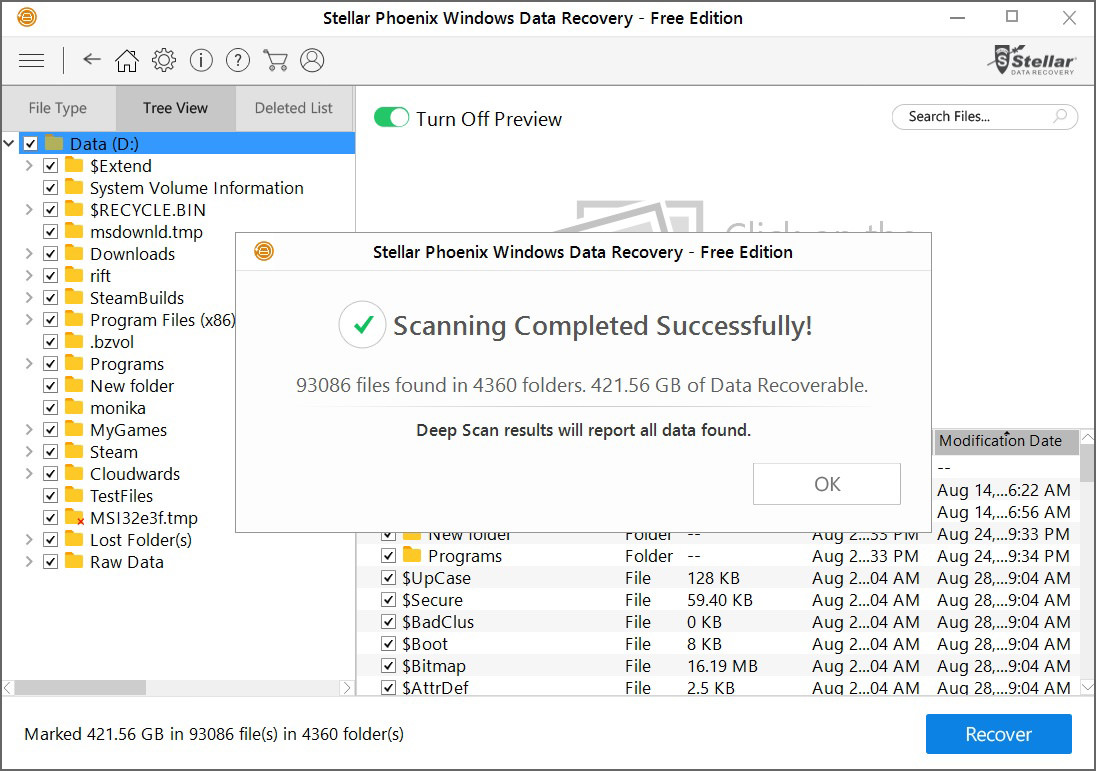
Try out the Stellar Data Recovery Free software to recover lost or deleted documents, email data files, videos, photos, and audio files. The software recovers data from all types of storage devices including hard drives, pen drives, memory cards, etc. Retrieves lost photos, videos, documents, emails, compressed folders, audios, and several hundred other file formats from any Windows PC or Laptop. The free recovery software can recover deleted files and data from a formatted or severely corrupt drive in 3-easy steps.
- Permanent Data Deletion – Recovers data lost due to accidental deletion or emptying the Recycle Bin.
- Missing or Lost Partition – Recovers data from missing and deleted partitions—lost due to drive corruption or accidental deletion.
- Hard Drive Corruption – Recovers data lost from corrupt and RAW drives due to reasons like improper use, power failure, malware attack, etc.
- Virus Attack Recovery – Recovers lost, deleted, and hidden data from malware or virus-infected storage media and Windows systems in 3-simple steps
- OS Crash Recovery – Recovers data from the unbootable system and corrupt drives after Windows crash and Blue Screen of death (BSOD)
- RAW Partition Recovery – Recovers data lost from corrupt hard drive partitions that turn RAW due to virus and malware attacks, unsafe drive removal, and system crash
14. SoftPerfect File Recovery
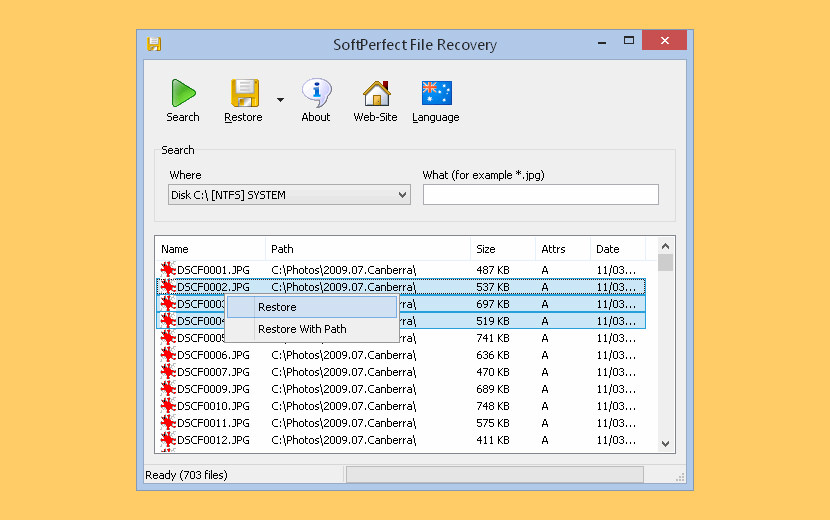
SoftPerfect File Recovery is a free and useful tool for restoring files and rescuing data that was accidentally deleted from hard disks, floppy disks, USB flash drives, CF and SD cards and other storage media. It supports the popular file systems such as FAT12, FAT16, FAT32, NTFS and NTFS5 with compression and encryption. If some important files disappeared and you can’t find them in the recycle bin, don’t panic yet. Try SoftPerfect File Recovery software and see if you can bring the lost files back to life. It is very easy to use, and no installation is required.
- Lightweight and free.
- Works with FAT and NTFS.
- Supports compressed and encrypted volumes.
- Recognizes most storage media.
- Runs on anything from Windows XP through Windows 10.
- Portable software, no installation required.
15. Glary Undelete
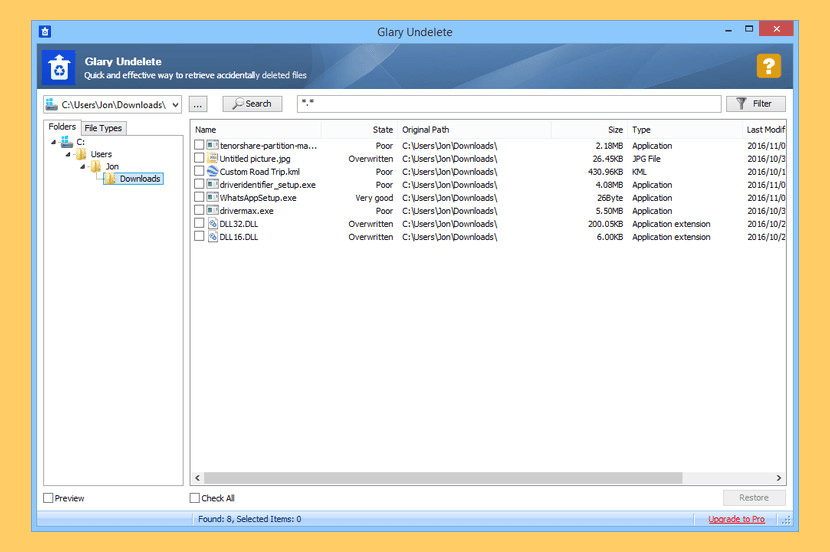
Glary Undelete is a free and easy-to-use yet powerful file undelete solution for FAT and NTFS file systems. It will bring back files emptied from the Recycle Bin, in a DOS window, from Windows Explorer with the SHIFT key held down. It will even recover files that have been deleted by bugs, crashes and viruses!
Glary Undelete supports multiple file systems ie NTFS + EFS, FAT , NTFS . Moreover, it is able to recover files that the user has compressed or fragmented or even encrypted on NTFS file system.
- Supports FAT, NTFS, NTFS + EFS file systems.
- Supports recover compressed, fragmented and encrypted files on NTFS.
- Undelete files on removable devices.
- Filter by file name, file date, size, recovery state.
- Supports analyzes recovery possibilities.
16. DMDE Free
Free and Paid Version Available
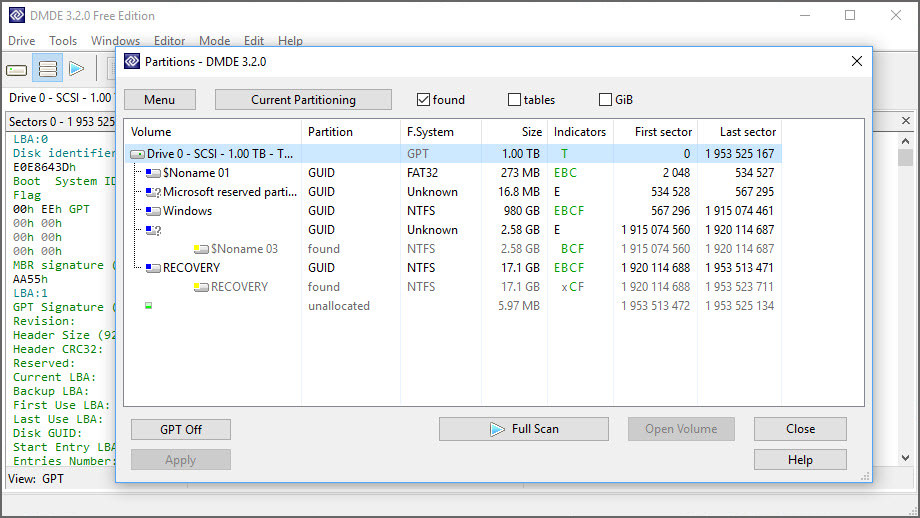
DMDE is a powerful software for data searching, editing, and recovery on disks. It may recover directory structure and files in some complicated cases through the use of special algorithms when other software can’t help. The software is listed, reviewed, and awarded in magazines and catalogs.
DMDE has a number of freeware features such as disk editor, simple partition manager (e.g. allows partition undeleting), a tool to create disk images and clones, RAID constructor, file recovery from the current panel. Paid editions support file and directory recovery without the restriction, DMDE Professional Edition has additional features to recover data for clients.
17. DiskDigger
Free and Paid Version Available
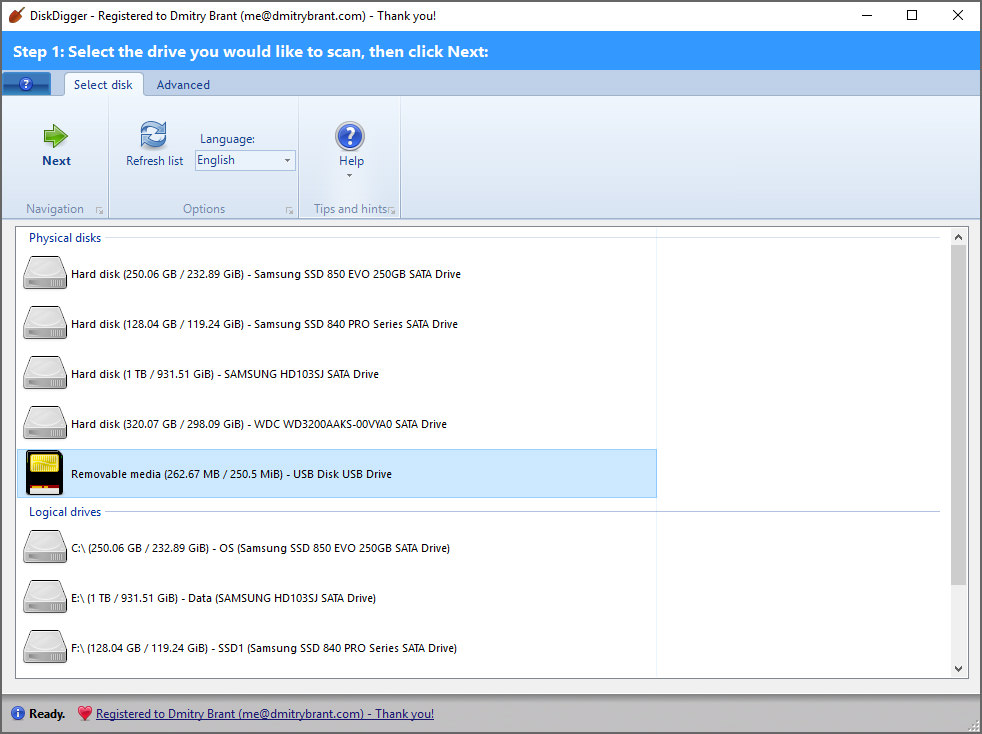
DiskDigger is a tool that undeletes and recovers lost files from your hard drive, memory cards, USB flash drives — you name it! Whether you accidentally deleted some documents or photos from your computer, reformatted your camera’s memory card, or want to see what files are lurking on an old USB drive, DiskDigger is here for you.
When using it in Windows, DiskDigger is free for downloading, scanning your disk, and previewing any recoverable files. However, when saving the recoverable files, the program strongly encourages you to purchase a personal license. To use the program for commercial purposes, you must purchase a commercial license. (When using DiskDigger in Linux, it’s completely free.)
- “Dig Deep” mode has been enhanced with an option to show either “Deleted files only” (which was the previous default behavior) or “Deleted and existing files.” This is useful when the disk is improperly formatted or partitioned (or if the partition area is damaged), but the file system itself is still healthy. When you insert the disk and Windows shows an error such as “You need to format the disk before you can use it,” it’s an indication of this kind of issue. DiskDigger will now let you recover all the files from such a disk, whether or not they were actually deleted within the file system.
- In “Dig Deep” mode, there is now improved support for scanning certain file systems that are not native to Windows, including HFS+ (used in macOS disks) and ext4 (used in Linux).
- Enhanced support for scanning optical disks (CDs and DVDs) and the file systems that they contain, including ISO 9660 and UDF. There is also improved support for scanning damaged or improperly-burned disks: When selecting the drive to scan, you can go to the Advanced tab and check the “Detect disk size manually” box, which will make DiskDigger ignore the size of the disk as reported by the driver, and instead read the disk explicitly until it can no longer be read.
18. iCare Data Recovery
Free and Paid Version Available
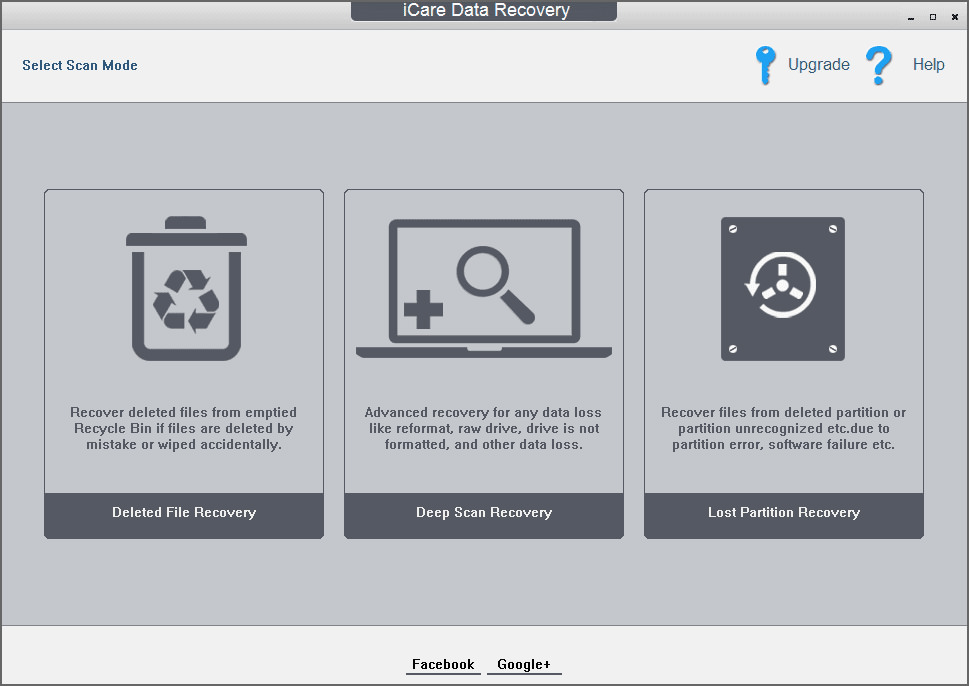
iCare Data Recovery Free – 100% freeware. Recovering deleted data from various kinds of digital devices in just a few seconds. iCare Data Recovery Free can recover permanently deleted/erased files from Windows. It can recover most often used files like word/documents, emails, videos, even audio files from PC hard drive or external usb disk, memory card/usb drive, etc.
Recover files after format/virus attack/ inaccessible digital device; Raw file system or drive shows 0 bytes; chkdsk reports raw drive; Disk/drive/card reports not formatted; Deep Scan Recovery – scans every possible file on each block on digital devices; Deleted/Lost Partition Recovery.
19. Kickass Undelete
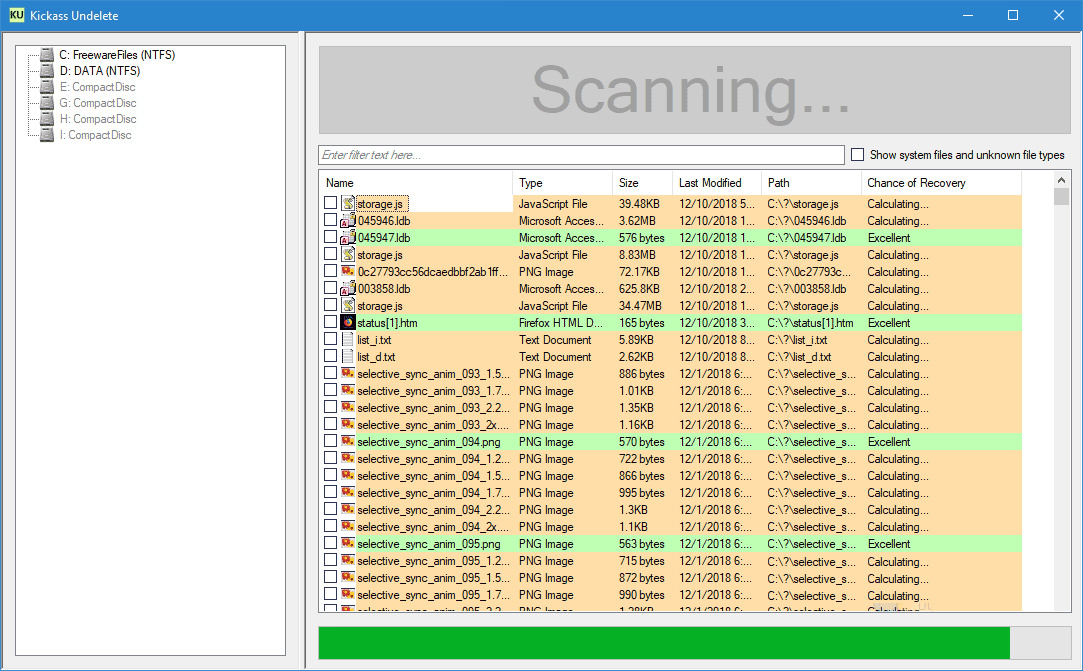
Kickass Undelete is a free, fully featured, file recovery tool for Windows. Accidentally deleted a file? Never fear; the data is probably still on your drive and may be recoverable. Kickass Undelete finds all of the deleted files on your hard drive, flash drive or SD card and allows you to recover them.
20. Active@ File Recovery Free
Free and Paid Version Available
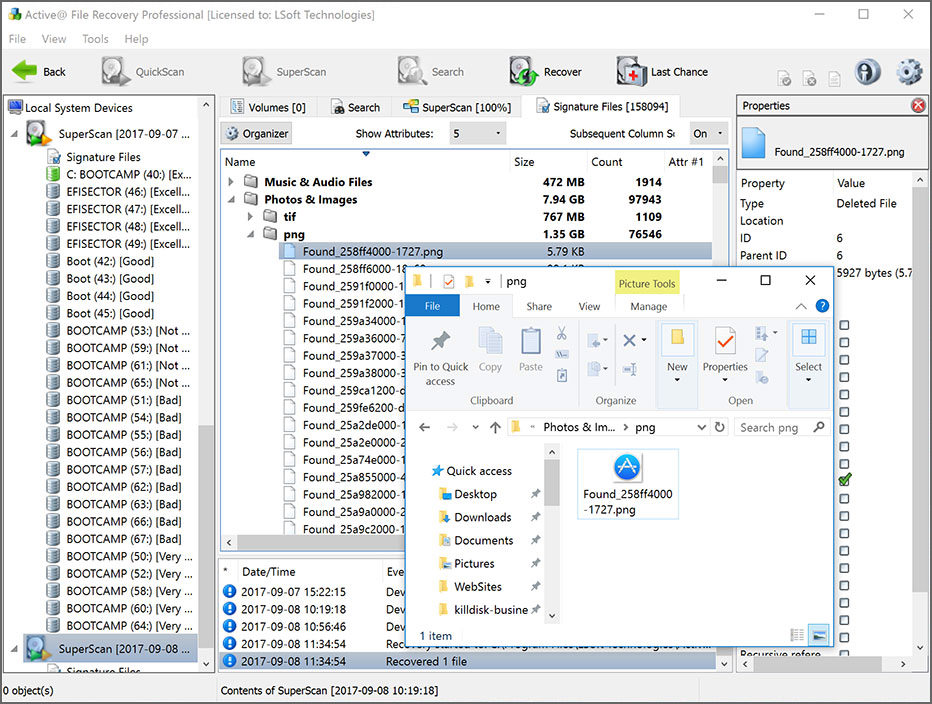
Active@ File Recovery for Windows provides the ability to effectively detect and recover files and disks lost due to accidental deletion, disk formatting, virus and other reasons. The Professional package also includes integrated Active@ Disk Editor (or Hex Viewer – a utility for low-level data inspection), Virtual RAID re-constructor, being able to recover damaged RAID disk arrays, and File Organizer needed to re-organize and rename files detected by their signatures.
- Recovers from damaged Microsoft FAT/exFAT/NTFS/ReFS, Apple HFS+, Unix UFS, Linux Ext2/Ext3/Ext4/BtrFS/XFS/JFS file systems
- Supports HDD / IDE / SATA / eSATA / SCSI / SSD disks / RAID disk arrays, USB Flash Disks and Memory Cards, External USB drives and USB3 disks
- Recovers extra-large, compressed, encrypted and fragmented files on NTFS, just deleted files can be recovered based on NTFS Journal ($LogFile)
- Creates and Recovers from Raw (sector-by-sector copy), Raw-Compressed images and disk images created by third parties
21. PhotoRec
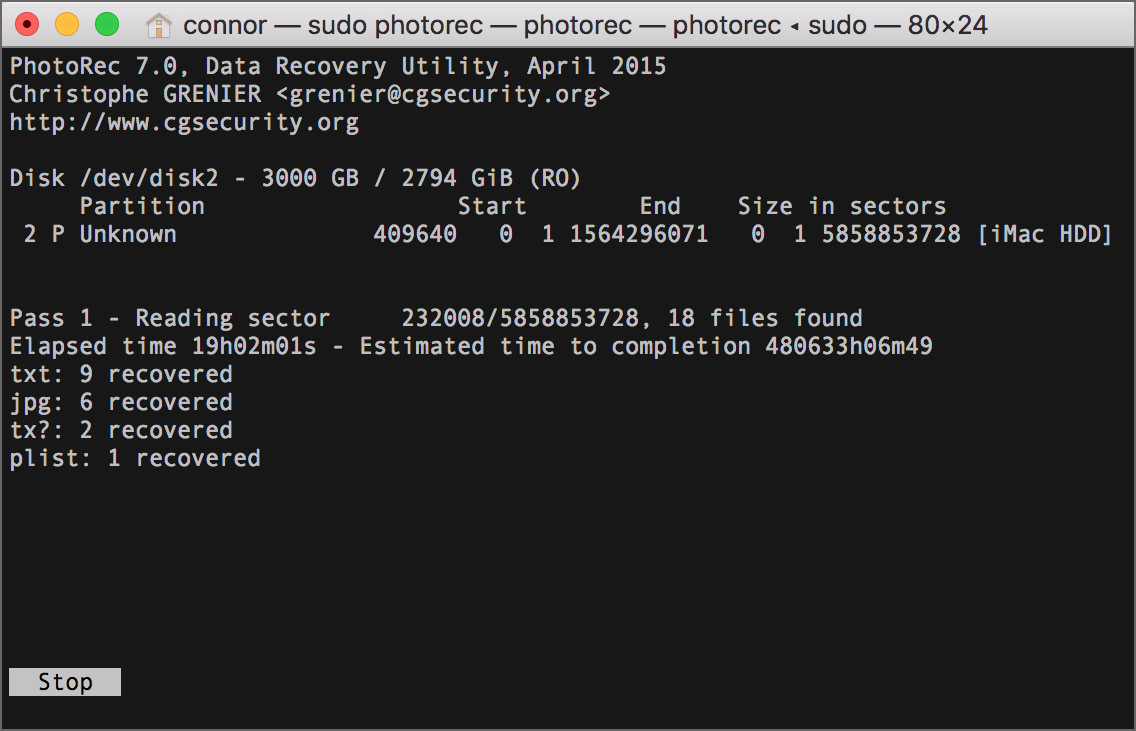
PhotoRec is file data recovery software designed to recover lost files including video, documents and archives from hard disks, CD-ROMs, and lost pictures (thus the Photo Recovery name) from digital camera memory. PhotoRec ignores the file system and goes after the underlying data, so it will still work even if your media’s file system has been severely damaged or reformatted.
For more safety, PhotoRec uses read-only access to handle the drive or memory card you are about to recover lost data from. Important: As soon as a picture or file is accidentally deleted, or you discover any missing, do NOT save any more pictures or files to that memory device or hard disk drive; otherwise you may overwrite your lost data. This means that while using PhotoRec, you must not choose to write the recovered files to the same partition they were stored on.
22. Puran File Recovery
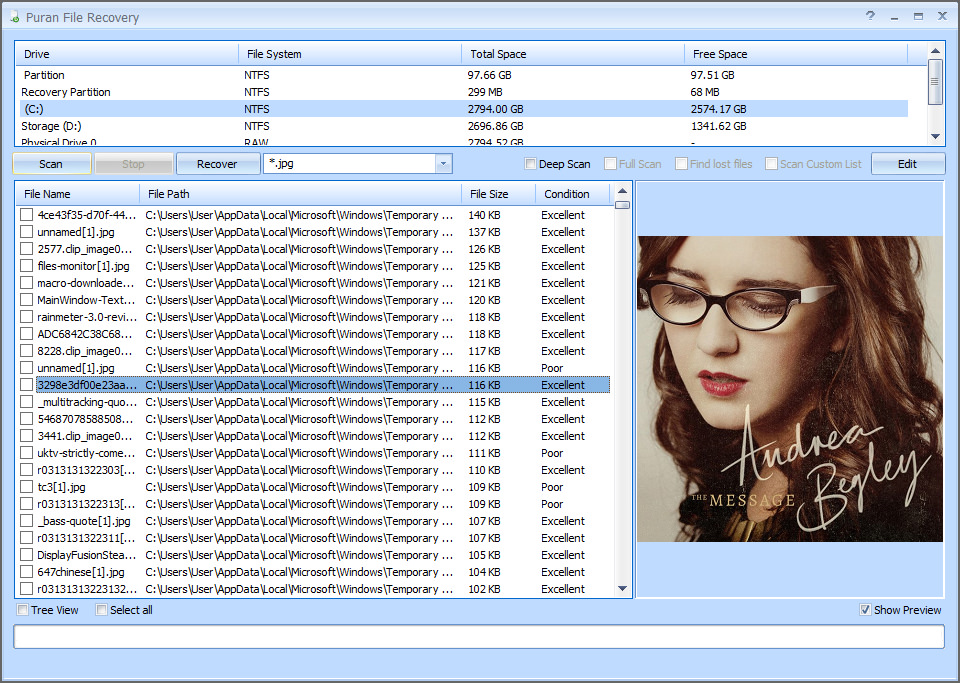
Puran File Recovery can be used to recover deleted/lost files/partitions. Files can be recovered from formatted disks too. Almost everything that is detected as a drive by Windows can be scanned irrespective of its file system. Be it Hard Disks, Pen Drives, Memory Cards, Mobile Phones, CDs, DVDs, basically any storage medium.
- A very simple interface with an extremely powerful recovery engine. A perfect combination of speed, accuracy and simplicity.
- A Quick Scan that lists deleted files in a click and a few seconds. It supports FAT12/16/32 and NTFS.
- A Deep Scan that can intelligently scan a drive byte by byte resulting in high speed listing of many more deleted and lost files.
- A Full Scan that can detect deleted/lost partitions and even recover files from formatted drives. RAW and Physical drives can also be scanned.
- Deep/Full Scan not just look for lost file records but also detect different format files based on data patterns.
- More than 50 formats/data patterns list expandable to hundreds of formats is included. Hence almost everything can be recovered.
23. Exif Untrasher
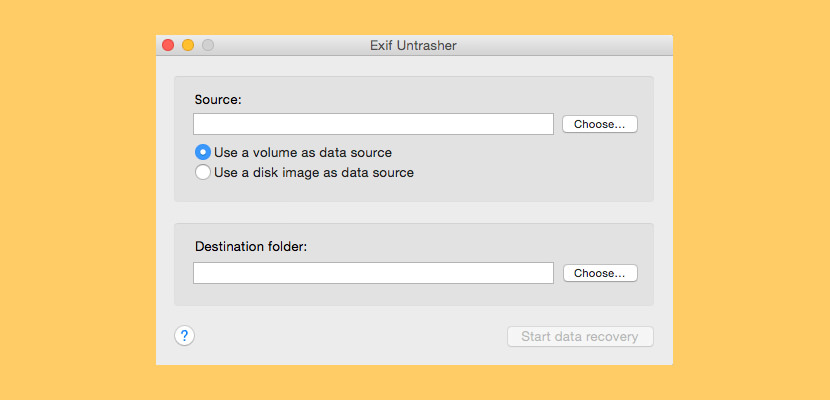
Exif Untrasher is a Photo recovery software that will try to locate photos in JPEG format on any kind of storage medium (SD card, CF card, memory stick, Hard Disk, SSD, CF Card…) and save them to your Mac. It won’t succeed in every case, but a lot of people were very relieved to find out that it did a pretty good job for them. And even if it fails, it doesn’t make things worse, as it does not alter the memory card.
To use Exif Untrasher, the camera’s memory card must be mounted as a volume on your Mac. When restoring photos from a USB stick or hard drive, this is automatically the case, and when dealing with a memory card you can use your mac’s card reader, an external reader or connect the camera to the Mac via USB (in case it supports the “Mass Storage Protocol”).
24. Recuva Data Disc Recovery
Free and Paid Version Available
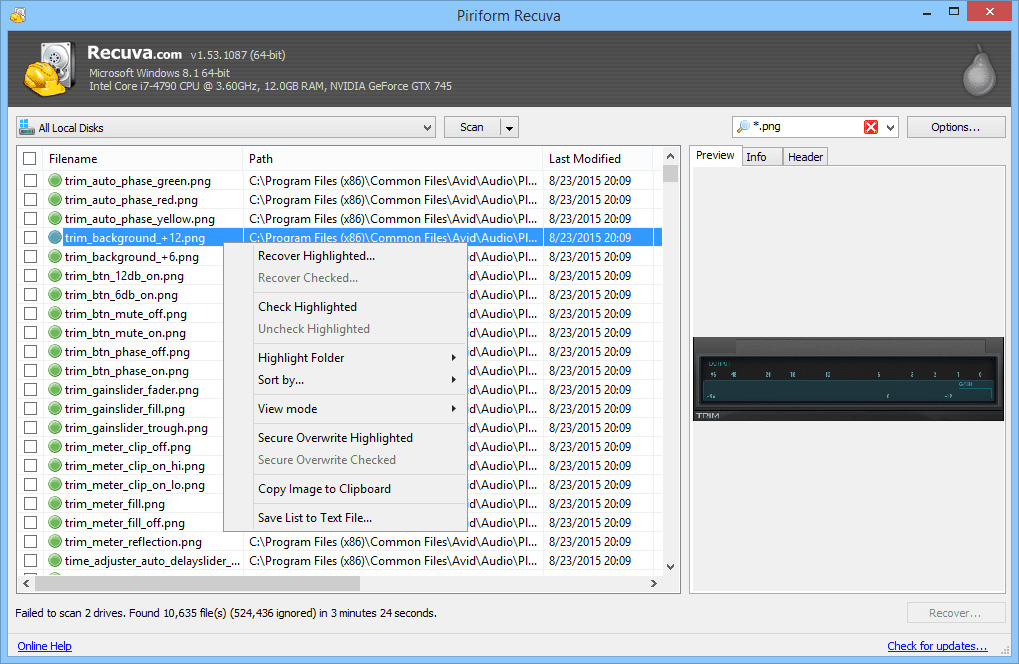
Recuva Freeware is a free hard drive recovery software made available by Piriform, it can efficiently scan and recover data from crashed hard disk data in FAT and NTFS format. Besides standard hard disk file recovery data, Recuva can also. Accidentally deleted an important file? Lost files after a computer crash? No problem – Recuva recovers files from your Windows computer, recycle bin, digital camera card, or MP3 player!
- Superior file recovery – Recuva can recover pictures, music, documents, videos, emails or any other file type you’ve lost. And it can recover from any writable media you have: memory cards, external hard drives, USB sticks and more!
- Recovery from damaged disks – Unlike most file recovery tools, Recuva can recover files from damaged or newly formatted drives. Greater flexibility means greater chance of recovery.
- Deep scan for buried files – For those hard to find files, Recuva has an advanced deep scan mode that scours your drives to find any traces of files you have deleted.
25. Softtote Free Data Recovery
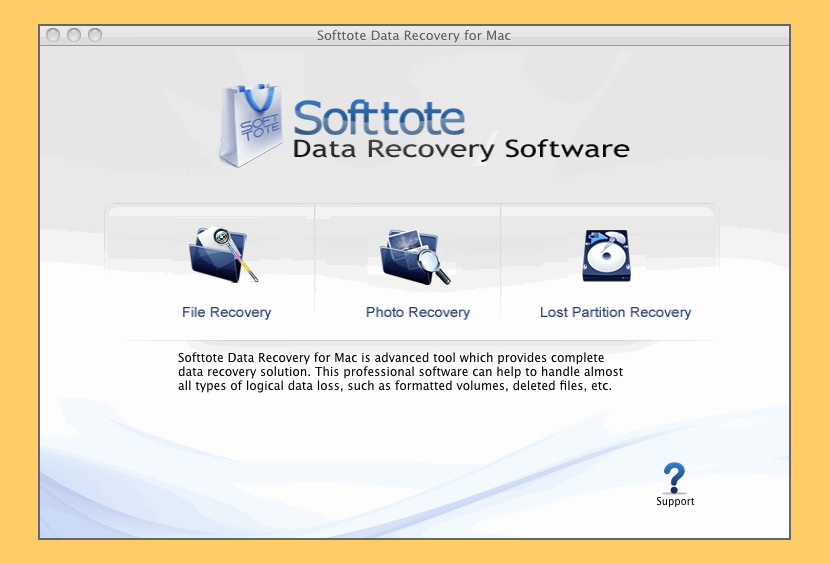
[ Discontinued ] With Softtote Mac Data Recovery Freeware you can recover the common bmp, jpg, png, tif, mp3 files from Mac-based internal/external hard drive and perform data recovery like undeleting accidentally deleted files from HFS+, FAT, NTFS, and ext2 file systems.
Unlike other free data recovery software, there is no size limitation for recovering such as only 1GB of data can be recovered, which means users can recover the lost data back no matter how large it is. What’s more, it also possesses the ability to preview found files and enables users to select target files to recover.
The Correct Way On Backing-up Up Your Files
It is always a good idea to have a portable USB hard disk acting as your backup system, alternatively, cloud storage is getting cheaper and more popular as time goes by. Other than cloud, the many mistakes done by the average user is to have 1 copy of the files on a single hard disk. The correct method is to have 2 copies of the identical files on 2 different hard disks.
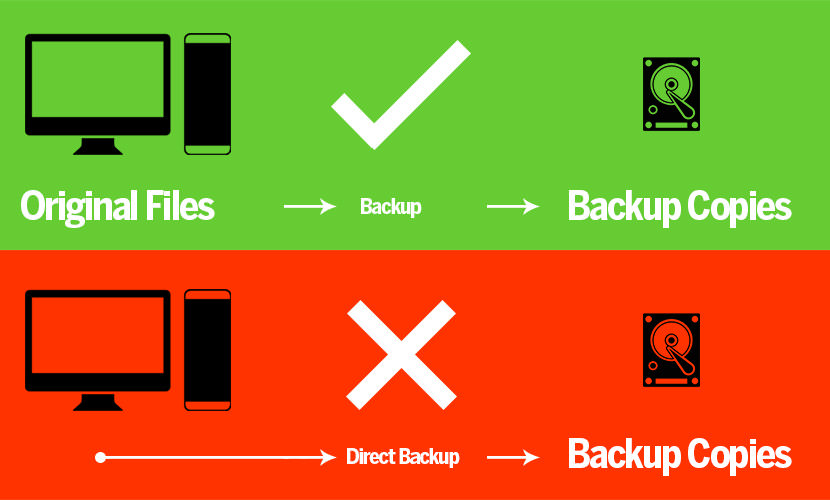
I personally prefer backing up my files on an external hard disk. For those new to backing up their files, here are 14 Free Folder and File Synchronization For External Hard Drive Backup. If possible, set the software to automatically sync all of your files to an external hard disk. Accidentally deleted or formatted your photo and images in your SD and CF card?
How to recover data from an SD card? Which is the best SD card data recovery software? Is there any free SD memory card data recovery program? What are the ways to recover lost data from an SD card? How to retrieve and restore missing data and photos in SD and CF flash drives? Due to some unforeseen incident, my Canon 450D camera’s SD memory card appears to be corrupted, downloading images is not possible because my computer refuses to recognize the corrupted SD card file format system.
Remember, if the data is important; always seek professional data recovery service if money is not an issue. The chances of salvaging data from damaged, failed, corrupted, or inaccessible secondary storage media when it cannot be accessed normally is higher from these data recovery centers, this is because they have the incentive to recover as much as they can as they charge for every GB of data recovered.



Hi,
Nice written by you about data recovery. You doing very nice job. Keep it up.
hi,
u doing avery nice job and what i want to tell u that could u help me how to get disk data recovery software. please please
needs to recover data
how to dead memory card recovery
Free file recovery software, aka undelete software, can help recover deleted files
hi, that’s a helpful subject but i need more details so can u or any professional help me?
my hard drive(a removable one) slipped out of the laptop not intentionally, i didn’t notice that until i fixed it again then a message came out says that the drive is not accessible .. because it’s corrupted & unreadble i think.. then i restarted the computer & it made the chkdsk process to my hard disk after that it was able 2 be opened but almost everything on it was gone , so i really need 2 know what 2 do 2 get them back ?
is the first program u wrote about the right one 2 use?
please help .. i’ll be sooooooo grateful
My external usb storage from CAVALRY fell and my system could not read any file from the drive.can somebody tells me what to do so that i can recover my DATA.?
I think u will need a professional hard disk recovery service. This is a hardware issue, not a software issue. Probably the ‘needle’ is broken.
MiniTool Power Data Recovery is an easy-to-use and all in one free file recovery software for home users.
Thanks for giving such a nice information about data recovery software.I have recentaly lost my data from my hard drive due to virus attack.I have used Stellar Phoenix Windows data recovery software.This software helps me to recover my lost and corrupted data.The software demo version is free in which you can see the preview of recover file.
Recuva worked for me when none of the other Windows based programs did. You can also try some of the open source options such as TestDisk and Ubuntu Recovery Version
I have a partially damaged mobile 5300 music Express memory card…it is slightly bend and hairline fracture is there…does not read in computer system…only on mobile sometimes it does…but on clicking on the memory card option it says memory card not formatted….can I recover data with these softwares…or are there any….p[lease help…
ThanX
My hard drive is corrupt. I bought a new one but have pictures on my old one I’d like to retrieve. We put it in an external hard drive case hoping to be able to retrieve the information and load it onto my new computer. Can I run any of this software on this drive as an external hard drive and retrieve my pictures? Which software would be best? Help! my pictures are invaluable.
I have a couple of external drives that are not working but they have images I need to recover. I bought a photography studio and these are the previous owners files. The one hard drive that is most important will power on, but when it is plugged into the usb port it doesn’t read. What software would you suggest to fix this?
Thanks for giving such a nice information about data recovery software.I have recentaly lost my data from my hard drive due to virus attack.
there was smoke coming out of my external hard drive,its not working now,so is it possible to recover any files from it?
Hello, thanks 4 the post. Am a young web programmer,My hard disk got damage and when insert/slave with another computer,window xp could not locate any new harddisk plug into it. Is there any hope of getting my job out?. Plz i need ur assistance.
Hello, from Kerala, my computer files corrupted by effecting a virus. now I applied anti viurs and format the system. but cant open the files. The JPEG, PSD, Word, PageMaker, corel Draw all these formt files are corrupted, it cant open. but still the syem is in good condetion. we can do any work in new file. so waiting for yor reply
I have an external hard drive that is not working now… how could I retrieve files and photos saved with my hard drive.
Can you please help me sort out this problem.
I appreciate your prompt response.
insert the external hard disk an put os cd take a step of recovery option choose the drive as external hard disk and prompt it i take time to depend on the size its automatically stored in internal hard disk……………..
I have a hard disk, as per the IT specialist the Hard disk is damaged.
i need to get my important data out of it, please let me know how i can get the data back.
i have shown to one of the data recovery center , but they were not able to read the data from harddisk.
There is the best external hard drive data recovery software and service.
Hi,
Nice written by you about data recovery. You doing very nice job. Keep it up.
hi, i really need help on my external hard disk.. i think it has trojan in it. mhenever i want to open the folders, it will ask me to format it.. which software do you suggest me so that i can get back all my assignment and projects in it??
I find great information about Hard Drive Disk Data Recovery free software and PC Inspector file recovery.
Unlike PC Inspector File Recovery 4, EASEUS comes with a number of limitations such as not having the ability to recover files from corrupted partitions
I have an external hard drive (Western Digital) with a lot of file on it. It just randomly decided to stop working one day. Any PC I plug it into doesn’t recognize the disk. It still receives power supply and I’ve taken it in to get checked out. They have said the files are the but missing a key file to access the disk. I just want to extract the data onto a new hard drive. Desperately need advice! Are there any packages I could download to aid me?
Fixed using PartitionRecovery
I had the same issue. External Drive coruppted – couldn’t be read and asked for it to be formatted. Took it to a PC centre and they couldn’t do anything. I ran some programs eg. Tooldisk, Un-erase etc. No results.
I eventually found a software program called ‘Partition Recovery’ in Canada. Cost $35. Ran it and restores everything. No damage to drive and working fine
Unbelievable especially after the PC repair suggested I send the disk to the manufacturer who will bust it apart to access the dick drive without any guarantee of a fix.
Thank you and I love your software
Please help me
my all data ( word , pdf , photo, and etc) files are corrupeted
how can I fix it
I was lost all my data in my external hard disk so then how i can recover back my data really worried about my external hard disk all of my study’s, my picture, my movie all the data is gone oh my god plz help me..:(
The primary goal of the software is to try to recover data from a drive
I have a seagate Momentus 5400.5 160GB HD, it was in a plastic external case. It dropped from my laptop bag. And now its not working. When i connect it the light with the casing turns on and there is beeping sound from the HD, but it is not detectable on my laptop. Please suggest what is wrong or what item may be broken and replaceable. Much of my office work and some private data is stored in the HD which I really need.
I was creating an image file of hard disk in my another hard disk. in between I canceled the process but the drive where i was creating that image file got corrupted. Why is it and how to recover the data from that drive as i tried using many softwares but they does show any data after scanning. or sometimes shows only temp file those are not usefull.
i can’t copy files like video or music to my usb / external hard drive. when i go for copy there showing a error msg. that it don’t have enough space. so it can’t copy…. I don’t know what to do………. my hard drive is about 320 GB. there a lot of video and mp3. i don’t want lose any of them…….. if i formatted the drive can I recover all the files of my external hard drive?……………pls help me………..thanks.
hi there, do try the following:
1. Buy a new hard disk, copy to it
2. Maybe some of your file exceed 4GB, which is the limit if your hard disk format is FAT32.
3. Maybe it is windows fault, try a 3rd party file transfer program, search this blog for ‘fastcopy’
Assuming you’re running Windows, you could go into Disk Management and check the allocated space on your drive. You can add to it if needed from there. It’s pretty simple to do if you just follow the instructions given.
how can i recover corrupted hdd
my external hdd is not shown in my computer.in device manager it appear ,but not open in partition. also in device properties, massage coming ‘this device is working properly.so plz tell me this device how can i recover my data from this device.
regard.
I have an external drive that crashed, I think..(i was watching a video saved on the drive and it suddenly stopped and i cant open it anymore and the rest of the drive) I have tons of stuff in there.. it’s autoplay won’t work.. its not in my computer.. but it’s in the drives manager thingy.. it says 450 of 500 gb, but I remember there’s only 300gb or so left.. where did all the stuff go? can i recover them? what software should i use? whoever can help me, THANKS!
my external hard drive is damaged and it says that i need to format it first before using.. sometimes my pc cannot read it.
i haven’t formated it since i have almost 500 gb files on it.. and i’m still searching for solution, please help me! T^T
email me for solutions. thanks in advance!
where can i download this recovery software?is it free…i realy need my files…Thanks,godbless to all
What if you cannot get your computer to boot up.It won’t even allow me to use mouse or keyboard theyr’e dead. How do you use it then. I had a diagnostic run in my computer and my hard drives are fine but I have a virus that has shut down my bootup I can’t even get it to start up in safe mode. What can I do?
I want repair my damage pendrive not deducted in computer
pls give me your contact no
9851056584
I encountered an error like “Inaccessible Boot Device” and later found that I had lost some of my important files. I was able to recover files from non-bootable hard drive using Remo File Recovery software. Due to some reason my hard drive was inaccessible and slow.
i have a big problem. my hard disk is damaged. windows xp was not installed. everytime show disk damaged………plz help me……….
@washim – try performing a bad sector disk check via Windows.
I have a My Passport 1 terabyte external harddrive which fell off the table onto a tiled floor, the case popped open slightly, I picked it up fixed it and it seemed to continue working, after I finished shut it down and removed it it hasnt worked since, the Device Manager on the PC sees it and says its working OK but I cannot access it at all from any device, will data recovery software work if the pc cant see it…?
@Mike
Probably the ‘reading needle’ is broken or the motor for it is broken. If the motor is broken, you will have to send is back to Western Digital.
i have lost my all data from my desktop (songs, movies, important images)
plz help me how i restore my data
Prob is .. .the fantastic program you are talking about “PC inspector….” is only compatible with XP not even with Vista and the company is stating ” a compatible version of the software is not available and an update is not even planned yet.” If in South America XP still rules I wonder why you are even talking about this outdated product.
Just like how tape recorders are still manufactured because alot of police recorded evidence are in tapes, or like how floppy disk are still used in many under-developed countries. XP is still used in many devices, such as ATM and etc.
Most data stored on computer is still stored on a hard drive, and these are delicate pieces of equipment, which can fail at any time. Failure is often total; however, there may be times when the disk is damaged which will prevent you from accessing certain bits of data, whilst other data files remain intact. A company that has experience in dealing with these problems will be able to advise you on the best course of action, whilst giving you a free non-obligation quote.
Not all of the software can resolve each and every problem, because hard drive can get corrupt or can get damage due to any reason, so to retrieve data one did different strategies to recover it back safely.
PC inspector might not be compatible with vista or any other windows, but it is a a big help for those who still have XP, which is definitely good.
Any how… thanks for sharing this educative post with us.
Backup of data is always necessary else it will trouble for you to pay a lot. Same happened with me a month back when I was unable to detect my hard drive because of physical failure. Software didn’t work in my case, then after so much of digging into recovery cases I got back my data with the help of Stellar data recovery services. Each stage of recovery was guided very nicely to me.
I have a disk corruption. The size of the disk is 6TB. which tool can i use to recover my files as fast as possible?
QuickBooks Error H202 is an error of multiuser operational mode on QuickBooks. There are number of indications that shows the presence of QuickBooks Error H202.
Keep a check to your incorrect hosting configuration. There might be your system’s firewall which is blocking all of the in & out communication.
Last week, I accidentally deleted my family photos by “Shift+Delete”, and I used a software named Bitwar Data Recovery to get them back. And I found that it’s also an excellent recovery program.
This is one of the best blogs I have ever read. I have a question regarding the hard disk. My hard disk is damaged and I could not be installed windows 10 OS. Please suggest me any idea.
Excellent selection of file recovery software. Several programs from this list I used. I also recommend using Partition Recovery
Hi Admin, this article too long but you suggest so many software tools that recover deleted data easily. I found one among them, which I personally used when I lost my important file folder in D drive. Someone suggested to me stellar data recovery to recover my folder and I did the same. It scans my drive and I recovered the deleted folder efficiently. It really worked in my case.
Stellar Data Recovery is a powerful data recovery program. In addition, users can also recover deleted partitions from the system. Other features of Stellar Phoenix data recovery software include deleted data from flash drives, storage devices such as mobile phone storage, digital camera storage, or MP3 players, and more. Stellar Data Recovery at empirecrack can also copy files, information from damaged and damaged disks. This system helps you recover almost all the information from back!
Stellar Data Recovery can find missing parts of a drive that may have been lost due to corruption or accidental deletion. When the scan is complete, all of the sections (that were found during the scan) will be listed in the sections section.
The opinions below are mine, and mine alone. These statements are an expression of my own free will. I was not endorsed or paid in any way to write these statements. As a US citizen it’s my constitutional right to practice freedom of speech and in no way am I attempting to discriminate, slander, harass any company, foundation, organization, or individual person. These are merely my thoughts.
I find the author’s choice to blatantly copy and paste the documentation of _Photorec_ wrong. While the project is considered Free Libre Open Source Software (FLOSS), and because of this the author’s actioms are not technically considered plagiarism. But in my opinion this decision is unethical and wrong. Not to mention. I mean the author It has me wondering– how many other times have they done this? I mean this page links to the documentation of _Photorec_.
In my opinion taking open documentation of anything within the FOSS community and passing it off as your own content is disrespectful and a middle finger to the people who have taken the time to research and document information for the rest of the community to use as reference, further educating themselves on the subject.
Do the authors of this site’s arrivals continue to practice this unethical behavior?
Additionally, just a note to the people that are unfamiliar with _Testdisk_ and _Photorec_. The download of either _Testdisk_ includes _Photorec by default. I feel the author misleads readers by posting two different listings. This is another backwards attempt to “create” additional content than theR really is. What’s wrong with combining the two in one large listing. Sure, it might be a little tough for readers that have a hard time with large sections of text, but the convergence of the two would be less convoluted. Alternatively, the author could’ve href’ed the two programs together, or maybe have added a footnote informing readers the two programs can be obtained with a single download. At the very least could have the listings one after another– I digress.
The issue here isn’t how the list separates the two programs. It isn’t if one program refers to the other. Neither is it if the author explains that both programs are part of a larger suite or collection of software, no. The real problem here is the little to no regard for the project’s contributing members orthe FOSS community as well as the amount of man/woman/non-binary work hours that has been put into this project.
More times than not the people behind these projects are not being paid and rely on donations to pay for maintenance costs. Most of them have full time jobs. Using their free time, and probably staying up until dawn to write, publish, and maintain the code and related documentation.
These “free” projects cost money to maintain and run. The “Free” in the case of FOSS is not related to the monetary value of the product. It stands for freedom. The Freedom to view/modify/redistribute/sell (read individual licensing terms to sell for profit) These projects are a gift to our community and abusing or taking advantage of licensing terms of FOSS is what’s wrong with this world.