

Which is the best Blu-Ray DVD Ripper for Windows 10 and macOS? There are literally hundreds of DVD and Blu-ray compression software in the market but which is the best in compressing video to fit into your smartphone? Budget airlines are becoming ever more popular, the drawback is the lack of entertainment. You can compensate for this by compressing your Blu-ray or DVD collections for long haul flights.
See More ▼ 8 Free Video Editing Software For YouTube Movies And Film
Here are some of the best free video compression software for reducing the large size files of webcam videos and smartphone camera videos for YouTube, Android Smartphones and iPhone.
1. HandBrake
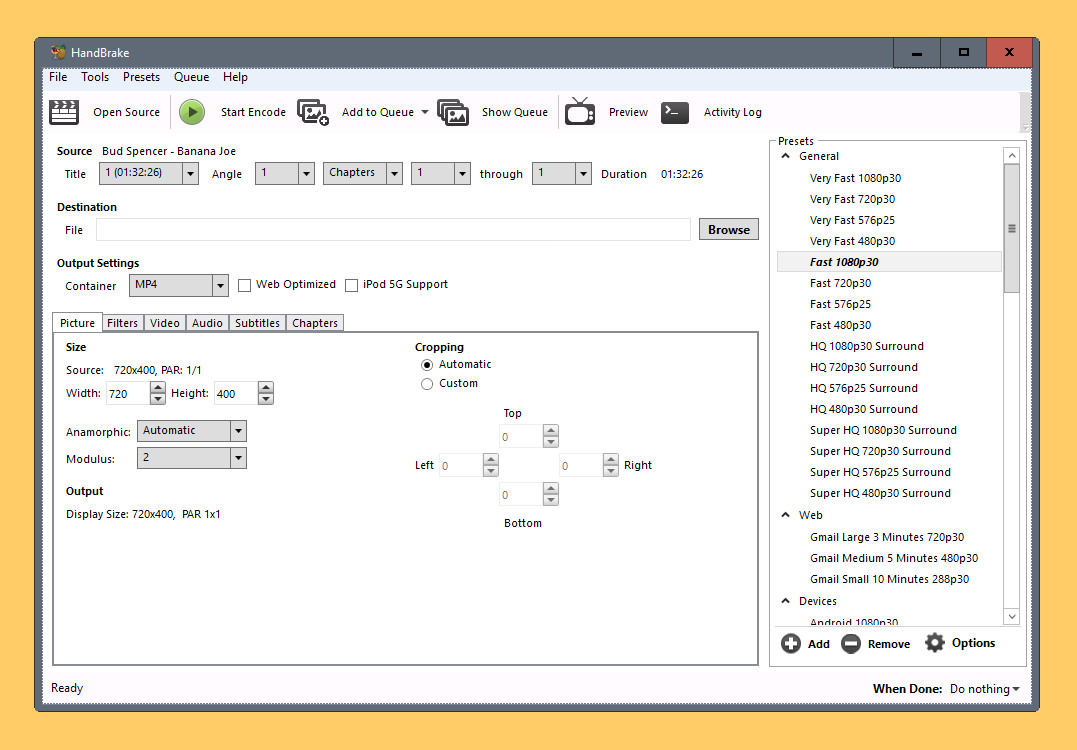
how to compress an mp4 video fit for email? HandBrake is the answer, it is a tool for converting video from nearly any format to a selection of modern, widely supported codecs. Get started with HandBrake in seconds by choosing a profile optimised for your device, or choose a universal profile for standard or high quality conversions.
Simple, easy, fast. For those that want more choice, tweak many basic and advanced options to improve your encodes. Handbrake can process most common multimedia files and any DVD or BluRay sources that do not contain any kind of copy protection. Works great on Microsoft’s Windows 10 and Apple’s macOS.
- File Containers: .MP4(.M4V) and .MKV
- Video Encoders: H.265 (x265 and QuickSync), H.264(x264 and QuickSync), H.265 MPEG-4 and MPEG-2, VP8, VP9 and Theora
- Audio Encoders: AAC / HE-AAC, MP3, Flac, AC3, or Vorbis
- Audio Pass-thru: AC-3, E-AC3, DTS, DTS-HD, TrueHD, AAC and MP3 tracks
Important! Download Version 0.9.5 – To compress a video to a targeted 700MB CD size, only version 0.9.5 has this feature. HandBrake decided to remove the targeted feature, the reason is the quality of the video.
2. Avidemux
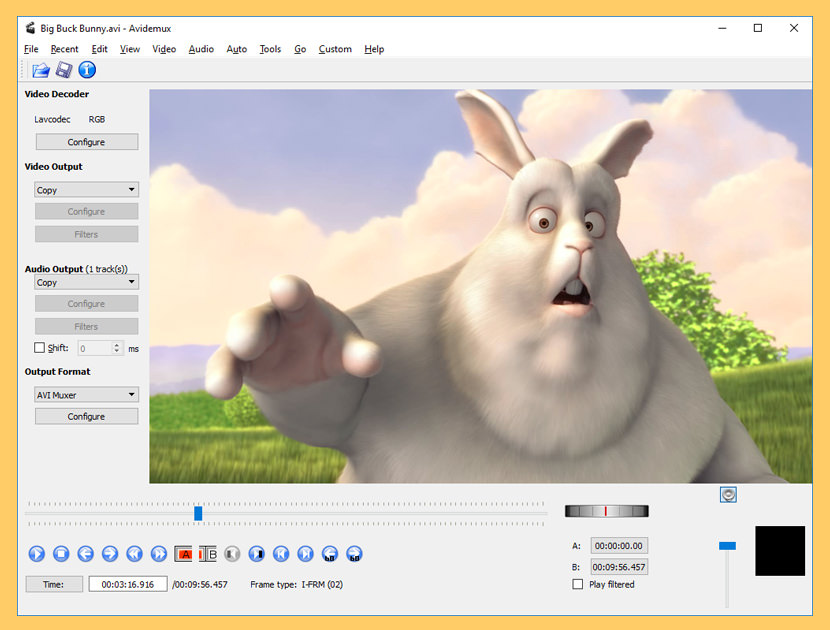
Avidemux is a free video editor designed for simple cutting, filtering and encoding tasks. It supports many file types, including AVI, DVD compatible MPEG files, MP4 and ASF, using a variety of codecs. Tasks can be automated using projects, job queue and powerful scripting capabilities.
Avidemux is available for Linux, BSD, macOS and Microsoft Windows under the GNU GPL license. The program was written from scratch by Mean, but code from other people and projects has been used as well. Patches, translations and even bug reports are always welcome.
3. VidCoder
Remove Copy Protection
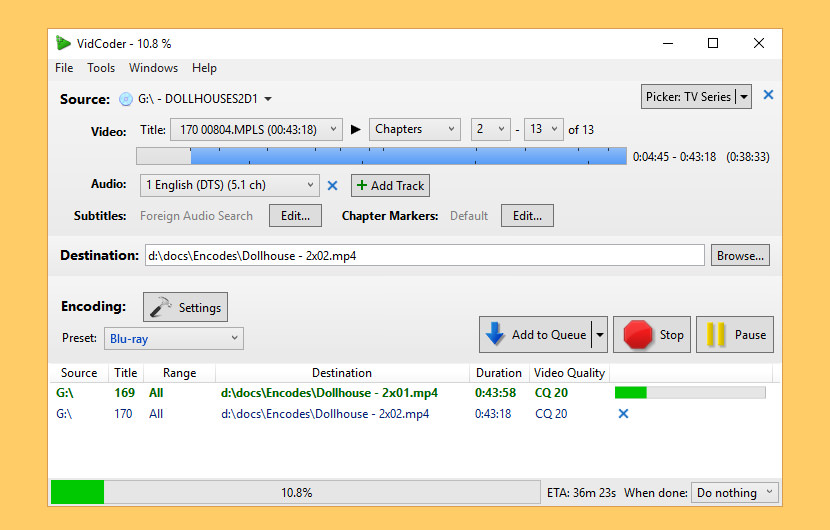
VidCoder is an open-source DVD/Blu-ray ripping and video transcoding application for Windows. It uses HandBrake as its encoding engine. DVDs VidCoder can rip Blu-ray and DVDs but does not defeat theAACS or BD+ Blu-ray encryption and CSS encryption found in most commercial disc. With third party plugins, VidCoder can remove copy protected DVDs and Blu-ray.
- Multi-threaded
- MP4, MKV containers
- H.264 encoding with x264, the world’s best video encoder
- Completely integrated encoding pipeline: everything is in one process and no huge intermediate temporary files
- H.265, MPEG-4, MPEG-2, VP8, Theora video
- AAC, MP3, Vorbis, AC3, FLAC audio encoding and AAC/AC3/MP3/DTS/DTS-HD passthrough
- Target bitrate, size or quality for video
- 2-pass encoding
- Decomb, detelecine, deinterlace, rotate, reflect filters
- Batch encoding
4. QWinFF
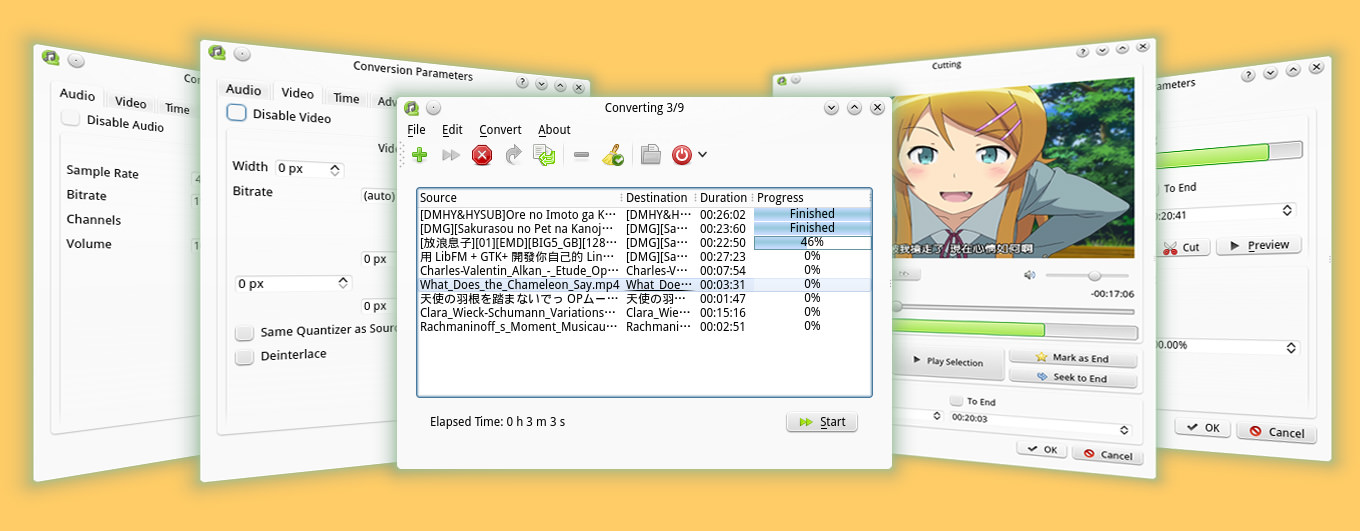
QWinFF is a GUI for FFmpeg, a powerful command-line media converter. FFmpeg can read audio and video files in various formats and convert them into other formats. QWinFF provides an intuitive graphical interface and a rich set of presets to help you use ffmpeg easily without having to type a single command. Advanced users can also adjust conversion parameters like bitrate and sample rate in detail.
5. 500th Video Converter
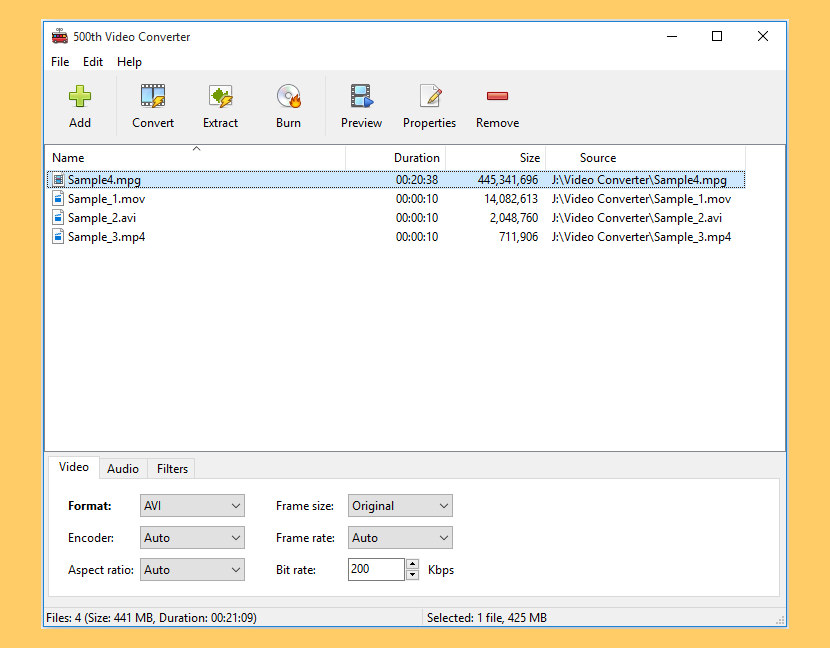
500th Video Converter is a lightweight and easy to use video conversion software, which allows you to convert and burn video files, extract audio tracks from video files, preview video and apply visual effects. You can use this tool to reduce the bitrate and frame size, thus compressing them.
- Convert – 500th Video Converter allows you to convert any video file and save it to various formats such as AVI, MOV, MKV, WMV, VCD, DVD, MP4.
- Extract – With 500th Video Converter you can extract audio track from any video file and save it to various format such as MP3, WAV, OGG, FLAC, WMA.
- Burn – With 500th Video Converter you can burn your video files to CD, DVD or Blu-ray Disc as well as erase any rewritable media.
- Supports batch conversion and extraction
- Supports all types of CD/DVD/Blu-ray Recorders



nice topic.alternative resource for movie fan out there.TQ
Wow! That’s pretty cool. I’ve seen other DVD shrinkers, but I may have to try that one now.
I tried this MAgic DVD. It working excellent. But it is not allowing to change any setting.
If we try to make any changes it gets locked
it has a virus on keygen
plz…send me download link
pls send mee download link….as soon as possible
Thats nice.
But If you want to burn DATA DVD then.
like 4.67 GB DATA includes backup. songs. pictures. movies.
SO how you can burn it on DVD-R OR DVD+R.
Because it shows in burning software DISC.INFO.
that this disc has FREE SPACE 4.38.
when you try to burn says not enough space..
How to compress the ALL data so it can fit in low space…
I have tried winrar, winzip and some others…
Magic DVD is not the exact software that I am looking for. I have used this and found one issue.
Under the option “SPLIT MODE”, you can customize the size of the movie to a particular size(say 700MB) BUT that doesn’t means that it will compress whole movie into 700 MB file. The “SPLIT MODE” only makes parts of the movie to the mentioned size and not whole movie. For e.g if one movie is taking around 900 MB space after conversion, then the “SPLIT MODE” will make 2 files of the movie. The 1st part will be of 700MB and 2nd part will be of 200MB. SO altogether you will get 2 parts that too of more than the mentioned size of 700 MB.
You can also try out another DVD Tools for Win users – Aimersoft DVD Ripper
Tenorshare DVD Ripper can help you do that job. It is a good dvd to other popular video formats conversion program.
You can also use dvdshrink if you have it. Custom size, rip to drive, then open what was ripped and shrink it again. Repeat as necessary. While this sounds like a lot, my pc can recompress in under 4 mins each time. Keeps decent quality too!
There are also some program that can fit up to 16 hours of video on a dvd, they compress to a lower resolution, but they can have problems playing on some players.
I love it, as the kids have smaller tvs in the playroom, they don’t need HD video. We don’t want the originals ruined, so we make the copy, then compress to cd, as cdrs are much cheaper, and we have a huge pack that we don’t use!
Thanx editor! I’ve tried several DVD rippers before. The best thing of the free DVD ripper is “Free of Charge” but I have to say that the paid tools are better with more features and stable performance. I think these two DVD rippers are deserved to try.
1. MacX DVD Ripper Pro. It is the fastest DVD Ripper I’ve ever used. It also decrypts DVD copy protections and converts DVD to iPhone Android compatible formats.
2. MakeMKV. This one is the good choice for Blu-ray DVDs. It converts DVD to MKV to preserve the original quality. But the shortage is that it only export videos in MKV with large file size.
2 things are wrong with rippers – converting from DVD takes forever, and you lose CC.
You can’t have CC on a single file video – or have to jump through the hoops, downloading the subs and merging them into video (only to find later that they are terribly out of sync, advanced by several seconds before the video).
That’s why I’m still using DVD shrink – copying the main movie only, and slightly compressing it to 95% of 100. Works fine under Win 10.
Avdshare Video Converter is the best MKV video compressor, shrinking the MKV files to a smaller size by converting MKV files to smaller video formats like AVI, MP4, 3GP, etc. and adjusting video bit rate, resolution, frame rate, etc.
Hi, thanks for your considerate sharing! I’d like to add another easy-to-use tool that missing from your list – Joyoshare Video Converter. It has 60X fastest conversion speed and can convert videos and audios without losing quality. I love it. Maybe you could consider it in your future update. Anyway, happy Halloween!